Creating Files for the SprinterB Printer Setting up a PS driver
Sprinter User's Manual 11-13
Preparing a PS file with FreeHand
The following illustration is taken from FreeHand version 9.0. The
procedures are correct for all versions.
After preparing the graphic file, you should send it to the PS printer.
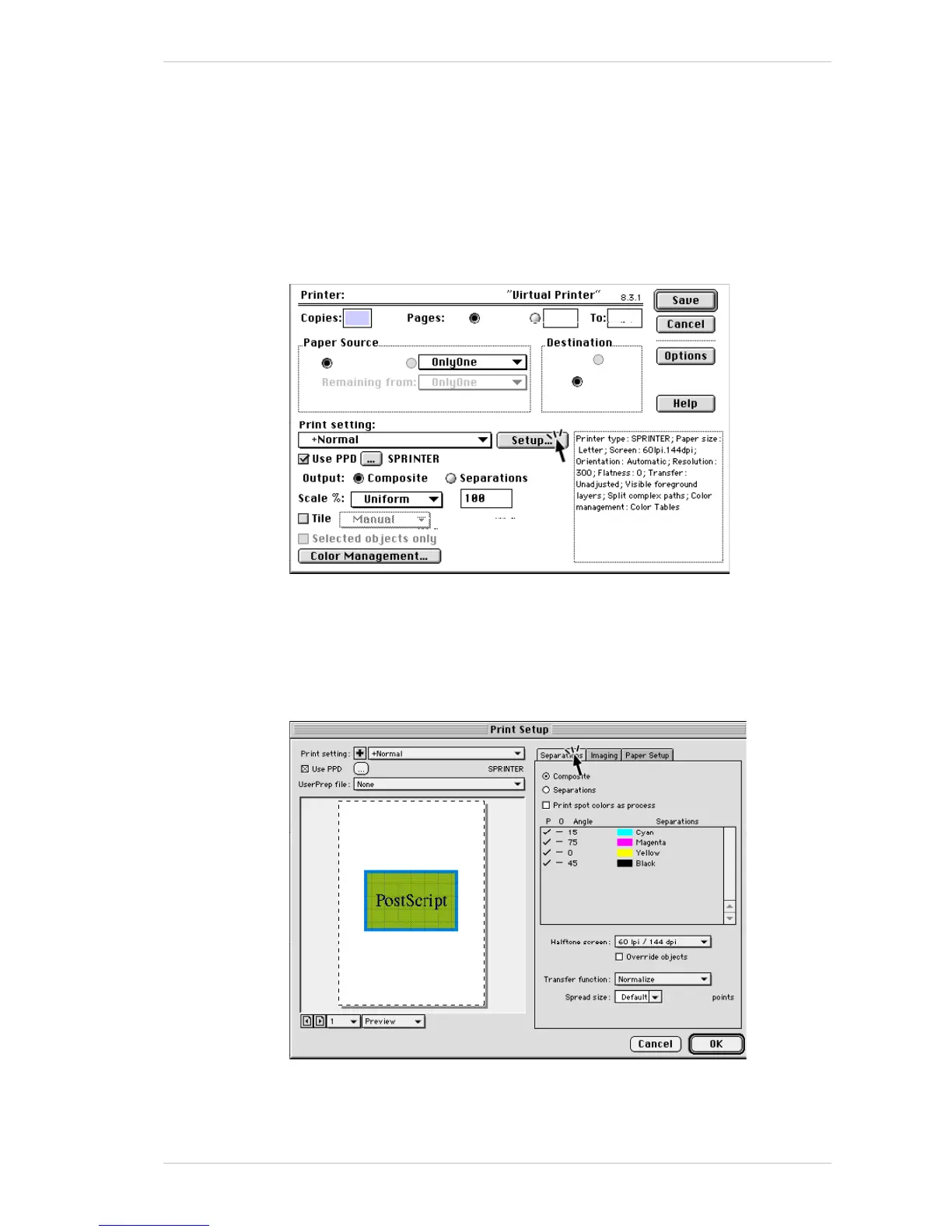
To prepare a PS file with FreeHand:
1. From the F
ILE menu, select PRINT.
The following window appears.
2. Check the U
SE PPD option and ensure that SPRINTERB is selected.
3. Check the C
OMPOSITE option.
4. In the S
CALE %, select UNIFORM and 100%.
5. Click S
ETUP.
The following window appears.
6. In the S
EPARATIONS tab, check the COMPOSITE option.
It is unnecessary to check the P
RINT SPOT COLORS AS PROCESS option as
PPS will carry out a RIP to do this in either case.



 To Next Page