Sprinter User's Manual 9-1
9 Replacing and Adjusting the Print Heads
The PRINT HEADS are already preinstalled on the printer. They have also
been calibrated.
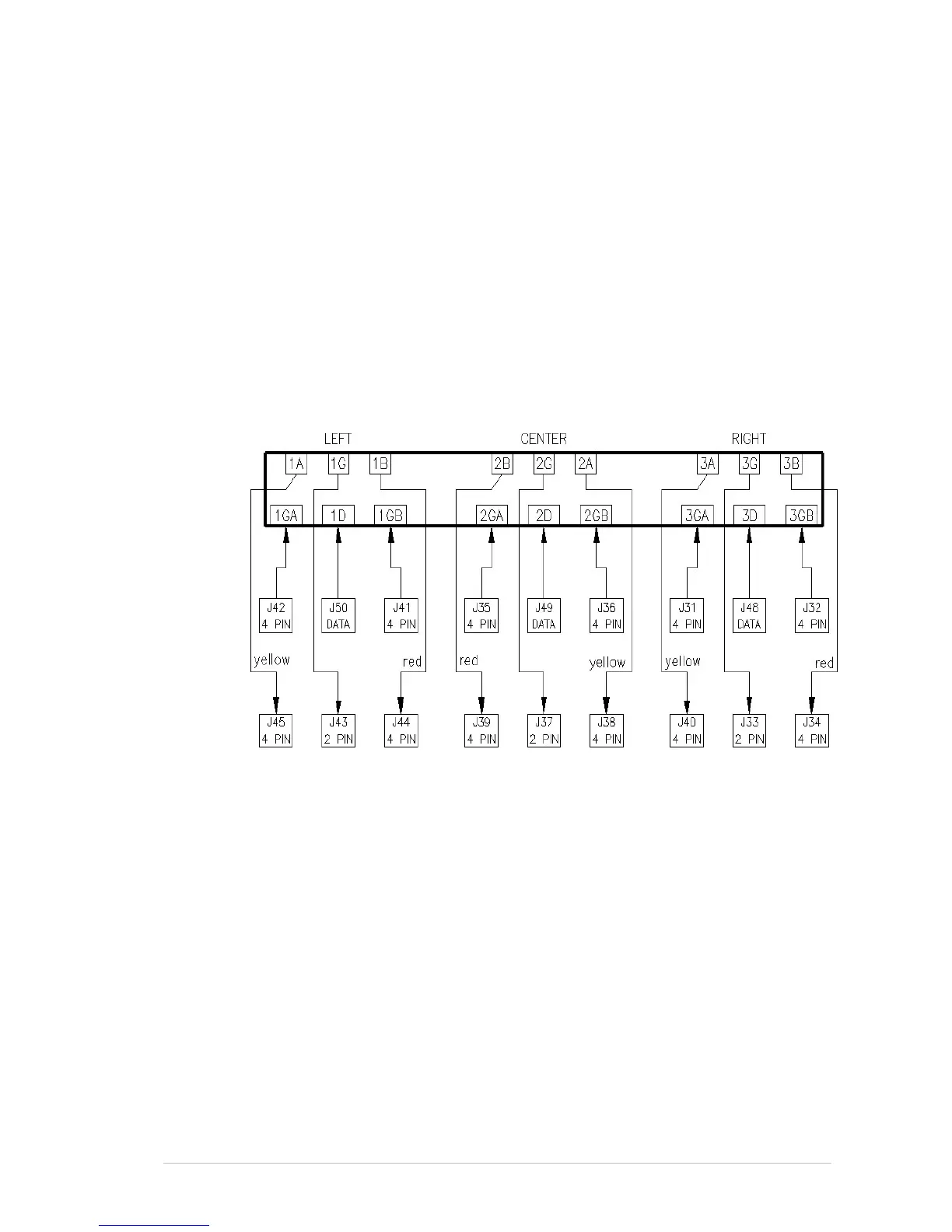
To facilitate the correct connection of the cables, they are color coded and
labeled. The connector pins on the P
RINT HEADS are also labeled.
Black cables are ground, red and yellow are current, and any other colors
carry the data.
The P
RINT HEAD is connected to the PRINT HEAD CARD by a number of
cables. These cables either carry current or data.
If the P
RINT HEAD CARD on your printer has three sets of connector pins,
you should connect the cables according to Figure 9-1. If it has four sets,
you should connect the cables according to Figure 9-2, page 9-2.
Figure 9-1: Wiring between the Head Card and the Print Head



 To Next Page