THIS PRODUCT IS INACTIVE!
Please contact Mathers Controls for support information.
Page 28
• The MicroCommander is interlocked to block the engine
'START' signal if the clutch is in the engaged position.
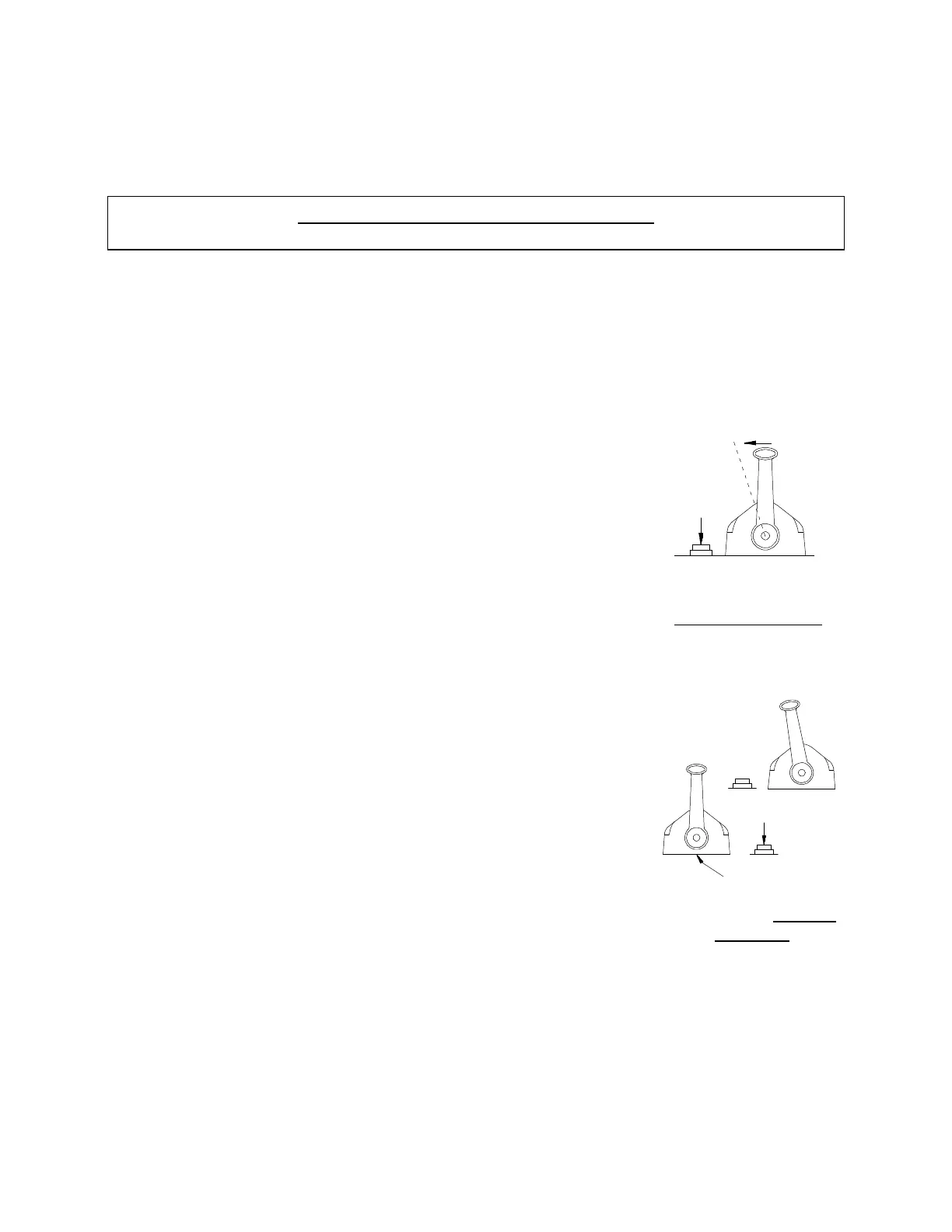
• The MicroCommander allows engine speed change without
engaging the clutch to help starting and warming up a cold
engine. This is called "Warm-up" Mode.
With the control in the 'NEUTRAL' position,
depress and hold down the station transfer
button, move the control to the 'AHEAD'
detent position. Now release the station
transfer button. The indicator light will blink,
showing the clutch has stayed in 'NEUTRAL'.
The operator can now move the control lever
through the speed range and 'start' and
warm-up the engine. MicroCommander resets
to normal when the control lever is returned
to ‘NEUTRAL’.
8.4 STATION TRANSFER
Only one (1) station has control at a time.
Control is transferred by a transfer push
button. There is one (1) push button at each
station. When transferring control stations,
the control lever of the Station-in-Control
may be in any position. The station taking
control must be in the 'NEUTRAL' position.
The light on the control head is red when the
station has control. The indicator light at all
other stations will be 'OFF'. Control remains
unchanged for one (1) second after the red light to allow the
operator time to move the control lever from 'NEUTRAL' to a
position approximately matching the last speed setting.
Push &
Hold
715-2
Figure 17 –
Neutral Fast Idle
Receiving Station
0662A
Figure 18 – Station
Transfer



 To Next Page