Song
57
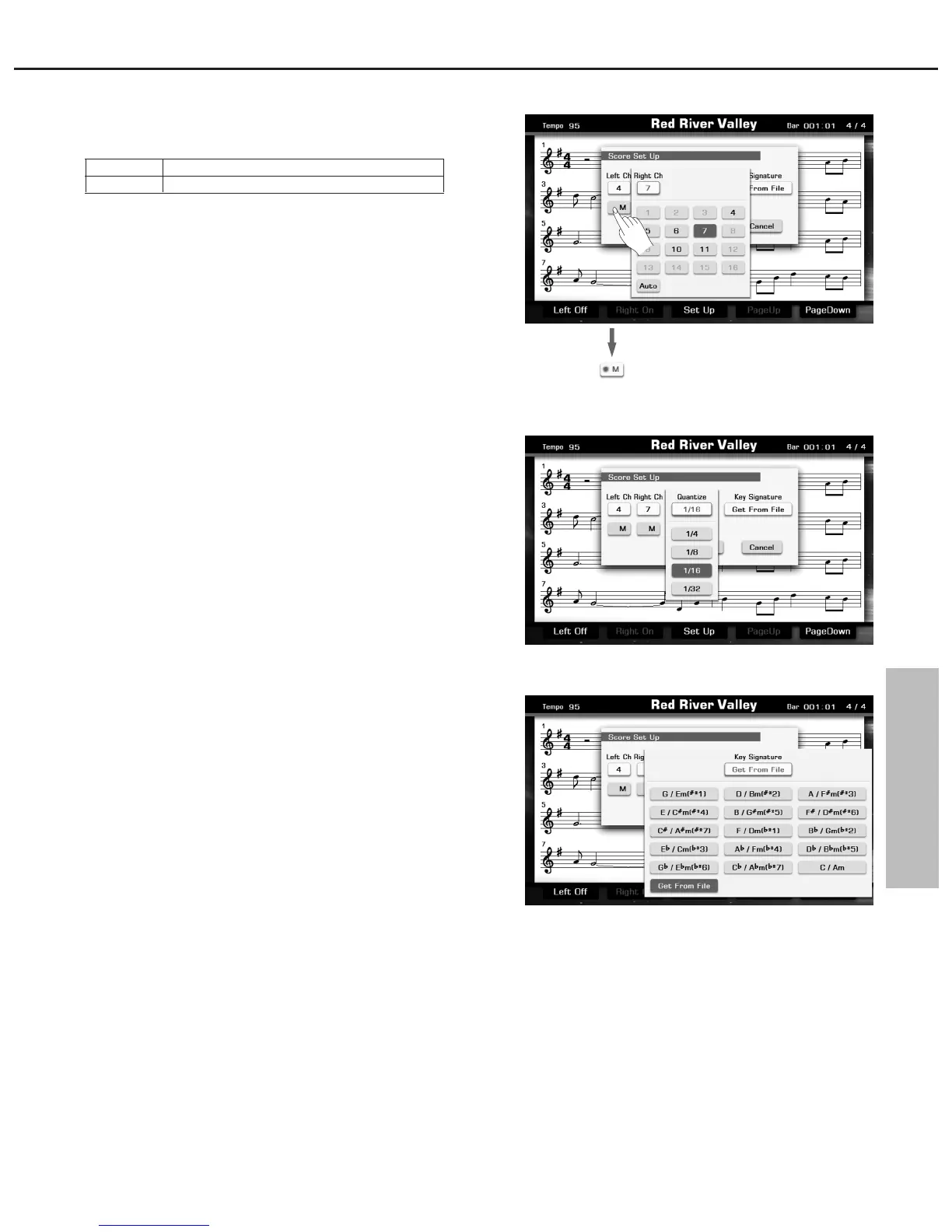
1. Select a MIDI channel which is used for left/ right hand part.
Note:
The system automatically set to “Auto” when a different song is
selected.
2. Press the Right Ch“M” button to mute the right channel and press
the Left Ch “M” button to mute the left channel.
3. Press the “M” button again to cancel MUTE.
Quantize
The quantize function can help you correct timing, which may have
some imprecision. Select the quantize size (resolution). Available
settings: 1/4, 1/8, 1/16, 1/32. For optimum results, we recommend you
set the Quantize size to the shortest note value in the channel.
Normally, the default setting is sixteenth note.
Key Signature
This function is very useful. It makes your score easily displayed as
your familiar simple signature type.
Note:
Get From File means display the score as the MIDI file default data.
LEFT CH
RIGHT CH
Select the MIDI channel for left hand part.
Select the MIDI channel for right hand part.



 To Next Page