Song Recording
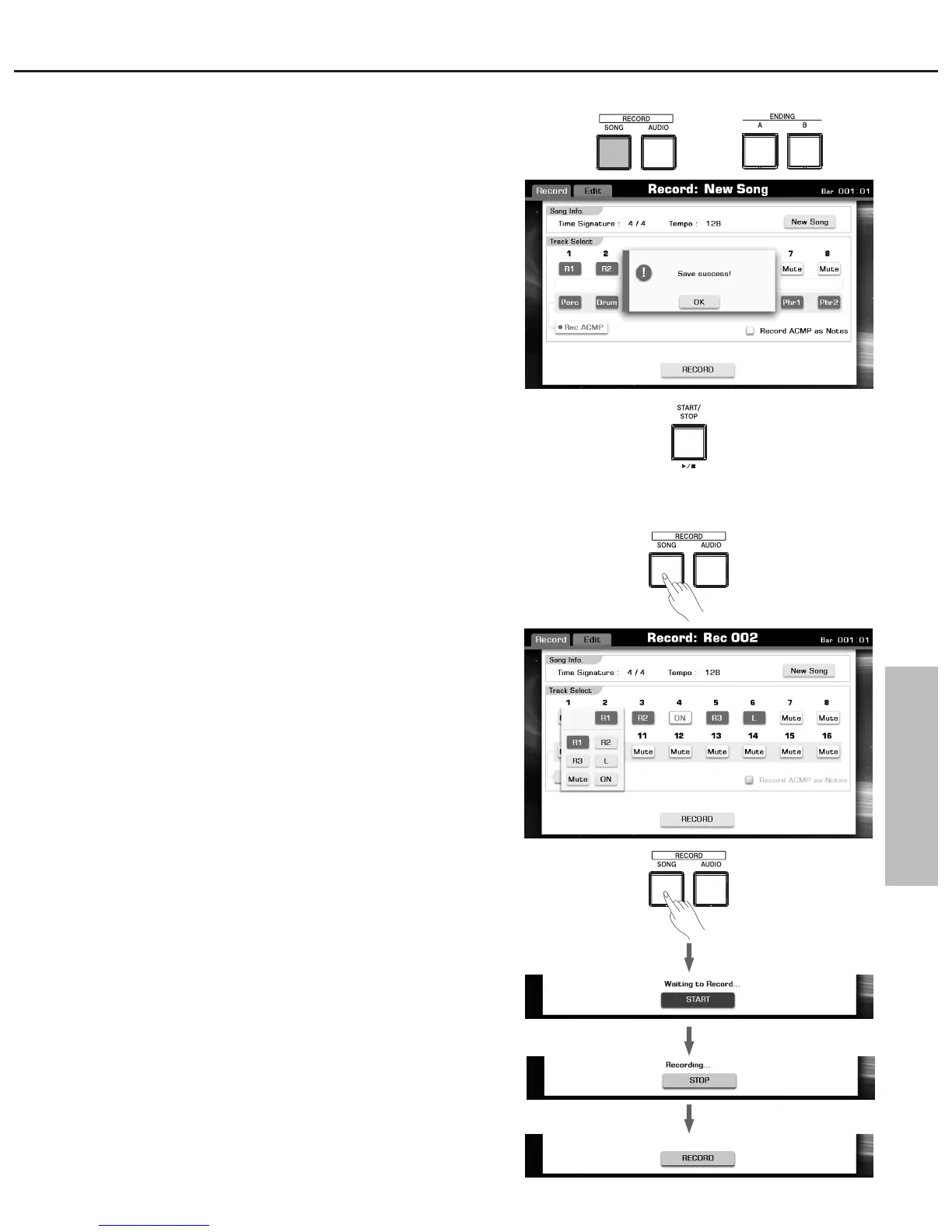
4. Stop recording
Press the “STOP” button on the Record Display or press the
[RECORD SONG] button. The LED of [RECORD SONG] will go
out.
If you are recording style, press the [ENDING] button, when the
Ending is finished, the recording would also stop automatically.
5. Save recording data.
When the soft keyboard is called up, please enter the new name
and press “OK” to save the new user song.
Note:
The recorded song data will be lost without executing the save
operation.
6. Press the [PLAY/STOP] button to playback the song you just
recorded.
Multi Track Recording
You can also record over already-recorded parts of an existing User
Song.
1. Press the [RECORD SONG] button to call up the Recording
Display.
If the current song is user song, this user song is called up for new
recording.
If the current song is preset song, a blank song (“New Song”) is
called up for recording.
2.
Note:
Press the “Rec ACMP” button to switch accompaniment recording on.
3. Select voices for keyboard parts and select a style.
4. Press the [RECORD SONG] button or press the “RECORD” button
on the Recording Display to enter recording standby mode.
5. Press the [RECORD SONG] button or press the “START” button on
the Recording Display to start recording.
6. Press the [RECORD SONG] button or press the “STOP” button on
the Recording Display to stop recording.
7. Press the [PLAY/STOP] button to listen to your newly recorded
performance.
8. To record another channel, repeat steps 2-7.
You can have up to 16 tracks in one song. By using multi-track
recording, you can record each track independently. You can determine
the target track for each keyboard part, the style part can also be
recorded.
Determine the tracks for the recording.
Defaultly track 1-4 will be used for the keyboard parts (Right 1-3
and Left). The style part will always be recorded to track 9-16.
59



 To Next Page