Global Setting
Fade In/Out
67
Parameter
Time
Signature
Bell ON
Volume
Value
Denominator:
2,4,8,16
Numerator:
1~16
ON/OFF
0~127
Description
The lower numeral indicates the note
value that represents one beat (the beat
unit). And the upper numeral indicates
how many such beats there are in a bar.
Set this “Bell on” button to on, add a bell
ring denotes a stressed beat.
Adjust the volume of the metronome.
Parameter
Fade In Time
Fade Out Time
Fade Out Hold
Time
Value
0.0~20.0Sec
0.0~20.0Sec
0.0~5.0Sec
Description
Set the time it takes for the volume to
fade in, you can find the volume rises
from minimum to maximum.
Set the time it takes for the volume to
fade out, you can find the volume
decreases from maximum to minimum.
Set the time the volume is held at 0
following the fade out.
System Reset
Parameter
Reset Performance
Clean User Voice
Clean User Style
Clean User Song
To Factory Reset
Description
Restores the all performance memory setting to
the original factory settings.
Delete all user voices.
Delete all user styles.
Delete all user songs.
Restores the all data to the original factor settings.
(User voice, user style, user son user
performance, utility setting, etc.)
Setting the Data and Time
Note:
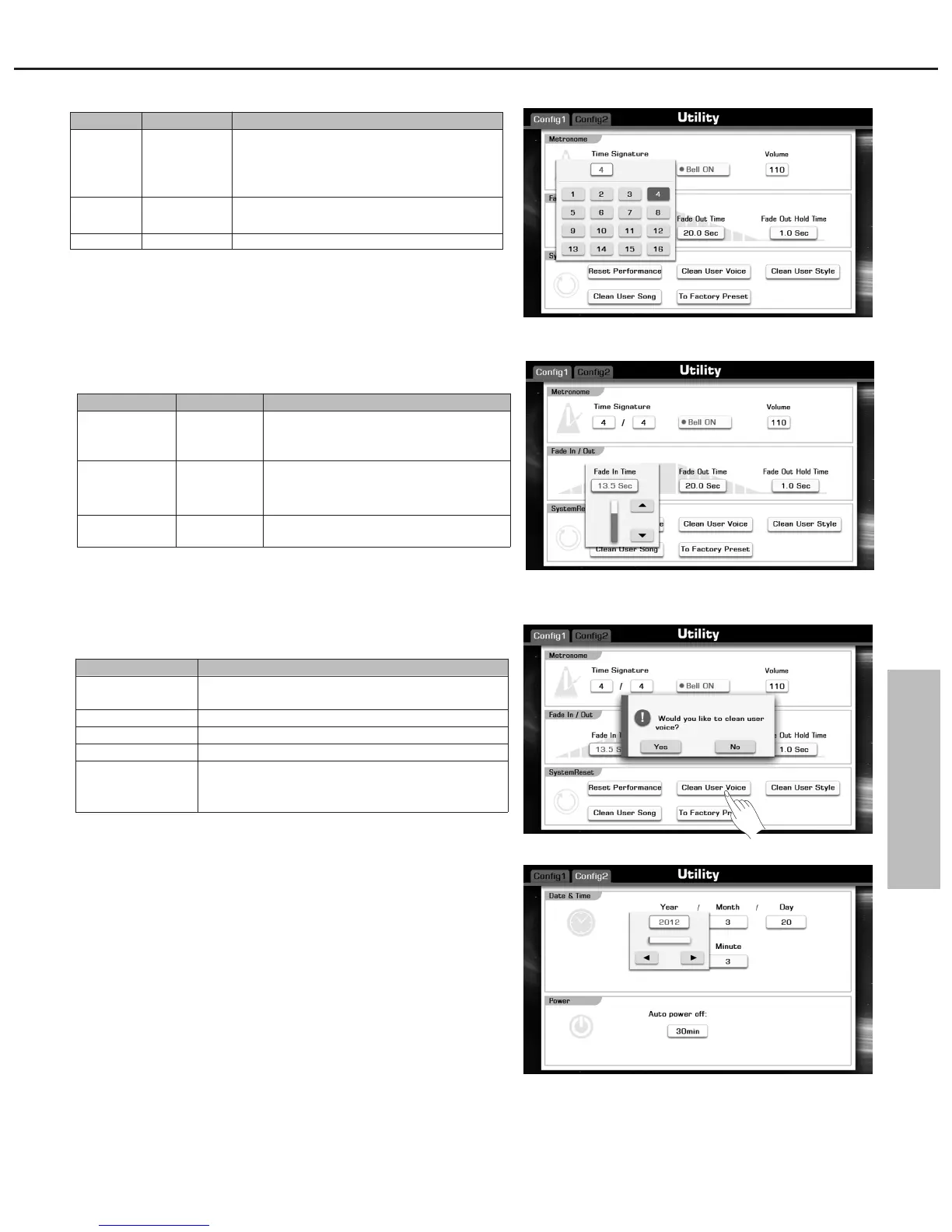
Press the “Config 2” tab to call up the relevant setting display.
You can set year, month, day, hour, and minute data.
Auto Power Off
The auto power off time can be set here. There three options: 30min,
60min and Never.



 To Next Page