139139
t r o u b l e s h o o t i n g
g
VALVE MODULE VALVE ERROR
This error indicates a valve malfunction.
•
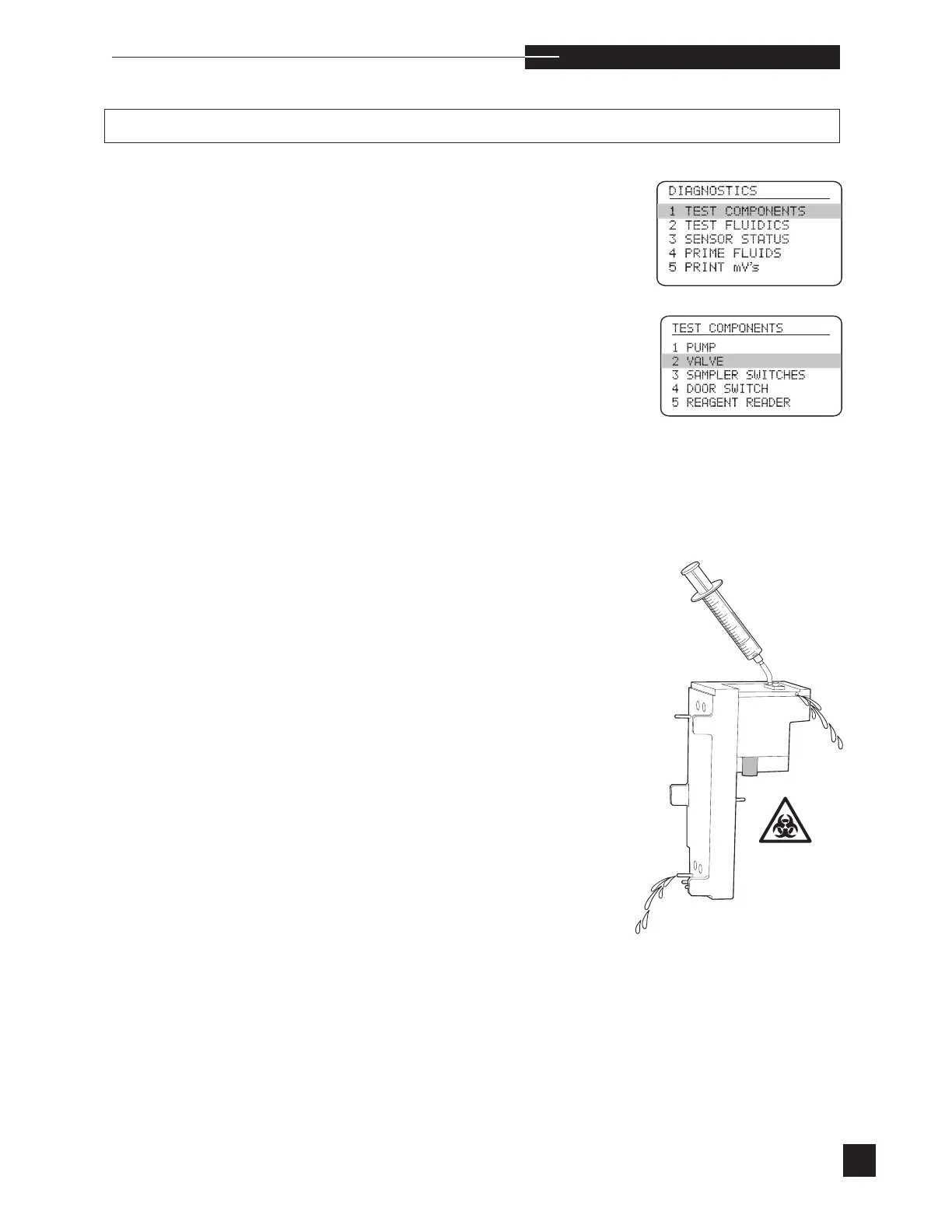
Select
TEST COMPONENTS
from the
DIAGNOSTICS
menu.
•
Perform the VALVE test.
•
When the test passes, proceed with EasyStat operation.
•
If the test fails, remove the valve module as described under Replace
Components in Operating the Analyzer.
•
If the valve is not rotating freely, (usually due to the analyzer being
turned off with fluids in the flow path that dry up leaving solids), try
and rotate the valve manually with a pair of pliers.
•
Fill the syringe from the troubleshooting kit with 3mL of warm
water. Attach the blunt needle and the large tubing segment.
•
Connect the syringe assembly to the fluid port on the top surface of
the valve module.
•
Begin to flush the water through the valve module. The water may
exit through the air port (near the top surface or one of the reagent
tubes.
•
If there is no flow from any port, slowly turn the valve knob while
maintaining pressure on the syringe.
•
After successful flow through one port, refill the syringe with 3mL of
warm water and slowly turn the knob until flow comes from anoth-
er port.



 To Next Page