EasyManua.ls Logo

Medica EasyStat - Analyze Sample

Medica EasyStat
158 pages
Print Icon
To Next Page IconTo Next Page
To Previous Page IconTo Previous Page
Loading...
24
o p e r a t i n g t h e a n a l y z e r
y
yes
y
1
n
o
SAMPLE
#
XXX
ANALYZING
SAMPLE
SAMPLE
#
XXX
PROBE
IN
SAMPLE?
SAMPLE
#
XXX
REMOVE
SAMPLE
RETURN
SAMPLER
LIFT
SAMPLER
TO
LIFT SAMPLER TO
ANALYZE
2
2
Hct
Na
+
K
+
Ca
++
y
yes
y
HOME
MENU
1
ANALYZE
SAMPLE
2
ANALYZE
QC
3
CALIBRATE
4
DAILY
CLEANER
5
SECOND
MENU
n
o
SAMPLE
#
XXX
ASPIRATING
..
.
CALCULATED
VALUES
SCREENS
RETURN
SAMPLER
ONE
MOMENT
..
.
ANALYSIS
RESULTS
#001
pH
7
.
403
PCO
2
32
.
5
mmH
g
PO
2
118
mmH
g
Hct
45
%
Na
+
140
.
1
mmol/L
K
+
4
.
02
mmol/L
Ca
++
1
.
33
mmol/L
1
sCa
++
is replaced with Cl
-
when Cl
-
mode is selected.
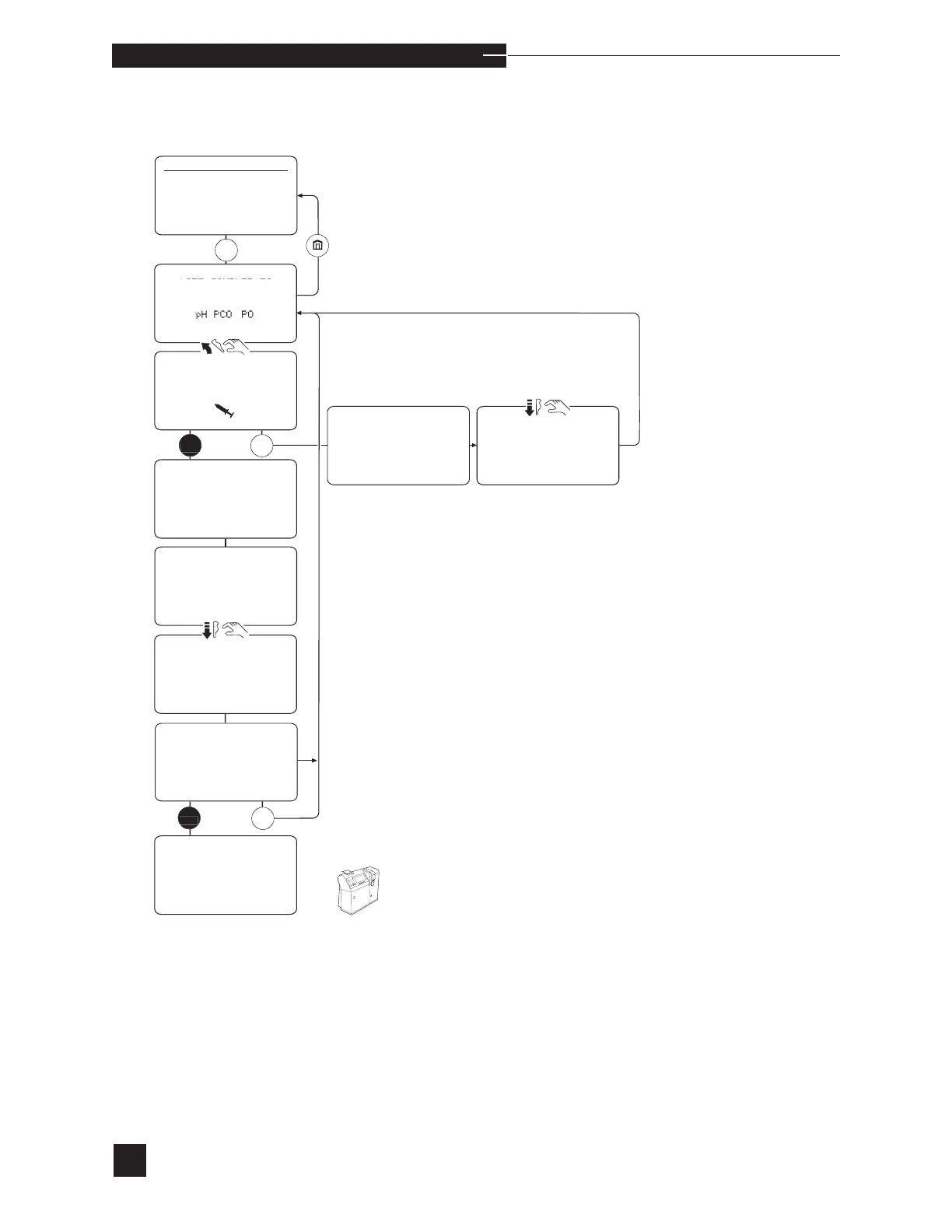
Analyze Sample
The ACCESS DOOR must be closed during sample analysis.
Select ANALYZE SAMPLE. The display shows LIFT
SAMPLER TO ANALYZE pH PCO
2
PO
2
Hct
Na
+
K
+
Ca
++
. When an electrode does not calibrate successfully, that
parameter will not be displayed on the screen. No sample results
(including dependent calculated results) are given for that electrode.
Refer to ELECTRODES in Troubleshooting.


Table of Contents