40
o p e r a t i n g t h e a n a l y z e r
Daily Cleaner
The fluid path must be cleaned with daily cleaning solution to
remove protein deposits. The analyzer will display CLEANER
REQUIRED if more than 10 samples have been analyzed and
more than 24 hours have elapsed since the last cleaning cycle.
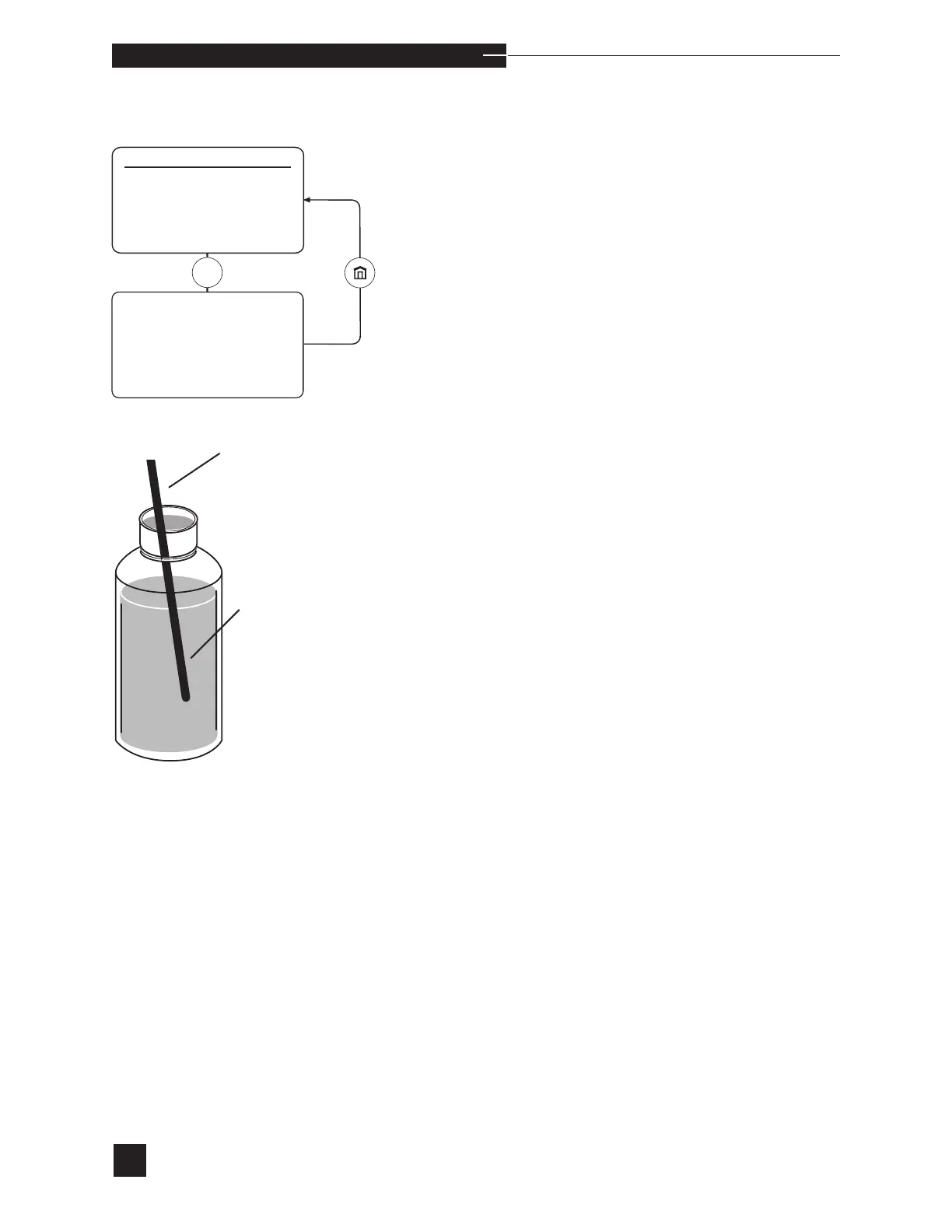
Select DAILY CLEANER. The display shows LIFT
SAMPLER TO USE CLEANER. The sampler must be in
the syringe mode position. Lift the sampler until PROBE IN
CLEANER? appears. Insert the probe into the cleaning solution
and press YES to aspirate. Hold the container in place until REMOVE
CLEANER RETURN SAMPLER is displayed.
Push the sampler down into the closed position. The cleaning cycle is
followed by an automatic two-point calibration to prepare the analyzer
for sample analysis. LIFT SAMPLER TO ANALYZE pH
PCO
2
PO
2
Hct Na
+
K
+
Ca
++
is displayed when cali-
bration is successful.
Probe
Daily
Cleaner
sCa
++
is replaced with Cl
-
when Cl
-
mode is selected.



 To Next Page