89
o p e r a t i n g t h e a n a l y z e r
r
ss
s
sCa
++
is replaced with Cl
-
when Cl
-
mode is selected.
QC LEVEL 1, 2, 3, Hct
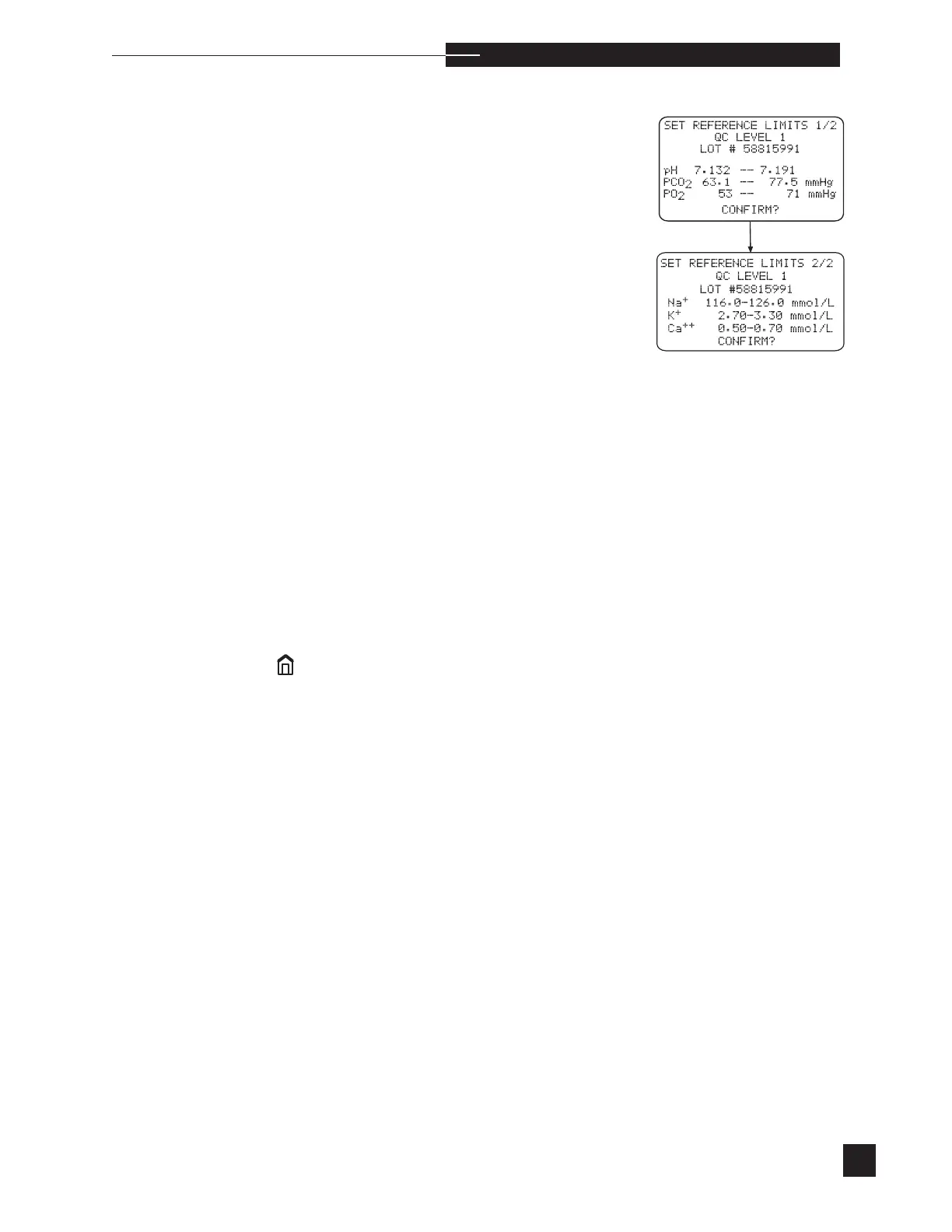
Enter, by level, quality control lot numbers and set the minimum and
maximum values for each parameter. Press the number keys to set
the values. Press YES to confirm the individual values and move to
the next parameter. When the limits are correct for a particular level,
press YES to confirm and move to the next electrode. When NO is
pressed as a response to CONFIRM?, entries can be corrected.
If RiliBAK is turned ON in CONFIGURATIONS, set the target
and percent deviation for each parameter.
To enter quality control information using the barcode reader, EasyQC
quality controls must be used.
To enter quality control information using the barcode reader, select
QC LEVEL 1, 2, 3, Hct 1 or 2. LOT # is high-
lighted on the display. Using the barcode reader, scan in the lot num-
ber provided on the quality control insert sheet. Next, the parameter
will be highlighted. Scan in the pH range (verify that the displayed
range matches the insert sheet). Repeat for the remaining parameters.
When all entries are complete, press YES to CONFIRM?. When
NO is pressed as a response to CONFIRM?, the settings can be
corrected. Repeat for each level of control. To proceed with quality
control analysis, press
to return to HOME MENU.
Use the default limits as a guideline. Each laboratory should establish
their own normal and critical limits. Press the number keys to select
NORMAL or CRITICAL limits.
s



 To Next Page