29
o p e r a t i n g t h e a n a l y z e r
r
Capillary Mode
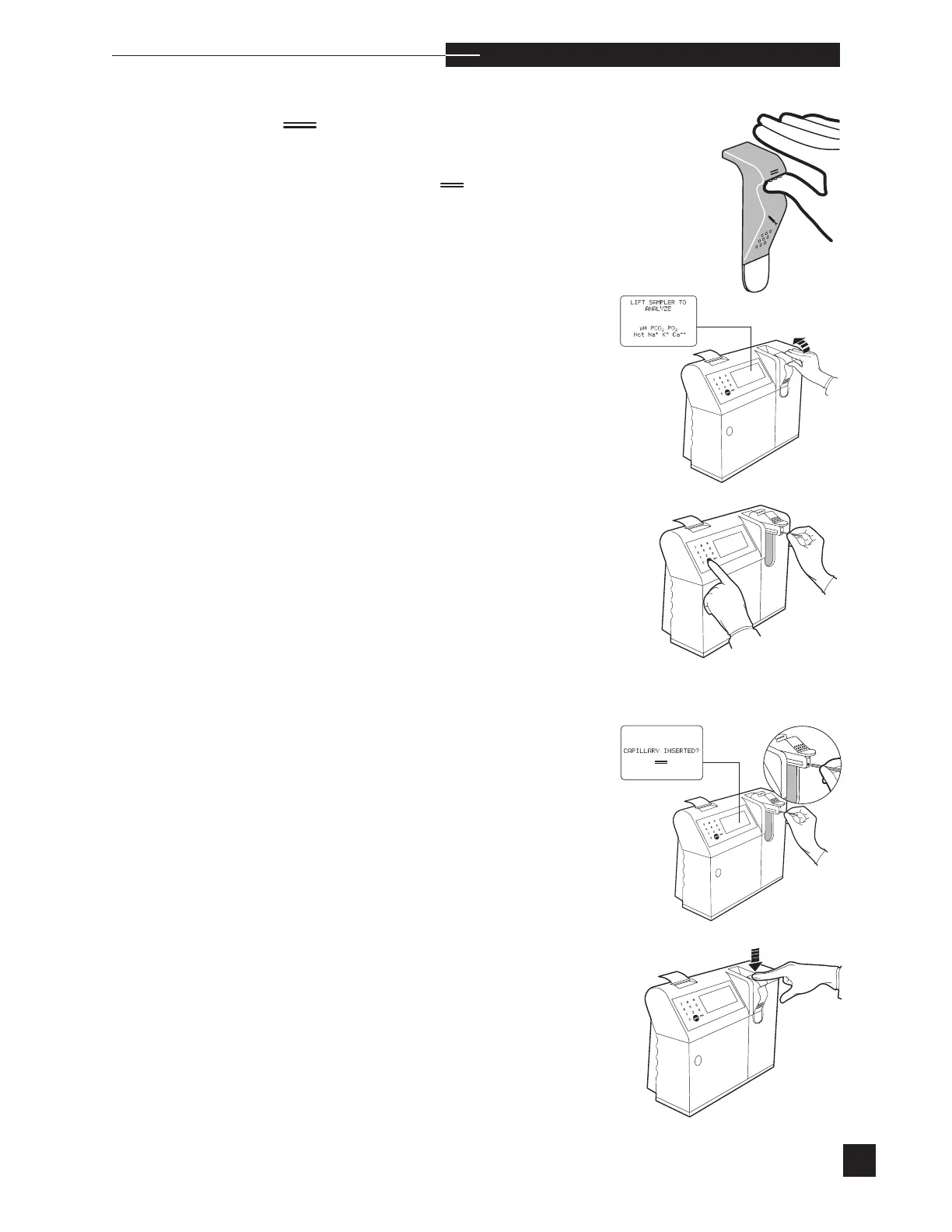
To analyze samples from capillary tubes (95 µL minimum),
lift the
sampler until
CAPILLARY INSERTED?
is displayed.
Note: Use only the Medica capillary kit. Use of other capillary
tubes may result in erroneous results or damage to the analyzer
and electrodes.
The capillary should be filled entirely with no visible air bubbles.
Seal the ends with caps. Analyze the capillary sample within 10
minutes of sampling.
s
sCa
++
is replaced with Cl
-
when Cl
-
mode is selected.
Push the sampler down into the closed position. If PATIENT
INFORMATION settings are turned ON in the SETUP MENU,
the
ENTER PATIENT DATA? screen displays for 30 seconds.
Press YES to enter patient information (2 minutes is allowed), or
NO to continue. Analysis begins when the sample is automati-
cally positioned inside the electrodes.
Sample analysis can be interrupted by pressing NO.
STOP
ANALYSIS? is displayed. Press YES and ANALYSIS
INTERRUPTED is displayed before returning to the LIFT
SAMPLER TO ANALYZE pH PCO
2
PO
2
Hct Na
+
K
+
Ca
++
screen.
Insert the capillary tube into the capillary port. When inserted,
press YES and the sample is aspirated.
REMOVE CAPILLARY
RETURN SAMPLER is displayed.
H



 To Next Page