62
o p e r a t i n g t h e a n a l y z e r
nt
r D
r
s
s
Printer Paper
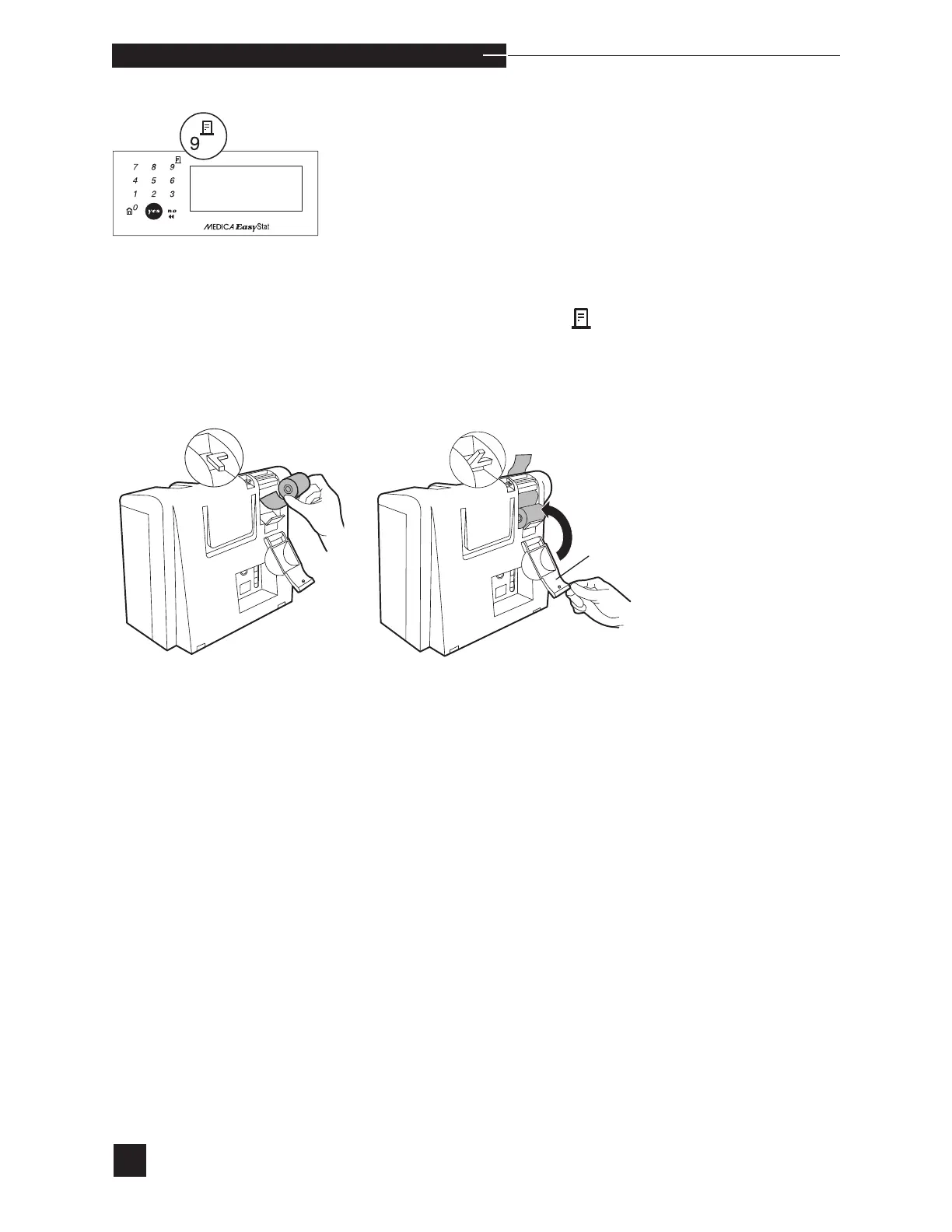
To install a new paper roll, cut the tape or adhesive off the beginning
of the paper. Open the printer door. Push the paper lever up. Gently
push the edge of the paper into the slot behind the printer. Push the
paper lever down. The paper is automatically fed through the printer.
The paper roll rests in the tray behind the printer. Close the printer
door to protect the paper roll.
To advance the paper, press the
button.
Operation of the printer without paper will damage the printer
head. To operate the analyzer for extended periods without paper,
the printer must be turned off. To turn the printer off, refer to
PRINTER OPTIONS in the SETUP MENU.
Operation of the printer without Medica approved printer paper will
result in the premature failure of the printer, voiding the warranty.



 To Next Page