61
o p e r a t i n g t h e a n a l y z e r
r
Compression Plate
Compression plate replacement is necessary when the latch, spring
mechanism, or seal is damaged. Follow the previous instructions for
electrode or sensor module replacement. To replace the compression
plate, remove all the electrodes. This will ensure that all fluids are
purged from the sample flow path.
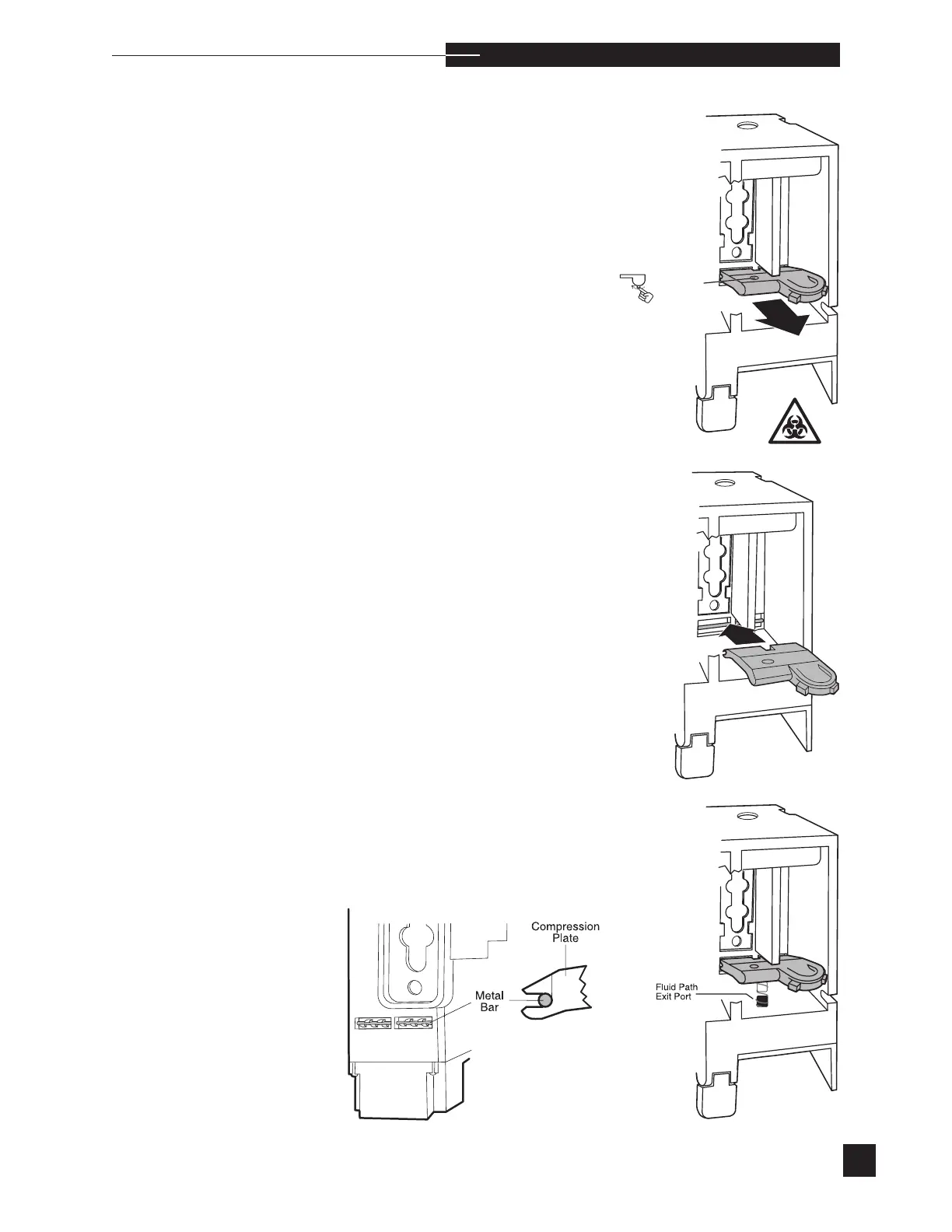
Release the compression plate.
Grasp the compression plate and pull it out of the sensor module.
To install the compression plate, insert it into the sensor module. Make
sure that the metal bar at the rear of the module is snapped inside the
hinge tabs. Gently push down on the compression plate to engage
the spring around the fluid path exit port. Reinstall the electrodes as
described earlier in this section.



 To Next Page