9
a n a l y z e r l a y o u t
r
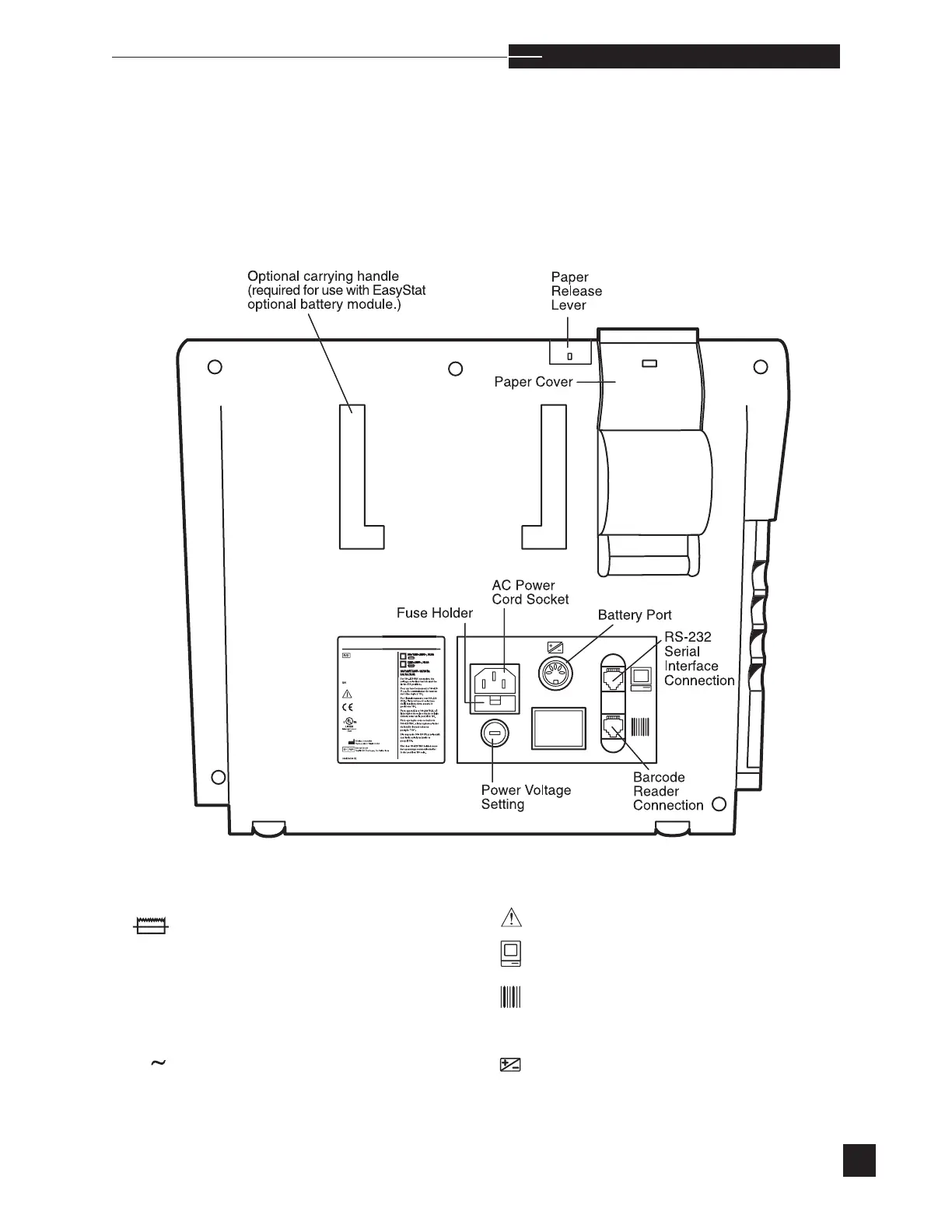
Rear View
\EDI
See operator’s manual for instructions.
RS-232 serial interface connection.
Barcode reader connection. (Use only an
EasyStat barcode reader.)
Battery port connection. (Use only an
EasyStat battery module.)
Fuse
Voltage
Frequency
Current
Single phase alternating current
V
Hz
A



 To Next Page