25
o p e r a t i n g t h e a n a l y z e r
r
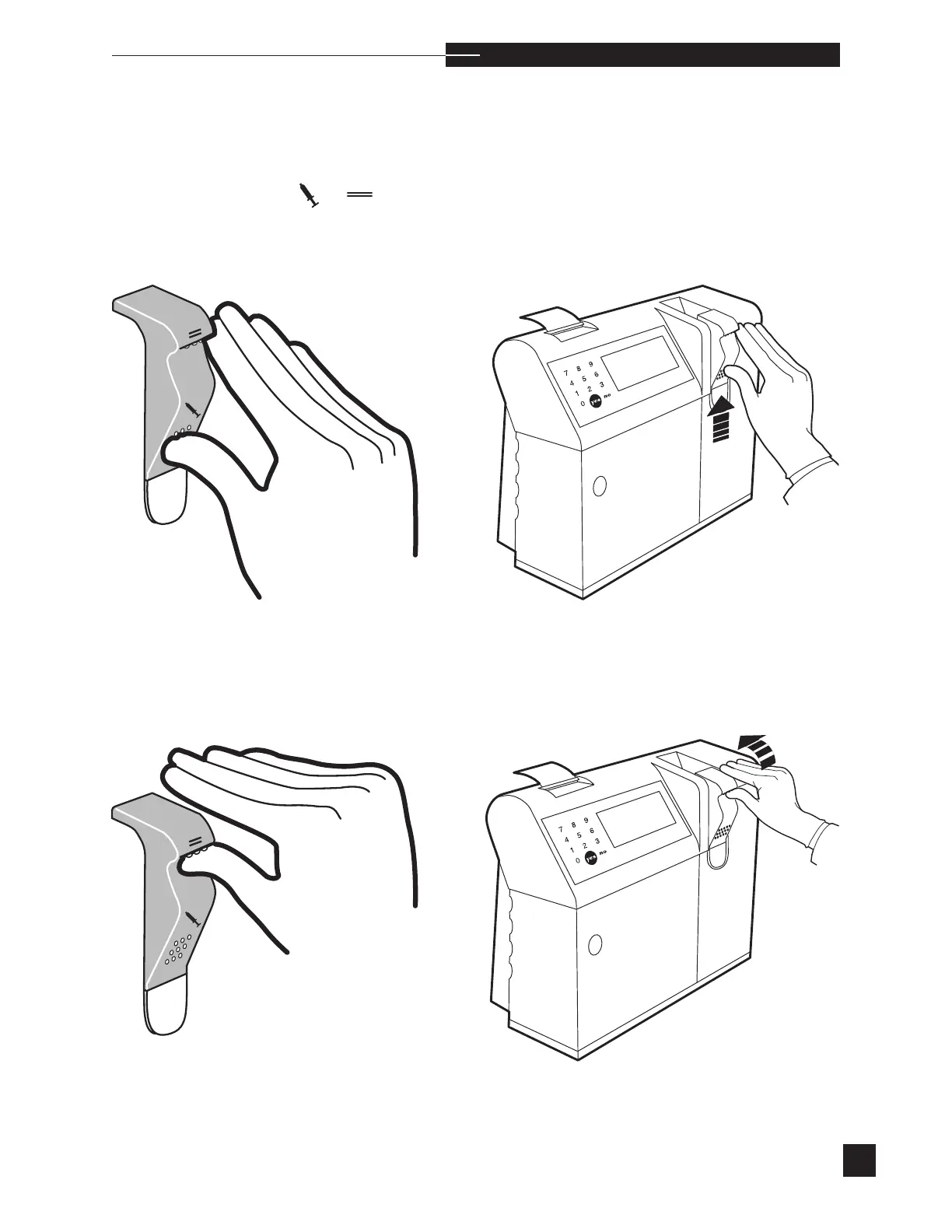
The EasyStat sampler is designed for two separate sample entry
modes. To select the sampling mode, place your thumb on the
raised dots under the corresponding symbol, and push up to lift
the sampler for syringe or capillary samples.
Thumb placement for syringe samples. Push up.
Thumb placement for capillary samples. Push up.



 To Next Page