Page | 19
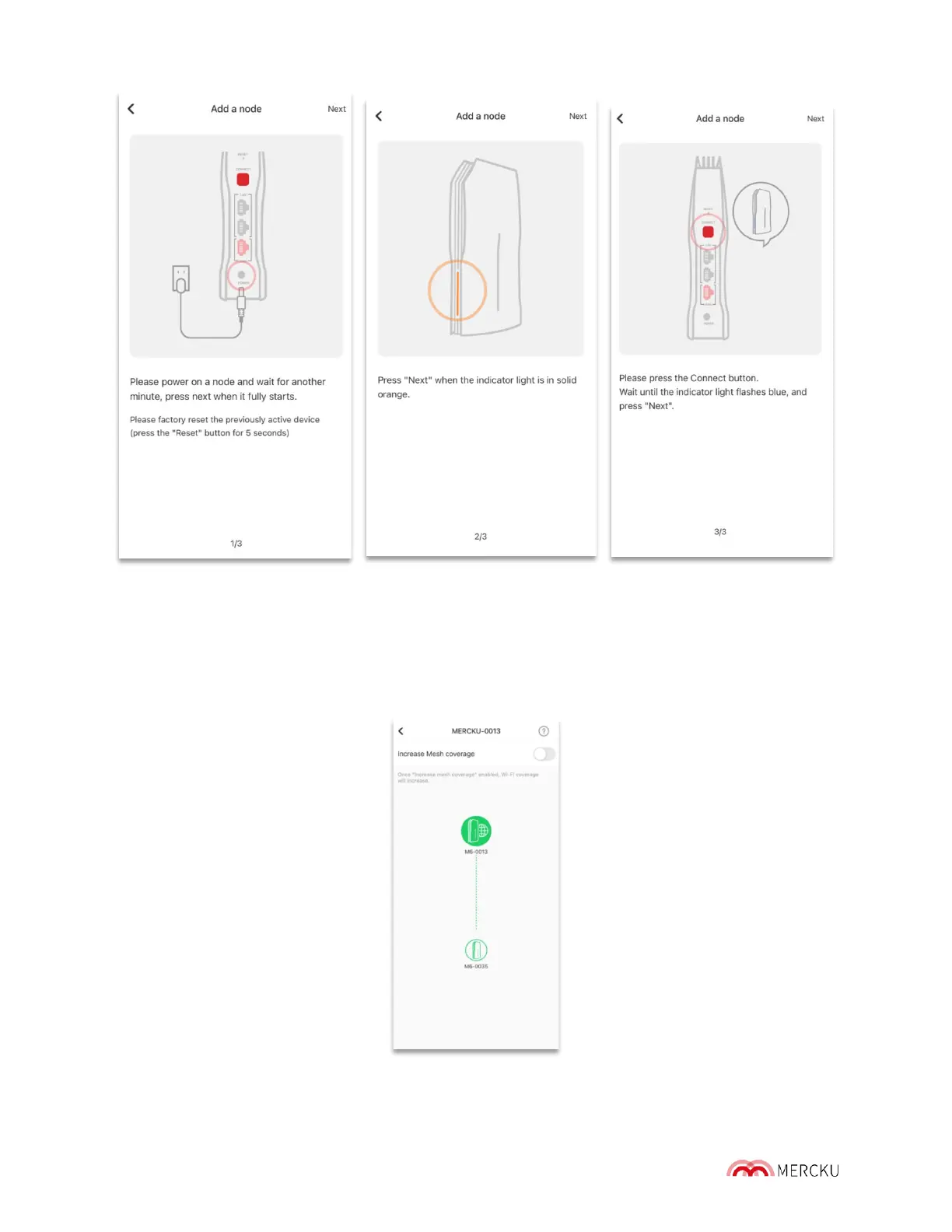
d. Press the "Connect" button on the M6 node until the indicator light blinks blue,
follow the instructions in the App, and wait for about to 1 minute for the M6 node
to be added
e. When the nodes are meshing, an animation of this activity shows up, please wait
for 1 minute until the "Successfully added" message appears.
f. Go to back to the homepage and click on Wi-Fi point to see the new node added
to the network.
3) Via Mercku Portal:



 To Next Page