4 - COMMANDS AND INSTRUMENTS
4 - 19
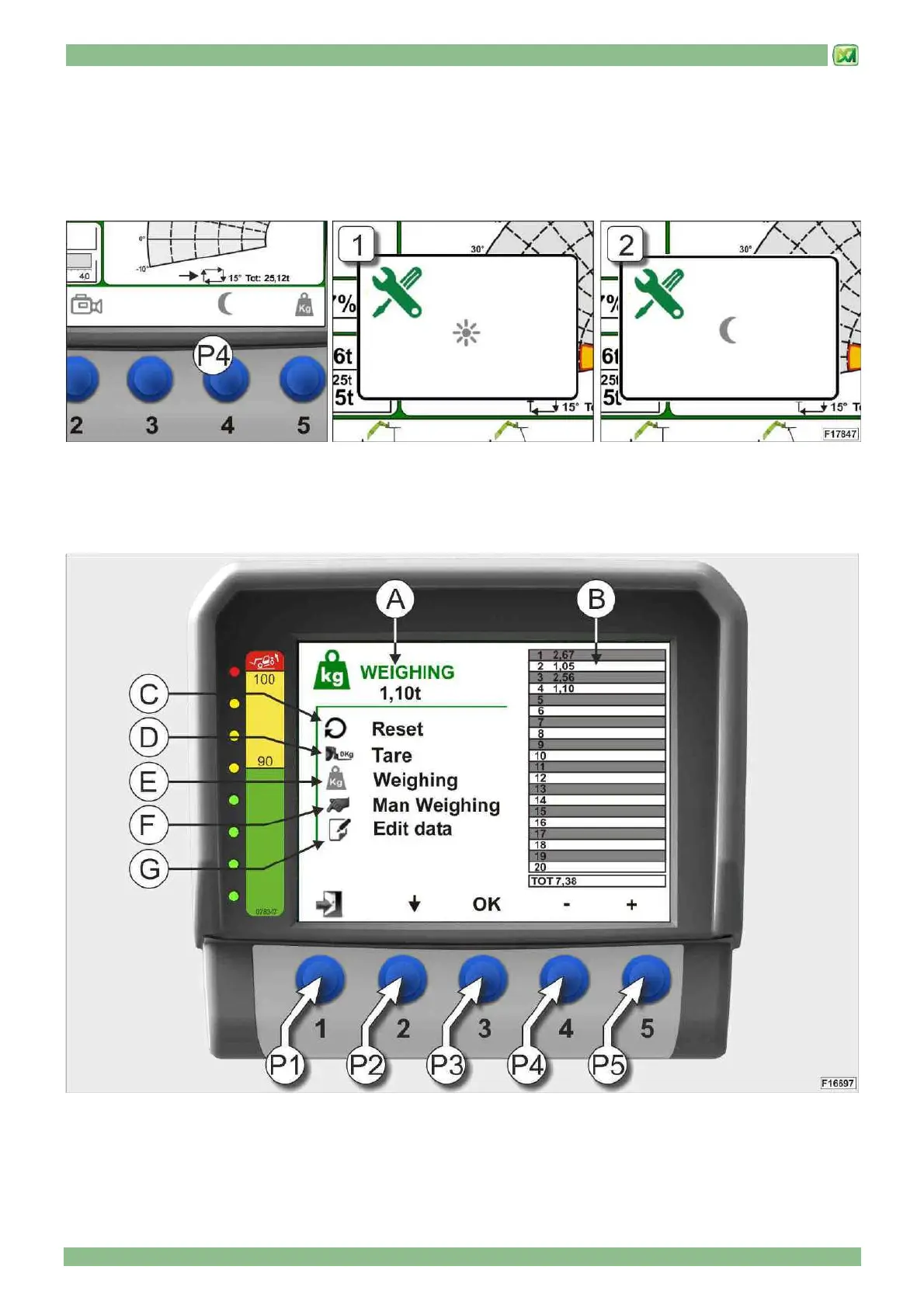
• DISPLAY DAY/NIGHT BRIGHTNESS MODE SELECTION (BUTTON P4)
To set day or night display (D) brightness mode, perform the following operations:
- activate the menu graphic bar
- press button (P4) to switch between day and night brightness mode for the display (D). The system signals the operator that
the setting has been made by showing window "1" (day mode) or "2" (night mode) in the middle of the display (D).
• WEIGHING SCREEN (BUTTON P5)
From the main screen, activate the menu's graphic bar and then press button (P5) to access the weighing screen. This screen
indicates the following information:


 To Next Page