AIRCONDITIONINGANDAUDIOSYSTEMS
Video
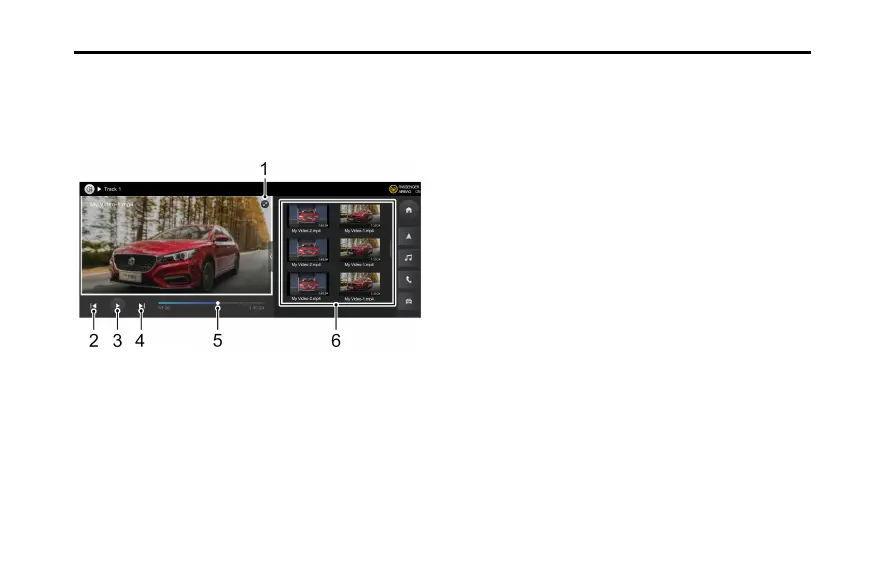
InserttheUSBstoragedevicetotheUSBport.T ouch
[Video]onthemaininterfacetoenterVideoPlayback
interface.
1T ouchtoswitchtofullscreenplaybackmode.
2Shortpresstoswitchtothepreviousvideo,andlong
presstofastrewind.
3Play/Pause.
4Shortpresstoswitchtothenextvideo,andlongpress
tofastforward.
5Dragtheprogressbartoanyplaybackpoint.
6PlayList.
106



 To Next Page