INSTRUMENTSANDCONTROLS
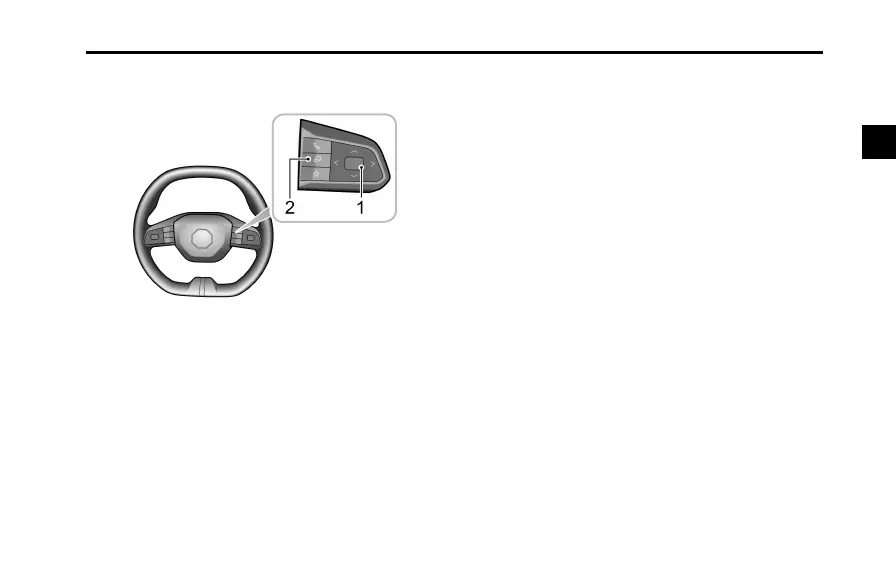
1FunctionAdjustmentButton(OKButton)
•Pushthebuttonup,down,leftorrighttoswitch
themessagecentredisplayitems.
•Pushthebuttonupordowntomakeadjustments.
•Shortpressthebuttontoconrm,orlongpressit
toreset.
2Infotainment/InstrumentButton
Thefunctionadjustmentbutton(1asshown)isa
dual-purposebutton.Pressingthisbuttonwillswitch
controlbetweentheInfotainmentorInstrumentpack.
31
2



 To Next Page