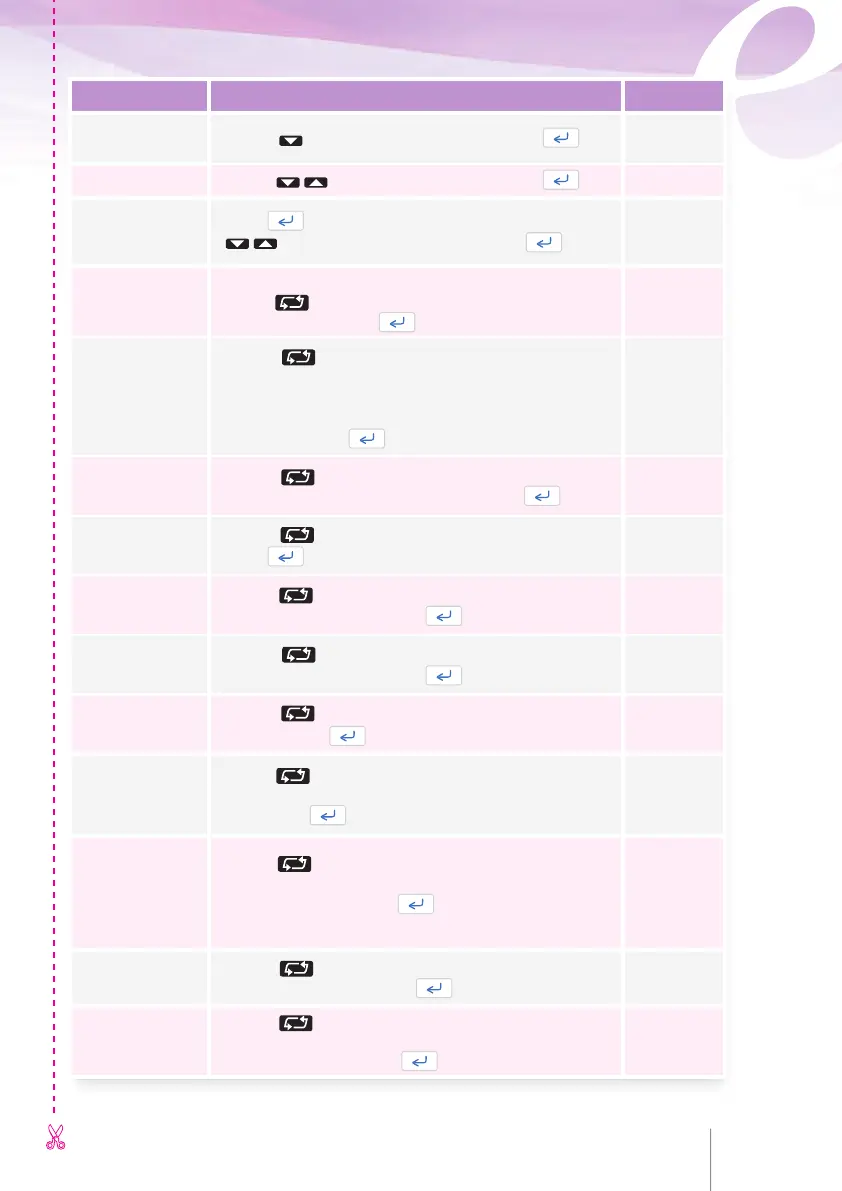
Description How to select values
Your choice
Language
selection
Use the key to select the language and press .
Time
Use the keys to adjust the time and press .
Date
Press to scroll down to the next parameter or use the
soft keys to adjust the date and press .
Days of operation
Service warning
Displays the number of full days of operation.
Use the key to select
to activate the service warning
or to disable it. Press .
Silent Keyboard
Use the key to select
to have no buzzer sound on
key press or to have
1
each key press acknowledged by
a buzzer sound tone.
Bolus demands are always acknowledge by a buzzer
sound tone. Press .
Backlight
Use the key to select
to enable
1
this
function or
to disable the backlight. Press .
Occlusion level
Use the key to select High, Middle
1
or Low.
Press .
Restart after
occlusion release
Use the key to select
to enable
1
or
to disable this function. Press .
Request code
to stop infusion
Use the key to select
to enable
1
or
to disable this function. Press .
Pain question
Use the key to select Disabled, Enabled or On Bolus
Request. Press .
Enable Clear
totals
Use the key to select
to enable
1
this function in the
History menu or to remove the function from the History
menu. Press .
Dose limit / Bolus
per hours
Use the key to select to enable those functions in the
programming menu or to remove those functions from the
programming menu. Press
.
Both of the limits are enable by manufacturing default setting.
Time to lockout
end
Use the key to select
to enable
1
or
to disable this function. Press .
Enable Loading
dose
Use the key to select
to enable
1
this function in the
programming menu or to remove the function from the
programming menu. Press .
72 73
1
manufacturing default setting
CONFIGURATION MENU CONFIGURATION MENU CONFIGURATION MENU



 To Next Page