27
"Special" Calibration
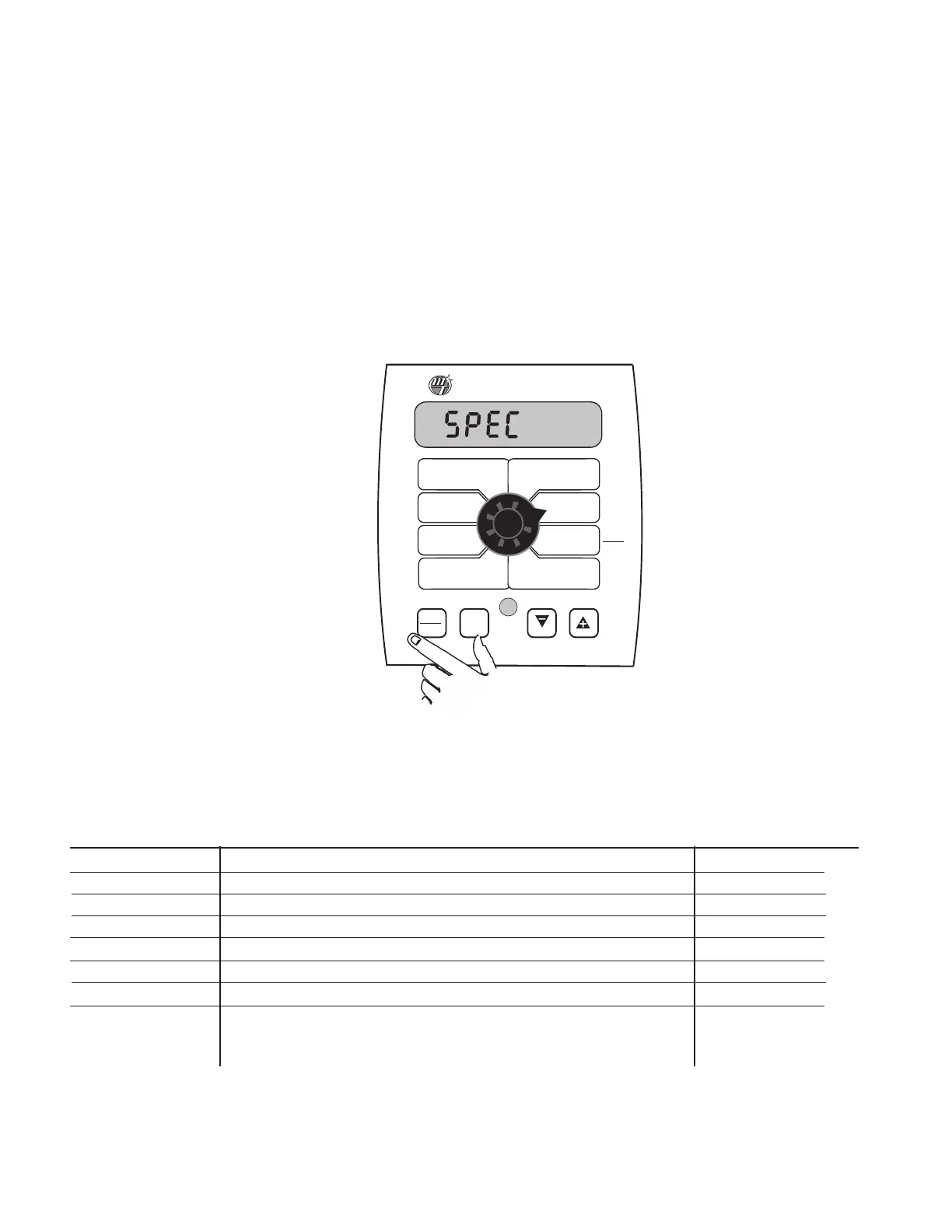
The "Special" calibration mode is used to set up system
parameters that rarely need to be changed or adjusted. To
enter Special Cal, put the system in HOLD, turn the console OFF,
press and hold both the AUTO/MAN button and CAL button
while turning console ON. The console will display SPEC for 2
seconds to show that the console is in the Special Calibration
mode. Release the AUTO/MAN and CAL buttons. The CAL icon
and Warn LED will turn on. The desired Special Calibration
parameter(s) can then be accessed with the rotary switch per
the illustration below. To exit Special Calibration,press and hold
the CAL button for 2 seconds. The console will store any
changes and revert to normal operation.
NOTE: you must
exit Special Calibration to save changes.
The following table describes the special cal parameters and
shows the factory settings. More detailed descriptions follow
the table
.
WIDTH
CAL
FLOW
CAL
MIN
FLOW
A
DJUST
R
ATE
T
ARGET
R
ATE
SPEED
CAL
TEST
SPEED
CAL
AUTO
MAN
RESET
C
ALHOLD
1 2 3 4 5
™
I
NLINE
BYPASS
VOLUME /
MINUTE
DISTANCE
AREA /
H
OUR
VOLUME
(1) (2) (3)
RATE
SPEED
AREA
(1) (2) (3)
TANK
S
pray
M
ate
II
Special Cal
Special Cal
Fill Tank Size
Units
Valve Voltage
Material
Valve Response
Speed
Tank Set Point
Auto Shutoff
On/Off
Auto Delay
Time
Parameter
Description
Factory Setting
U
nits
System of units: EnG (English) / mEt (Metric) /TurF (Turf) EnG (English)
Valve Voltage Servo Valve Drive Voltage (8/12) 12
M
aterial Choose Liquid (H20) or Anhydrous (NH3) H20
Valve Response Speed Set Valve Response (-4 to +3) 0
Fill Tank Size Size (volume) of Full Tank (Off or 1-65,535) Off
Tank (Low) Set Point Sets alarm point if using Tank function (Off or 1-65,535) Off
A
uto S
hutoff
Runs servo toward minimum when in hold (On/Off) Off
A
uto Delay Time Delay servo response when go from Hold to Run (Off) to 4 sec.) 1
- Allows slow shutoff valves to open
before adjusting servo



 To Next Page