29
Operation
Make sure your system is properly calibrated before beginning to
apply product. We also recommend completion of Pre-Field
System Checkout described on pages 33-34 prior to beginning any
field operations.
The SprayMate II system can be operated in either Manual or
Automatic mode. In manual mode, the application rate (GPA or
LPH) is set using the "+" and "-" buttons; the application rate will
vary depending on the vehicle speed. The manual mode is useful
for system set up, spot spraying, etc.
To turn on the AUTO mode, press AUTO/MAN button so the AUTO
icon appears in upper right portion of display. In automatic mode,
the system will control the flow rate to maintain the calibrated
application rate (GPA/LPH) when the vehicle speed changes, or
booms are turned on or off. To operate the system in automatic
mode, simply start the pump, turn on the desired number of
b
ooms, place the RUN/HOLD switch (if used) in the RUN position
and drive.
NOTE: In AUTO mode, the system will not turn the
booms on until it has a speed signal.
Use either the RUN/HOLD
switch or remote RUN/HOLD sensor to turn the system off and on
when turning around or to stop spraying at any time. See the
following sections for operation details.
CONSOLE POWER/SYSTEM ON/OFF: The system can be
turned ON and OFF by either the ignition switch, if the
provided wire is connected to a power source switched by the
ignition, or by using the optional ON/OFF switch and bracket
kit. When the console is turned on, it will display the number of
hours of operation for 2 seconds, then it will display the
software version along with the "v" icon for 2 seconds before it
begins normal operation.
DISPL
AY:
During normal operation, the console will display
inf
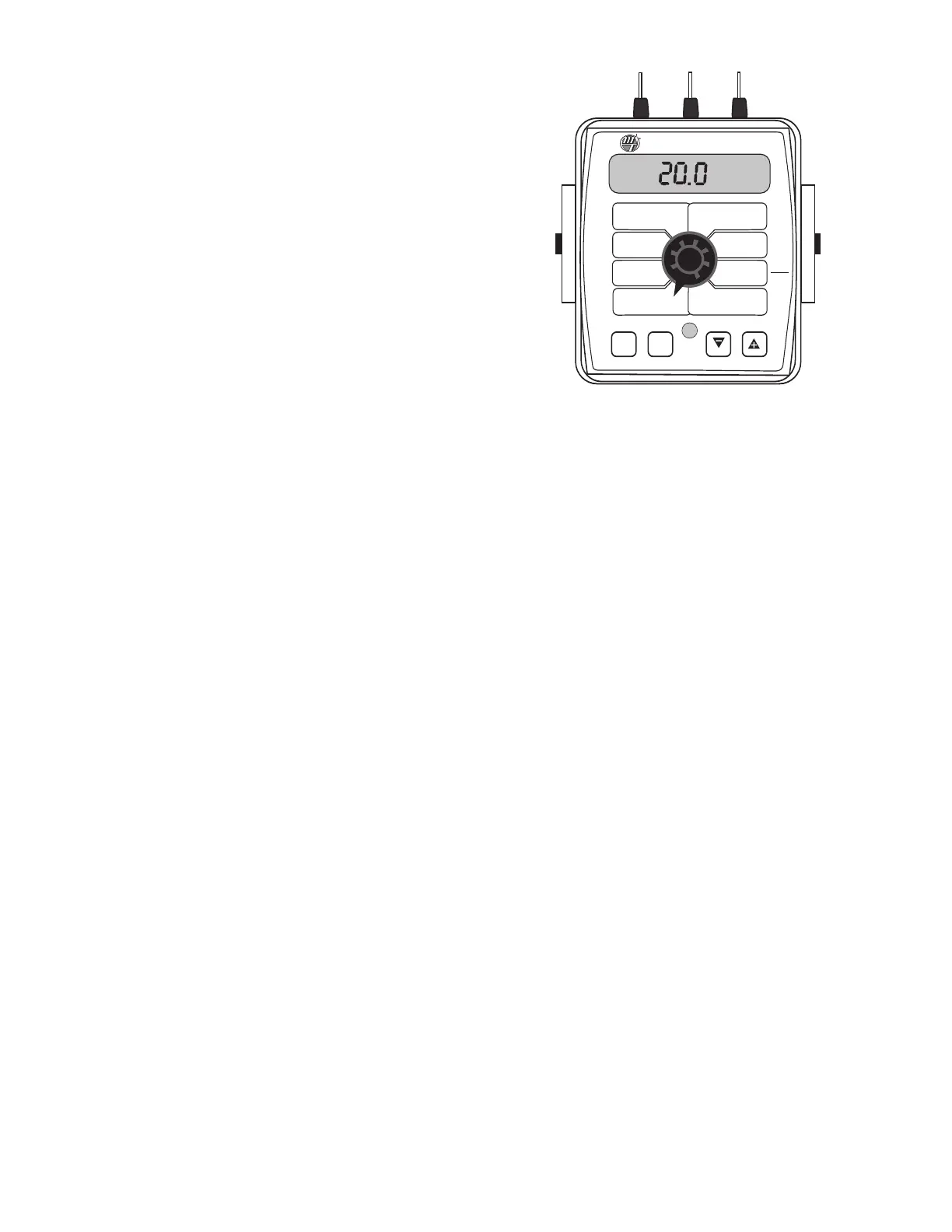
ormation selected by the rotary switch position. Typically
the r
otary switch will be set on RATE, as shown in illustration to
the righ
t. With RATE selected, the console will display the
Application Rate in units of gallons per acre (liters per hectare).
See DATA DESCRIPTION on next page for additional
inf
or
mation about data displayed.
RUN/HOLD SWITCH: The RUN/HOLD is the master switch
for turning all (active) booms on and off. This function can be
done either manually with the included RUN/HOLD switch, or
automatically, using the optional RUN/HOLD sensor kit.
A
UT
O/MAN BUT
T
ON
: T
his butt
on will swit
ch the c
on
tr
ol
status of the system from fully automatic to manual control.
Each press of the button will change the status.The display will
sho
w the A
UT
O ic
on when automatic control mode is active and
the MAN icon when manual control mode is active.
NOTE: IF IN
"A
UT
O" MODE AND NO SPEED SIGNAL IS PRESENT
,
SYSTEM
WILL SHUT OFF THE BOOMS AUTOMATICALLY.
“+” AND “-” BUTTONS: During normal operation, when
automatic “AUTO”control mode is active and the rotary dial is set to
RATE,each press of the “+”or “-”buttons will increase or decrease the
target application rate by the amount of the calibrated adjust rate
(Delta). See On-The-Go Delta Rate Adjustment section on the next
page for more information.
Turn rotary dial to display desired readout.
During normal operation, when manual “MAN” control mode is
active and the Run/Hold switch is in the RUN position,pressing the
“+” or “-” buttons will increase or decrease the application rate by
opening or closing the servo valve (control valve).
During normal operation, when either automatic or manual mode
is active, the RUN/HOLD switch is in the HOLD position and the
rotary switch is turned to VOLUME/MINUTE, pressing the “+” or “-”
button will increase or decrease the flow rate without having the
boom valves turned on, by opening and closing the servo valve
(control valve). This can be useful for system pressure checking.
ON-THE-GO “DELTA” RATE ADJUSTMENTS (ADJUST
RATE): The calibrated target rate in gallons (liters) per acre
represents the amount of solution that you typically want to
apply. However, under certain conditions, you may want to
increase or decrease this rate.This “DELTA”feature allows you to
easily make on-the-go rate adjustments by simply using the
“+”or “-”buttons. Each press of a button changes the calibrated
target rate by the amount of calibrated adjust rate.
To use the “DELTA” feature, the console must have automatic
“
A
UT
O” mode active and the rotary switch must be set to the
RATE position.
Example: Adjust Rate = 1.0 and Target Rate = 10.0
With AUTO selected and the rotary selector turned to RATE,
pr
essing the
“+”
k
e
y onc
e will increase the target rate from 10.0
to 11.0.The display will momentarily show the new target rate
of 11.0 and then show the actual application rate. Pressing the
“-”
k
ey once will decrease the target from 11.0 to 10.0.
NOTE: When you “DELTA” the target rate, the display will
momen
tar
ily sho
w you the new target rate (approximately
two seconds) and then resume showing the actual application
rate. The new target rate is maintained until further
adjustments are made using the “DELTA” feature or calibration
changes o
ccur
,
or if the unit is tur
ned off
.
WIDTH
CAL
FLOW
C
AL
MIN
FLOW
ADJUST
RATE
TARGET
RATE
SPEED
CAL
INLINE
BYPASS
TEST
SPEED
V
OLUME /
M
INUTE
DISTANCE
A
REA /
HOUR
V
OLUME
(
1) (2) (3)
R
ATE
S
PEED
A
REA
(
1) (2) (3)
TANK
C
AL
A
UTO
MAN
RESET
MANAUTO
1 2 3
™
S
pray
M
ate
II



 To Next Page