35
Troubleshooting
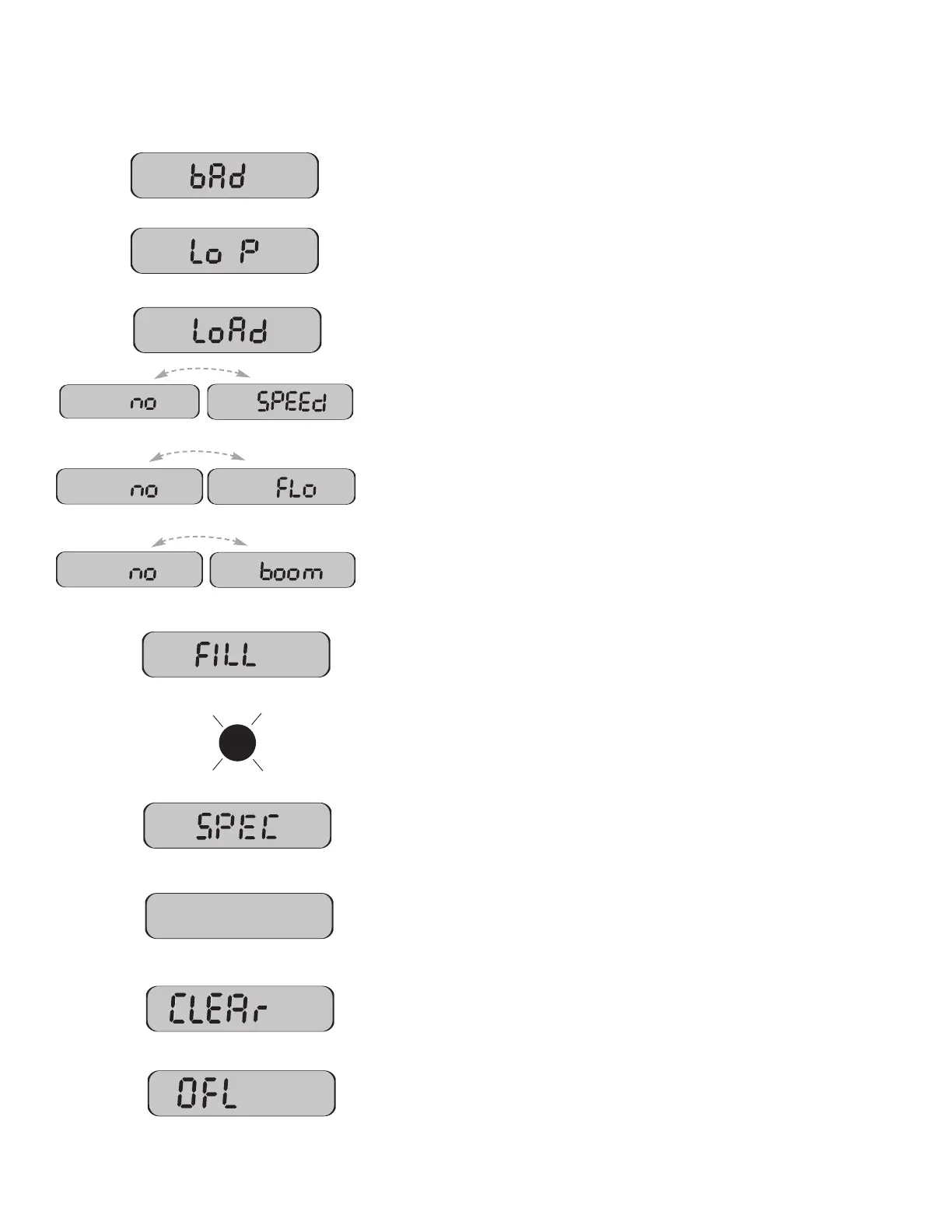
Messages / Warnings
Typically indicates that defaults were entered by powering up with the CAL and "-"
buttons held, but calibration mode was not entered and exited. Cycling power will
not clear the bad CAL message, it can only cleared by entering and exiting
calibration mode.
Low Power. Check all power and ground connections.
H
as loaded Default Cal factors (appears when default calibration factors are loaded
by holding CAL and "-" buttons while turning the console on).
Will flash in display if rotary switch is in RATE position and there is no Speed signal
regardless of all other conditions. Check speed sensor and connections per
Troubleshooting section.
Will flash in display if rotary switch is in RATE position and should have flow (In Run,
some booms on, speed greater than 0) but no flow is detected. Check flowmeter
and flow harness connections per Troubleshooting section.
Will flash in display if rotary switch is in Width position, system is in Cal mode and
no booms are turned on. Make sure system is in run and a boom switch is turned
on, also check Run/Hold switch or sensor and connections.
Rotary switch in any position,
FILL will flash if tank level is equal to or less than tank
set point. Fill tank and reset TANK counter by setting the rotary switch at the TANK
position and pressing the "+" button for one second. Check to make sure TANK set
point is properly calibrated.
Warn LED flashes when the Rate error is over 10% or Volume/Minute is below the
Minimum, or Tank is less than Tank Set Point. It is on steady when in CAL mode or
SPECIAL CAL mode or Test Speed.
Special Calibration mode is active. Appears when entering Special Calibration
mo
de (hold A
UT
O/MAN and C
AL buttons while turning console on).
T
he "V" icon shows that a 12v control valve (not 8v) is currently selected. On
startup, the "V" is also displayed next to the software version #. (Console hours
displayed first.)
T
he message aler
ts the user tha
t the cur
r
ently selected counter will be cleared
if held for 2 seconds. Also serves as a reminder to use "+" button to select
counters.
Counters (DISTANCE or AREA or VOLUME) have overflowed their maximum.
RESET (see pages 31-32) to clear counters and resume counting.



 To Next Page