Version 1.9 Page 122 of 170
4.4.4 DEVICES
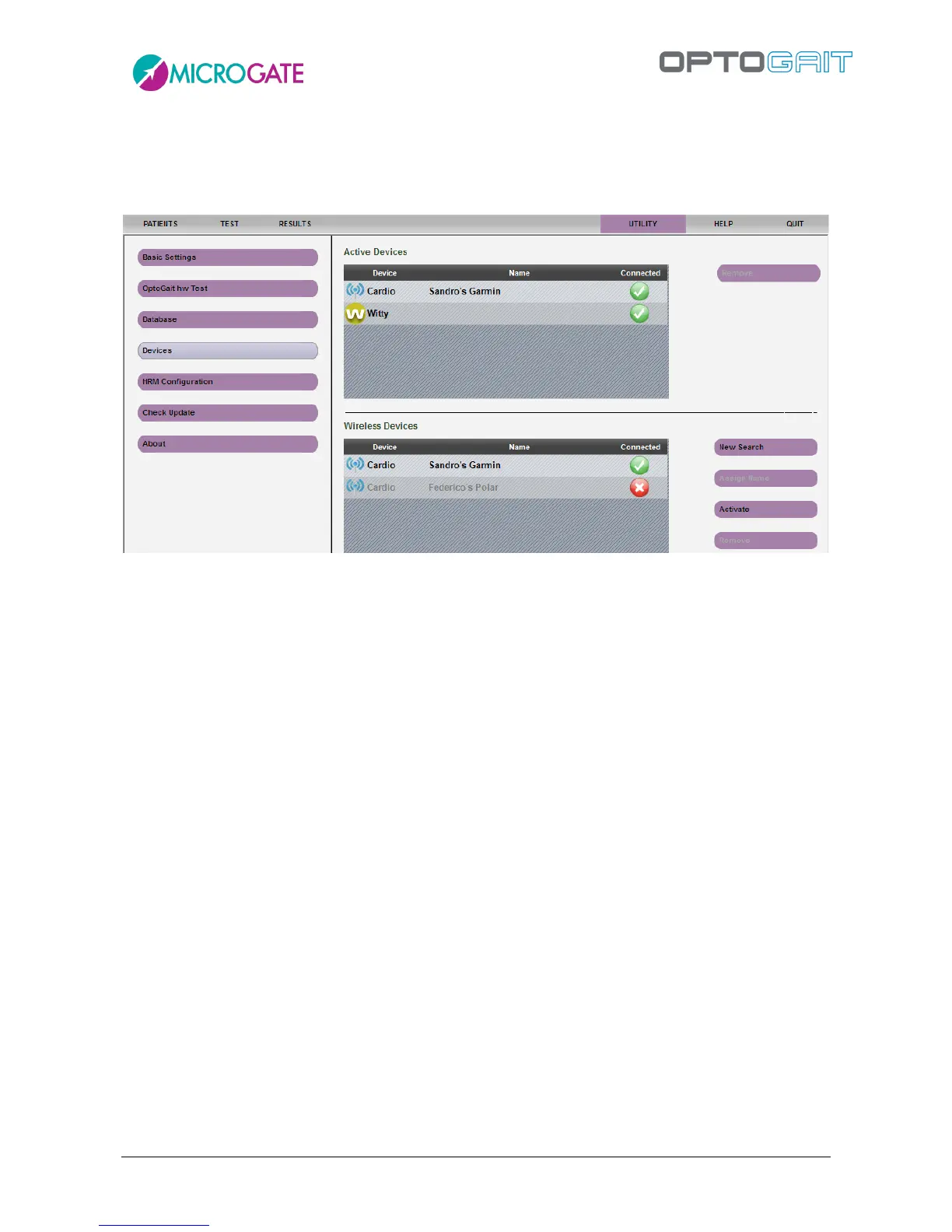
The Utility>Devices menu allows to manage various PC external devices (one being of course the
OptoJump bars).
USB connected devices (at the moment OptoJump bars, Microgate Witty timer and variable speed
Woodway treadmill) are automatically recognized and set as "active".
Wireless devices connected to the PC via USB/Bluetooth stick must be searched for, possibly named
with a mnemonic name and finally set as active one at a time (see the following paragraph for a
concrete example with a heart-rate monitor).
4.4.4.1 WITTY TIMER AND PHOTOCELLS
OptoJump Next may be used in combination with the wireless timer and photocell kit called Witty.
The photocells have the purpose of giving the external start impulse and to stop the test, as well as
recording intermediate times during the sprint/run test with modular systems, if needed.
Let’s look at a concrete example:
Timing a 30-m sprint with start and finish photocells, as well as intermediate times at 10 and 20 m.
Just set up the photocells at the required positions and connect the Witty timer to the PC with the
OptoGait software.
The photocells will transmit the impulse, which will then interact with the software.



 To Next Page