Version 1.9 Page 69 of 170
4.2.2.7 TAPPING TEST
Main Parameters
Start type: indicates if the start of the test must take place with a ‘status change’ (i.e.
entering or exiting the bars) or with an ‘external impulse’ coming from the jack sockets
Start: can only be ‘inside the area’
Staring foot: if known, the foot with which the test starts (“right” or “left”) can be indicated,
otherwise leave as “not defined”
Stop type: indicates how the end of the test must be interpreted, (i.e., as ‘External impulse’
like a photocell at the end of the lane) or as ‘Timeout’
Test Length: appears only if Stop type = ‘End of Time’ and specifies how many
minutes:seconds the test must last (from 00:01 to 09:59)
Secondary Parameters
Minimum contact time [ms]: see above
Minimum flight time [ms]: see above
Maximum flight time [ms]: see above
Minimum gap between feet [cm]: see above
Minimum foot length [cm]: see above
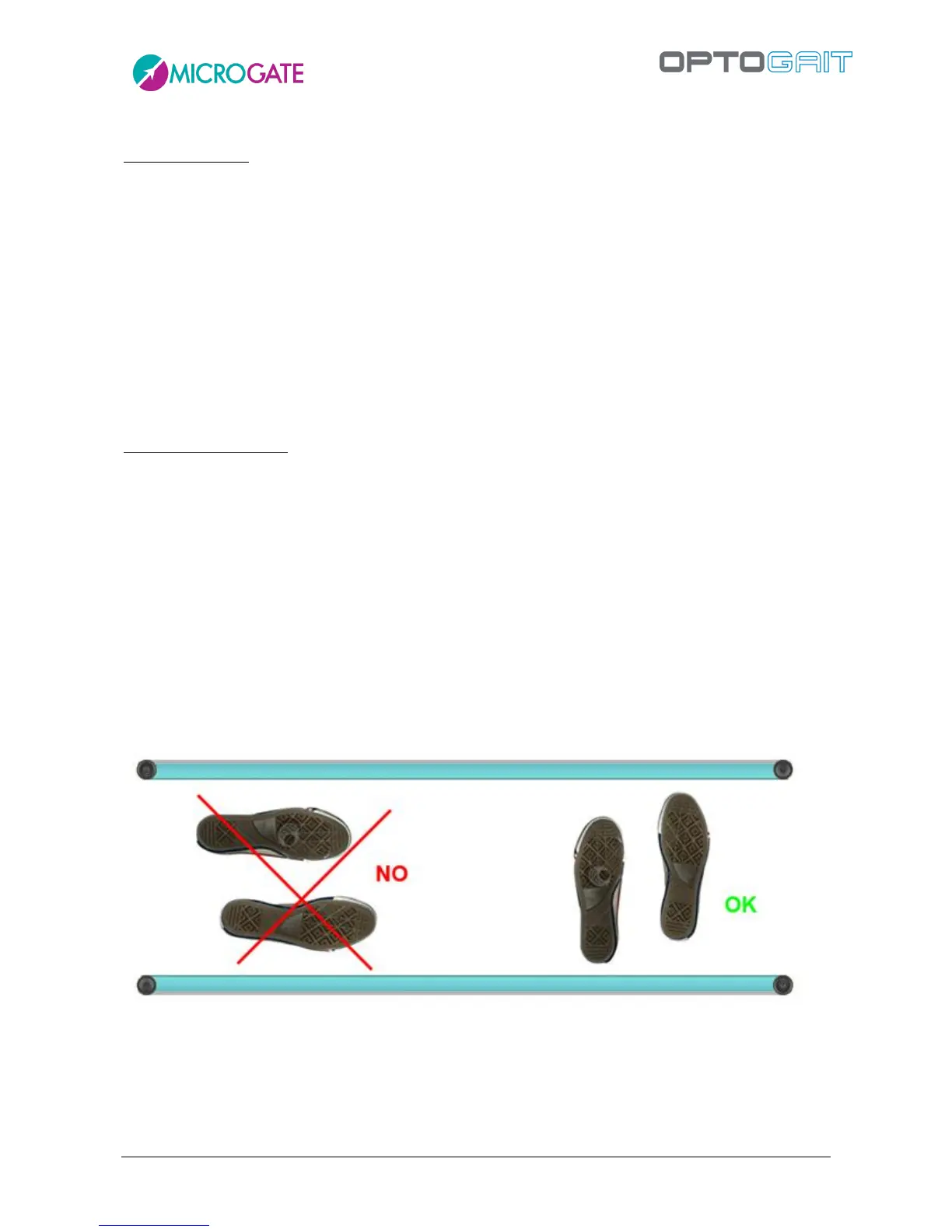
In order to perform a Tapping Test, it is important that the patient’s feet are vertical to the OptoGait
bars.
Figure 53 – Correct execution of a Tapping Test



 To Next Page