Version 1.9 Page 56 of 170
4.2.1.3 METRONOME
While performing certain exercises (gait, walking on the spot, jumps), some patients find it easier to
maintain a cadence if they are able to follow a constant rhythmic sound. OptoGait has a virtual
'metronome' function which can be used to set the cadence in bpm (beats per minute) and the tone
(single or double).
In this software version, the sound is generated and reproduced by the PC sound card, as a reference
for the patient only; future releases should record metronome beats in addition to the test data,
correlating it with various events (e.g. step cadence, jump, etc.) which take place.
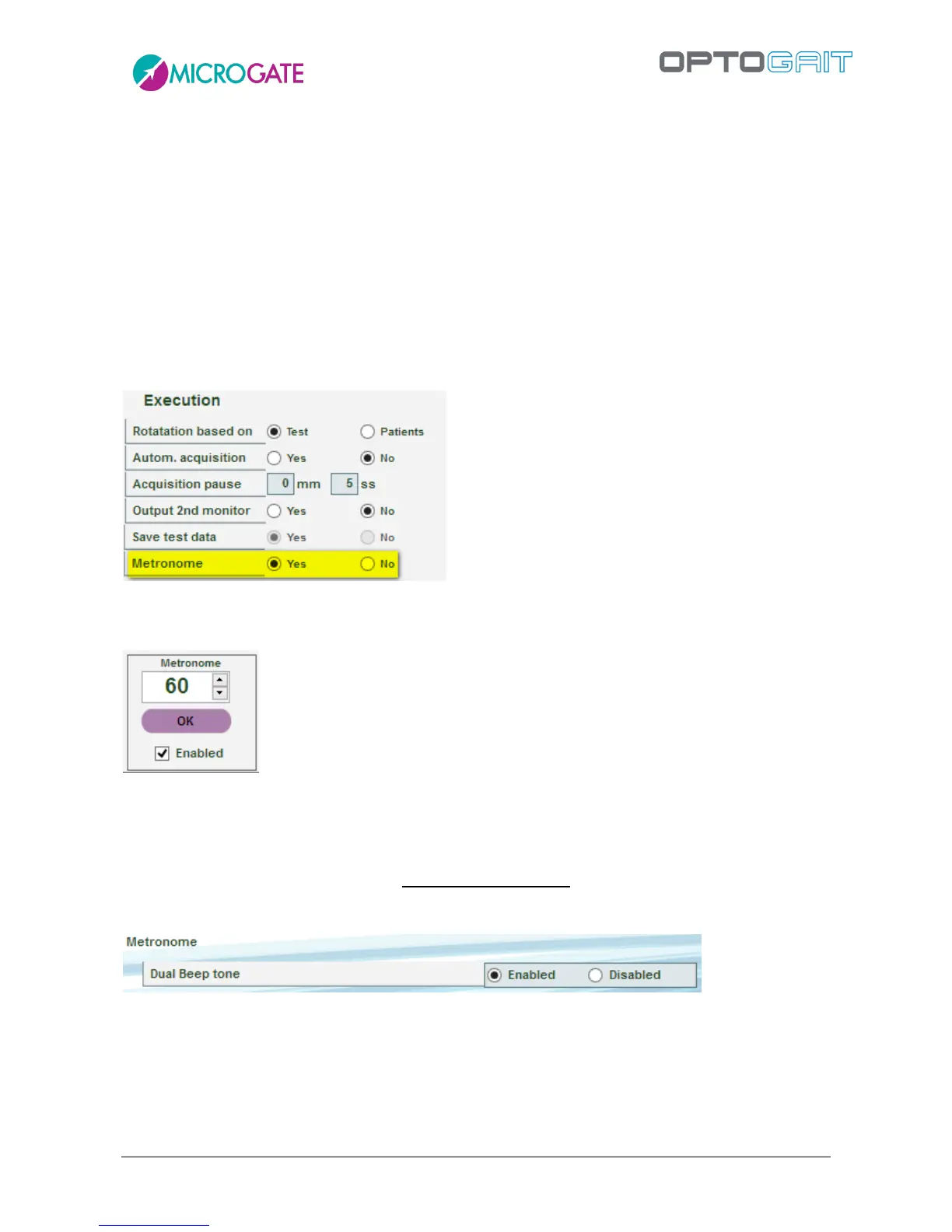
To activate the metronome during a test, go to Test > Execute > Configuration and select the YES
setting.
Once this option is activated, a small panel in the bottom left-hand corner will appear with each
test:
To generate the sounds, click the ACTIVE check box (this function. The OK button flashes at the set
rhythm.
The number of beats can be changed (between 10 and 200, in steps of 5) using the corresponding
slider or by entering the figure directly and confirming with OK.
In Utility > Basic Settings it is possible to set a single or two-tone sound.



 To Next Page