Version 1.9 Page 96 of 170
4.3.1.7 VIEWING OF THE OPTOGAIT BARS
The OptoGait bars allow you to view afterwards the LEDs that have been interrupted (in red) and, if
a starting foot has been set, to view the footfall thanks to the graphical footprints. The footprint
length is directly proportional to the number of interrupted LEDs.
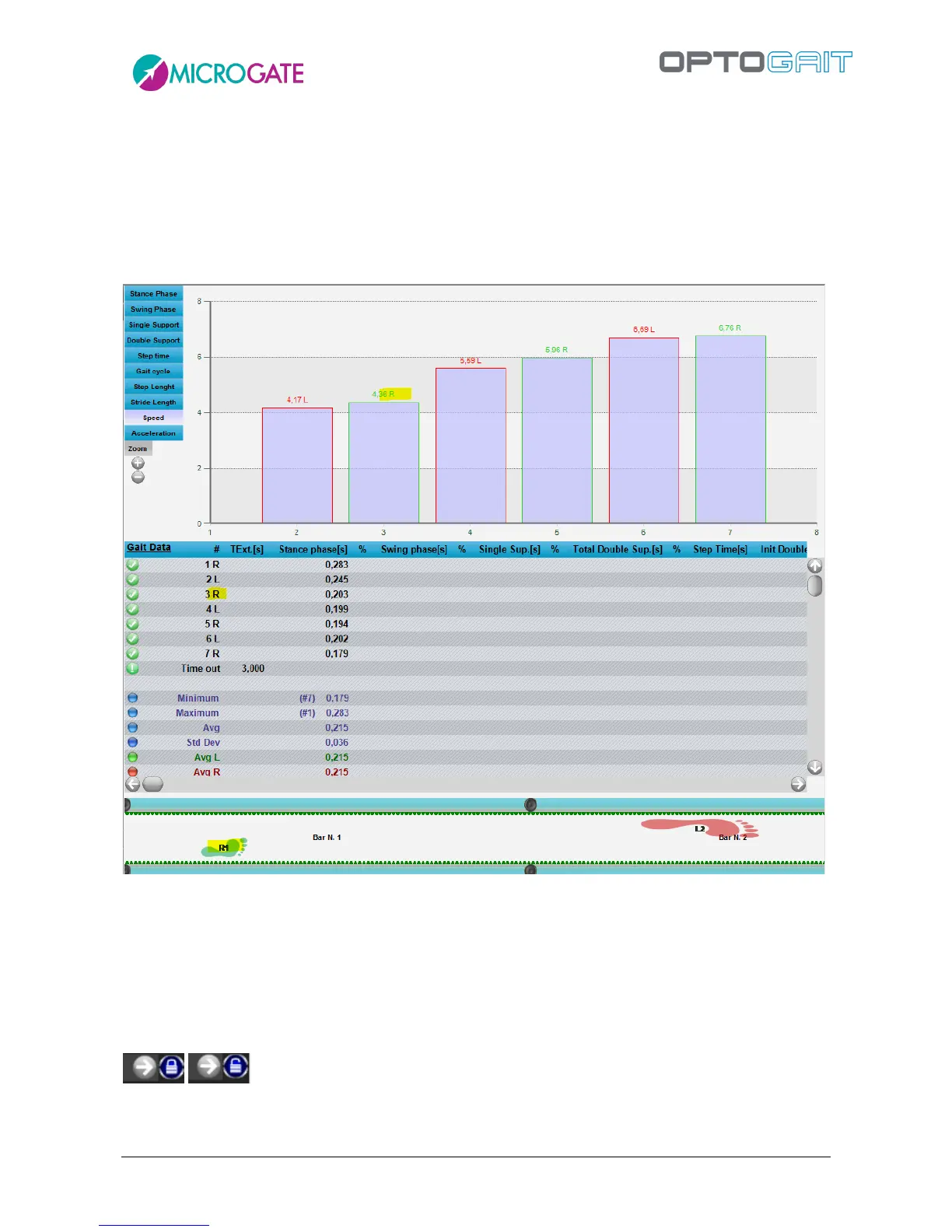
Similarly, the labels of the numerical data chart and row values always display which foot they are
referring to.
Figure 79 – Indicating the foot on charts, tables and bars
When watching a run/gait video of a modular system composed of many meters, as the time
progresses, the bars scroll in synchronization with the video and the charts, allowing the user to
follow the LEDs interrupted during the test.
Bar scrolling can be disabled by clicking on the lock icon in the bottom right corner. The button has
a toggle function, so when clicked scrolling is enabled again.
From this view, a 'Measuring Ruler' can been used to see how many centimetres (or inches) there
are between a series of lit LEDs (or between two points). Double-click on the first LED and then on



 To Next Page