Version 1.9 Page 97 of 170
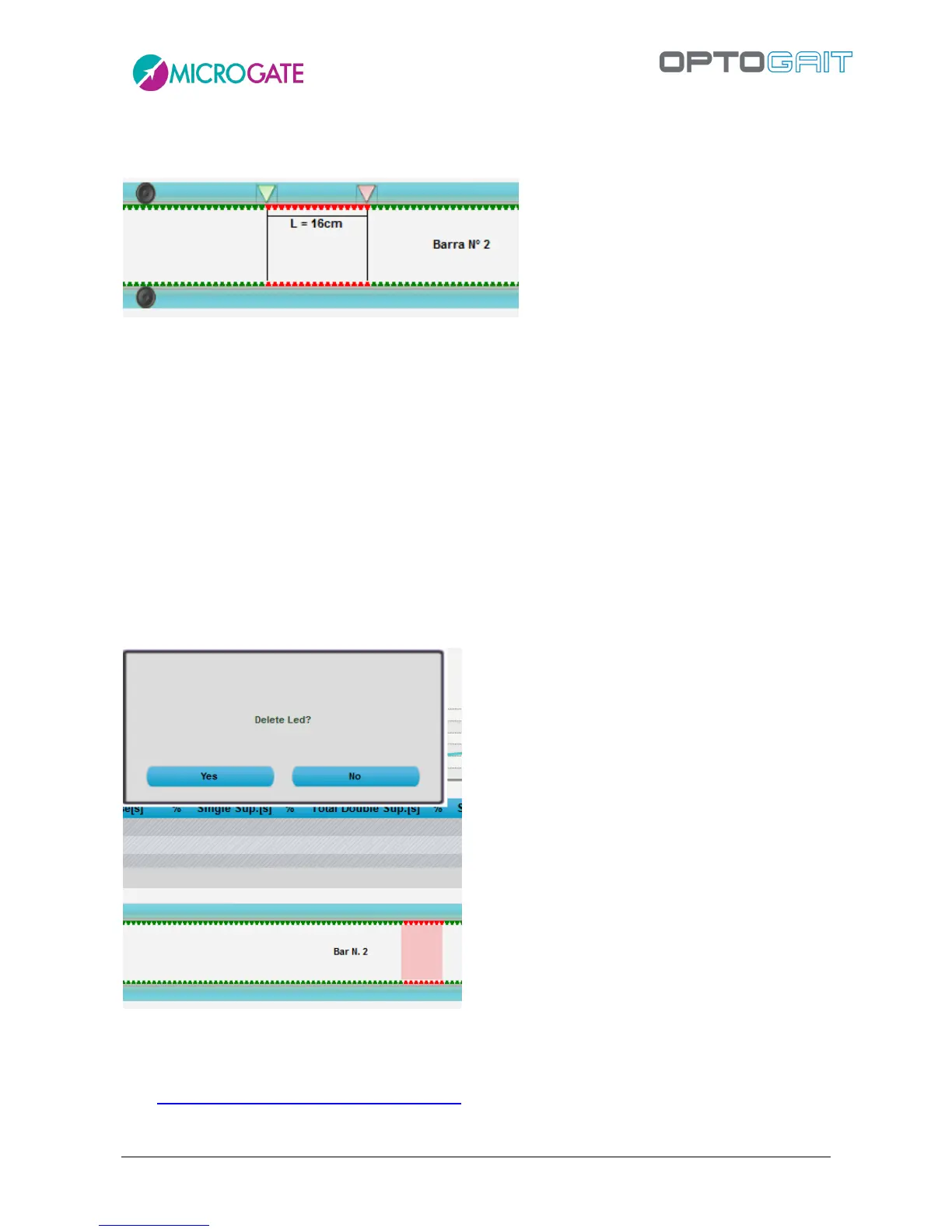
the second LED to view the measure (the markers are green and red for the first and second point).
Click anywhere on the bars and ESC to delete the measure.
Figure 80 - Measure in cm or inches of the distance between two points
In this view you can also temporarily delete a series of LEDs for a certain period of time. Unlike the
command <LED Filter> (see chap. 4.4.2), which excludes a series of LEDs for the entire test, this
allows you to also work during the test analysis and exclude a series of contiguous LEDs (or one
single LED) for a certain number of thousandths of seconds. Let us suppose, for example, that during
a treadmill gait test you realise that the patient has shuffled his/her foot by mistake and you want
to delete that series of LEDs for those 2 seconds: press and hold the CTRL key, click on the first
incorrect LED and (without releasing the CTRL key and the mouse button) drag the selection as far
as the second LED in your segment (a red-coloured area will indicate the part to be cancelled).
Confirm by pressing YES when prompted, if you want to delete the LEDs, and indicate the number
of thousandths of seconds for which the change is to be applied (in this example 2000), and the
numeric data table will be displayed. If you want to save the data, press <OK> in the upper left
corner. Otherwise, press <CANCEL>.
Figure 81 – Deleting LEDs for a certain amount of time
If you want to delete the whole series of LEDs (a complete footprint) for the entire test, press
CTRL+right mouse click on any red LED of the footprint and then confirm the deletion by pressing
YES. See also this article of our Knowledge Base for all the operations available in this view.



 To Next Page