Version 1.9 Page 57 of 170
4.2.2 DEFINE / EDIT TESTS
In this section, the definitions of the tests to be performed can be defined or edited.
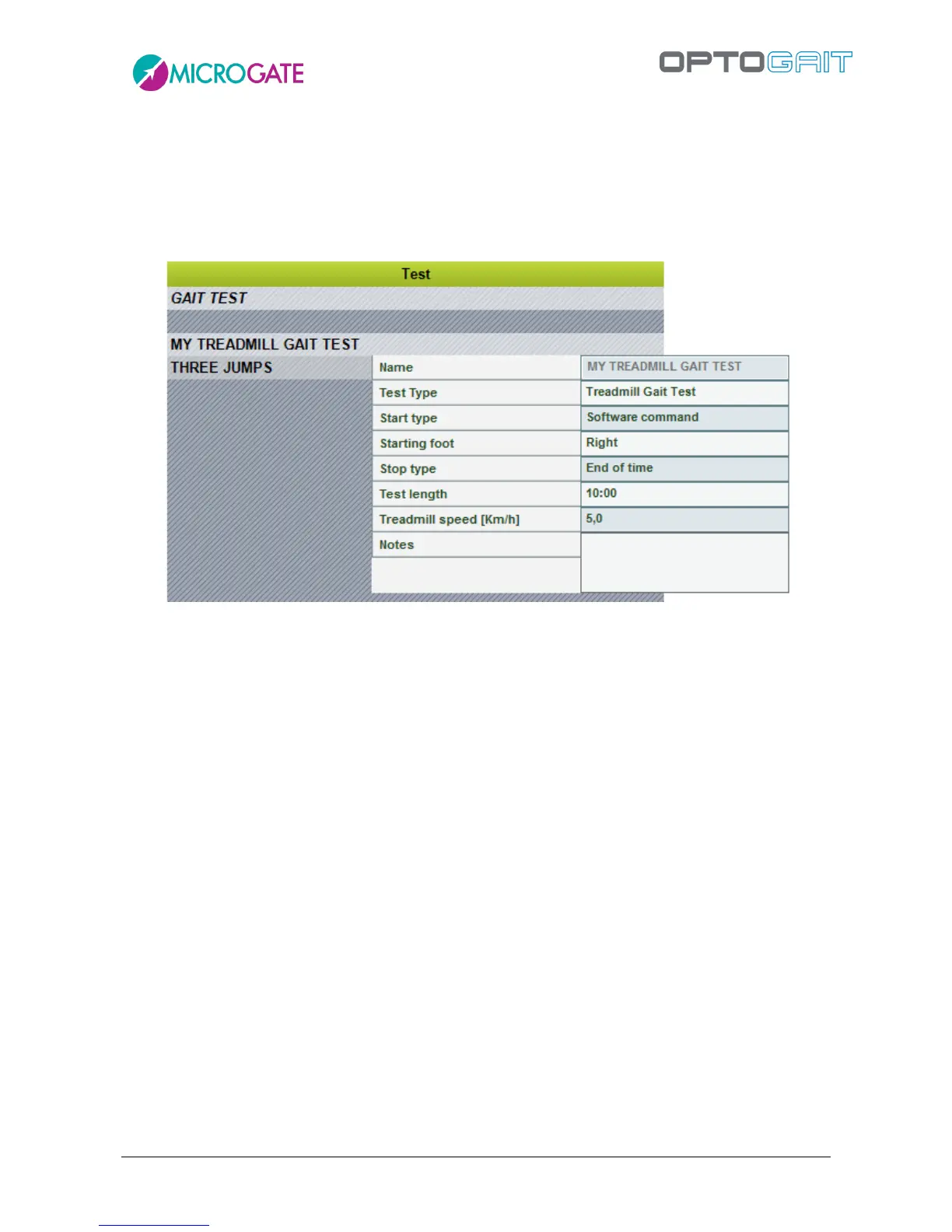
You can view the list of tests pre-defined by Microgate (in italic) or those you have added yourself
in the grid (in the example below ‘MY treadmill gait test’ is a test added by the user).
Figure 42 - Define Edit Test
If the mouse is pointed on a test, its characteristics (which are those that will be used to define a
new one) will be displayed.
By pressing <New Test>, the section for defining a test is opened.
The fields necessary for defining a test are the following:



 To Next Page