Version 1.9 Page 15 of 170
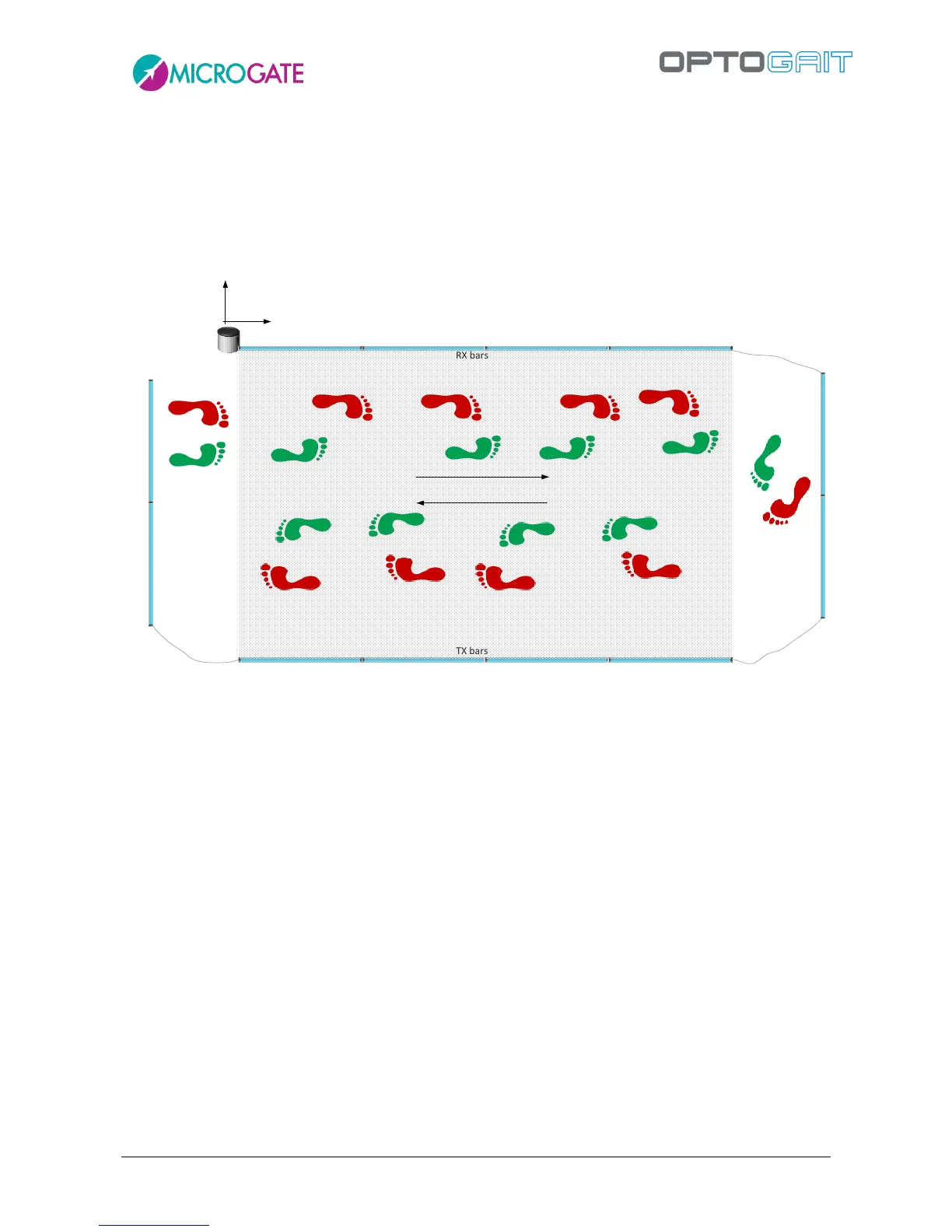
The bars situated on the perpendicular sides are connected using a variable-length cable (usually
1.5/2 m); this allows to distance the actual measurement area (the rectangle formed by the regular
bars and highlighted in grey in the following picture) of the Y bars; this area allows the patient to
leave the test area without having to jump over the bars or - more frequently - turn around by 180°
and go back. In fact, the software allows to carry out an undefined number of back/forth courses
recording a sufficient number of steps also in case of linear systems of only a few meters.
For those requiring fixed installations (which are also aesthetically appealing), a corner cover is
available (without LEDs, only for protection) to cover cables running on the ground (see first
picture).



 To Next Page