Version 1.9 Page 160 of 170
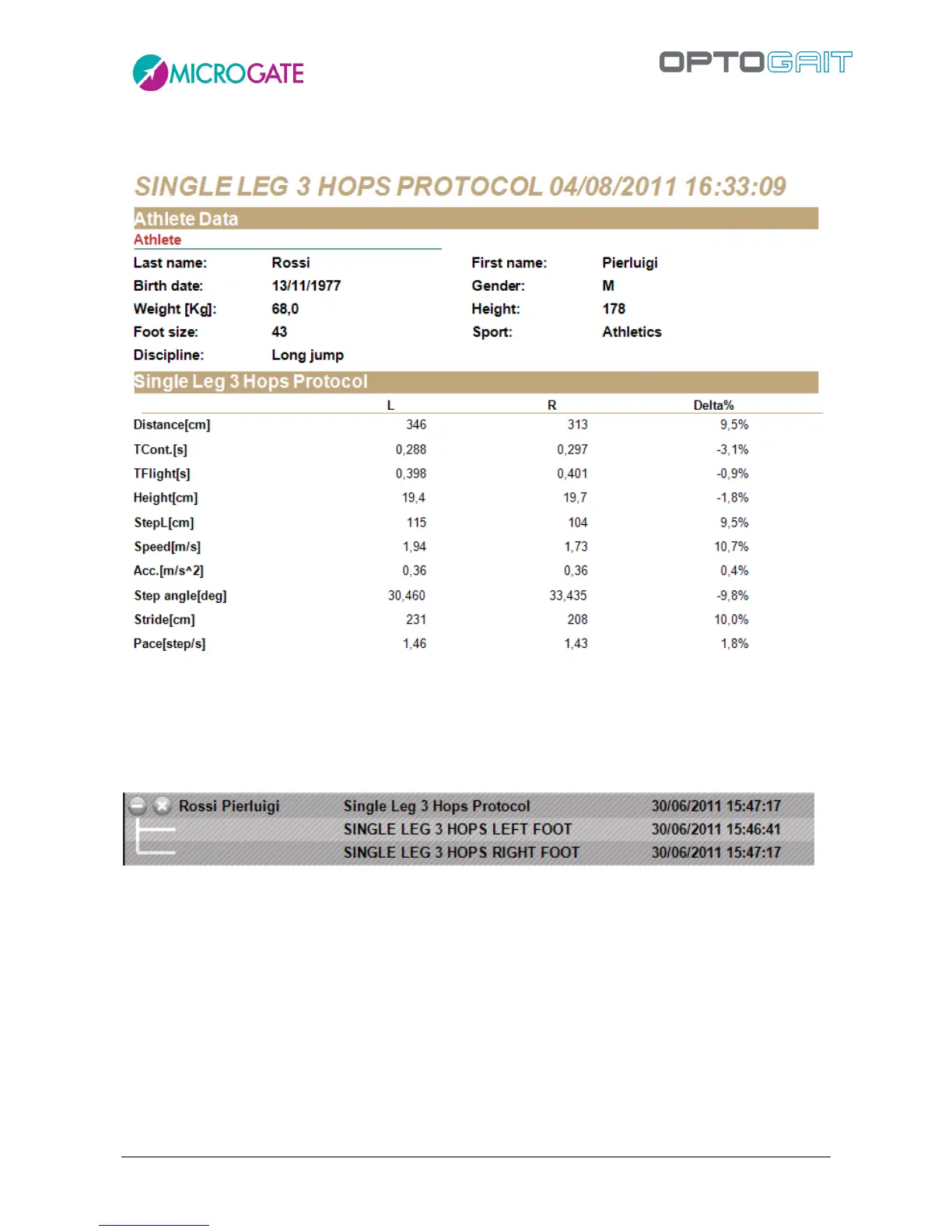
At the end of the test, a report can be viewed under 'Results', showing the main values divided by
leg and differences in %.
Figure 133 - Single Leg 3 Hops Protocol Report
Of course, it is possible to see the details of a test by expanding the protocol and selecting 'View' in
a test or 'Compare' to compare two tests.



 To Next Page