Performing an Automatic Degas Operation
1. Select SmartPrep, select the SmartPrep Unit number, then select Start De-
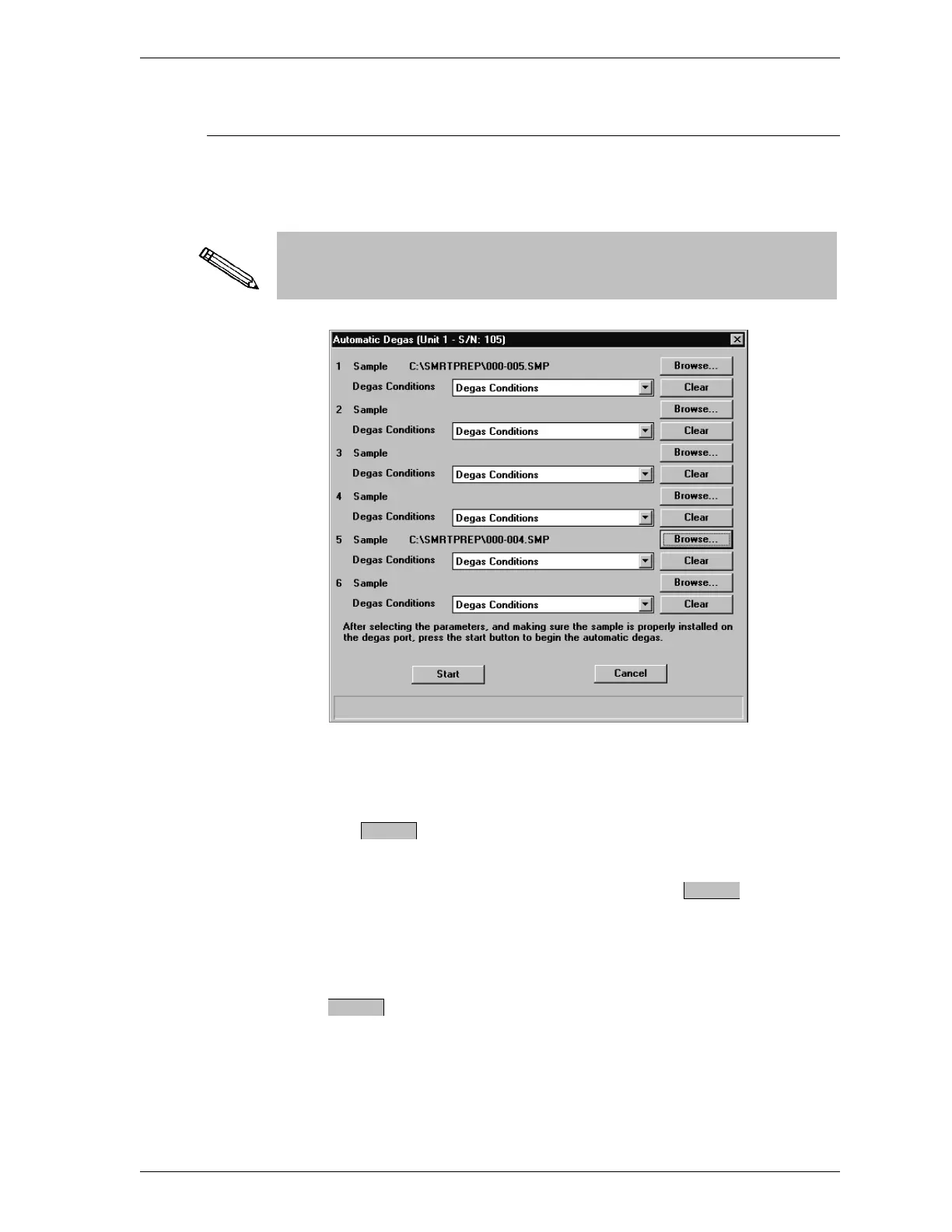
gas from the Main menu. The following dialog box is displayed.
If you are running SmartPrep as an embedded application in TriStar
3000 V1.00, refer to TriStar 3000 V1.00 on the following page.
This dialog box enables you to enter information and start degas operations
on up to six heating stations.
2.
Select the button next to the desired sample station to select a sam-
ple information file.
If you wish to remove a sample information file, select .
3. The name of the degas conditions file contained in the sample information
file is displayed. You may change it if desired by choosing another file
from the drop-down file list.
4.
Press . The degas operation begins and the SmartPrep Status dialog
box is displayed.
5. Proceed to Monitoring a Degas Operation.
Browse
Clear
Start
SmartPrep Degassing Samples
Sep 98 2-27











 To Next Page