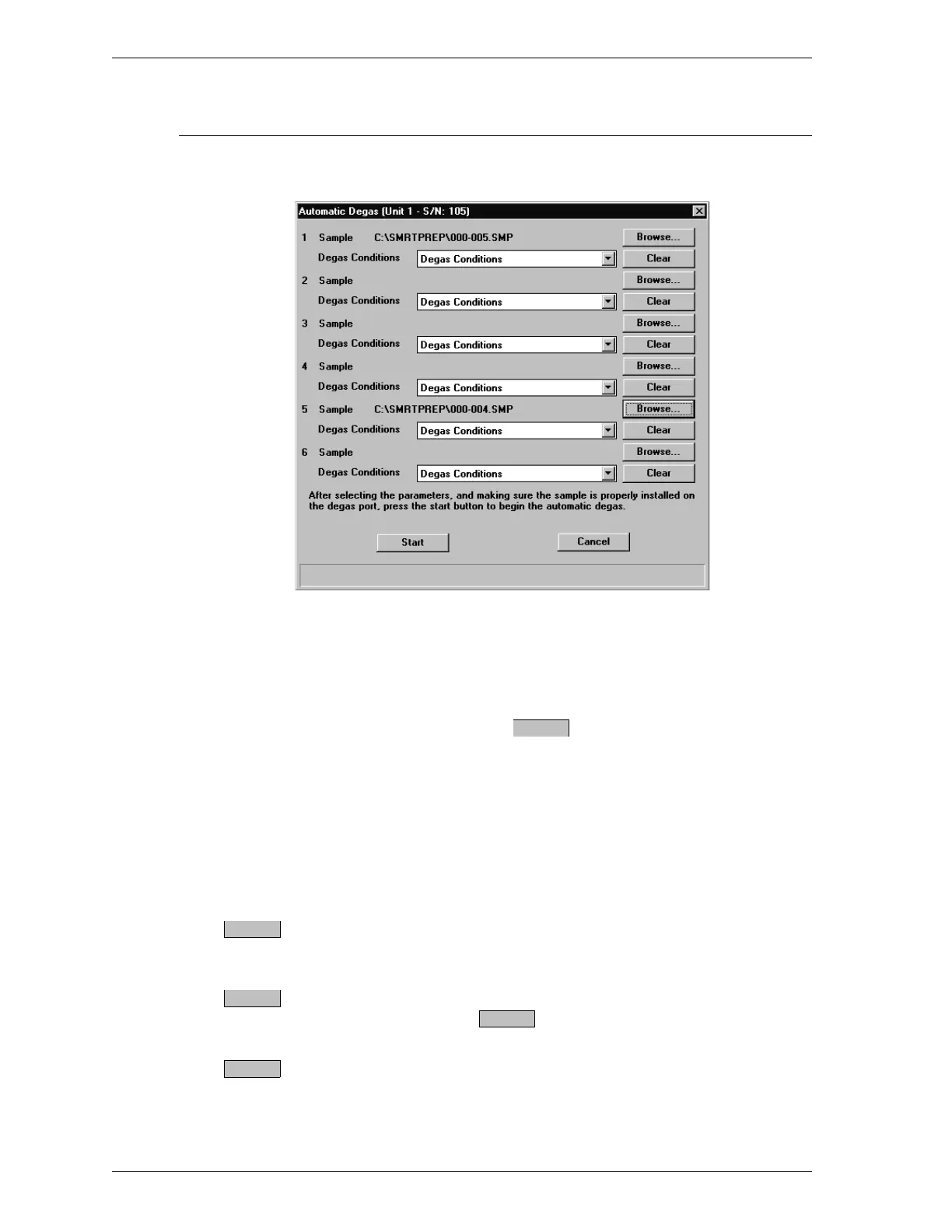
Start Degas
The Start Degas dialog box enables you to start an automatic degas operation
Sample Choose one of the following for each heating sta-
tion you wish to use:
•
Enter the name of a sample information file.
•
Select to display a list of sample infor-
mation files and select a file.
Degas Conditions The description of the degas conditions file con-
tained in the sample information file is displayed.
If you wish to select a different file, click the
down arrow to display a list of degas conditions
files and select a file.
Removes a sample information file so you may en-
ter or select a different file.
Starts an automatic degas operation. When you se-
lect , the Status dialog box is displayed.
Exits the Start Degas dialog box.
Browse
Clear
Start
Start
Cancel
SmartPrep Menu SmartPrep
3-20 Aug 98











 To Next Page