Removing Adapters
Allow heating stations to cool before removing adapters from the
SmartPrep. Always use the adapter-removal tool provided in the Adapter
Option Kit when removing adapters. The adapters may become hot
enough to cause severe burns.
It is best to allow heating stations to cool before removing adapters. If the heat-
ing stations are not cool, use caution when removing heating station adapters.
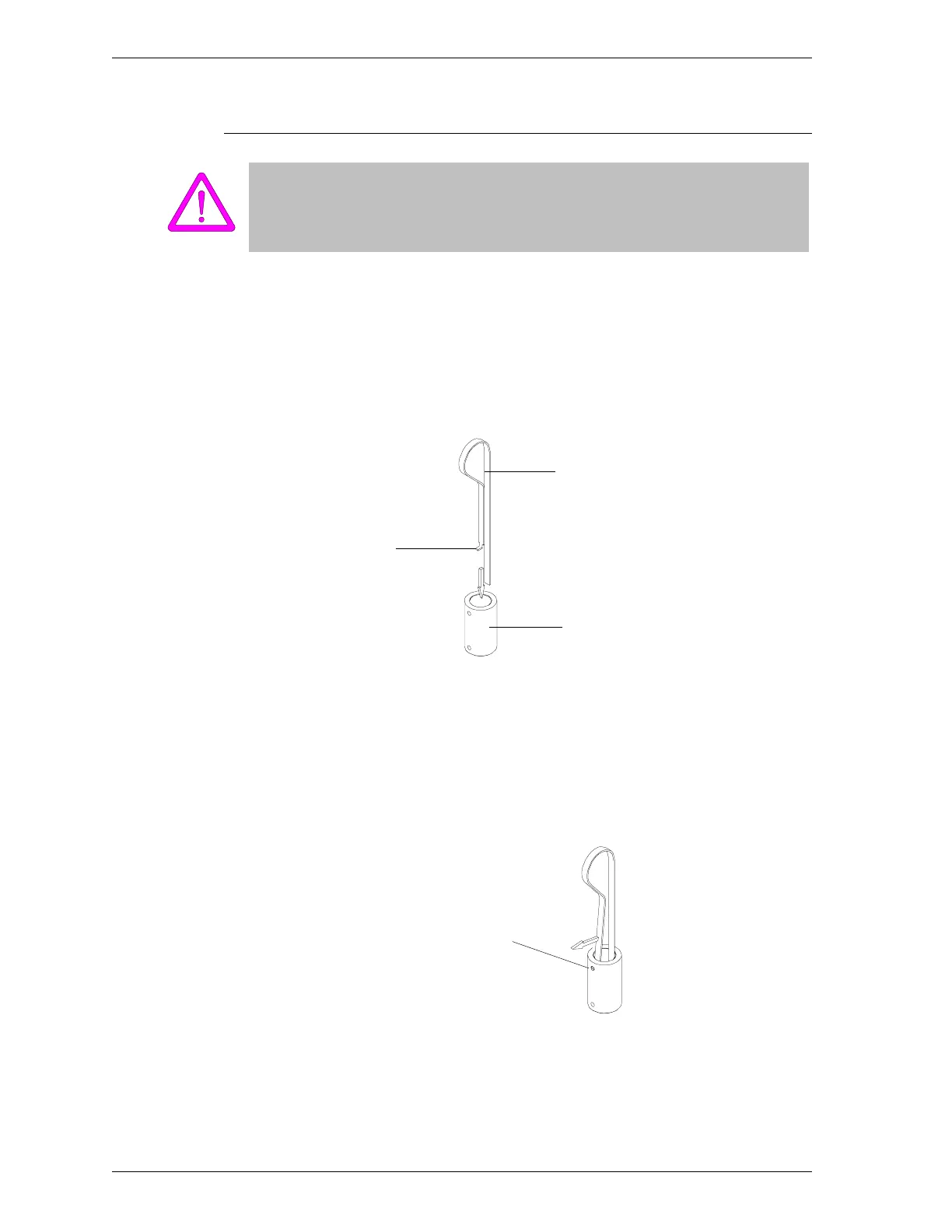
1. Press the extended portion of the adapter-removal tool, then insert it into the
adapter until it touches the bottomof the heating station (illustrated here out-
side of the heating station to show detail).
Figure 2-13. Inserting the Adapter-Removal Tool
2. Release the extended portion so that it will spring outward. Then rotate the
tool until its tab engages the hole on the side of the adapter.
Figure 2-14. Engaging the Tool
Adapter-Removal Tool
Adapter
Ta b
Tab into Place
on Adapter
Inserting and Removing Heating Station Adapters SmartPrep
2-22 Aug 98











 To Next Page