Print
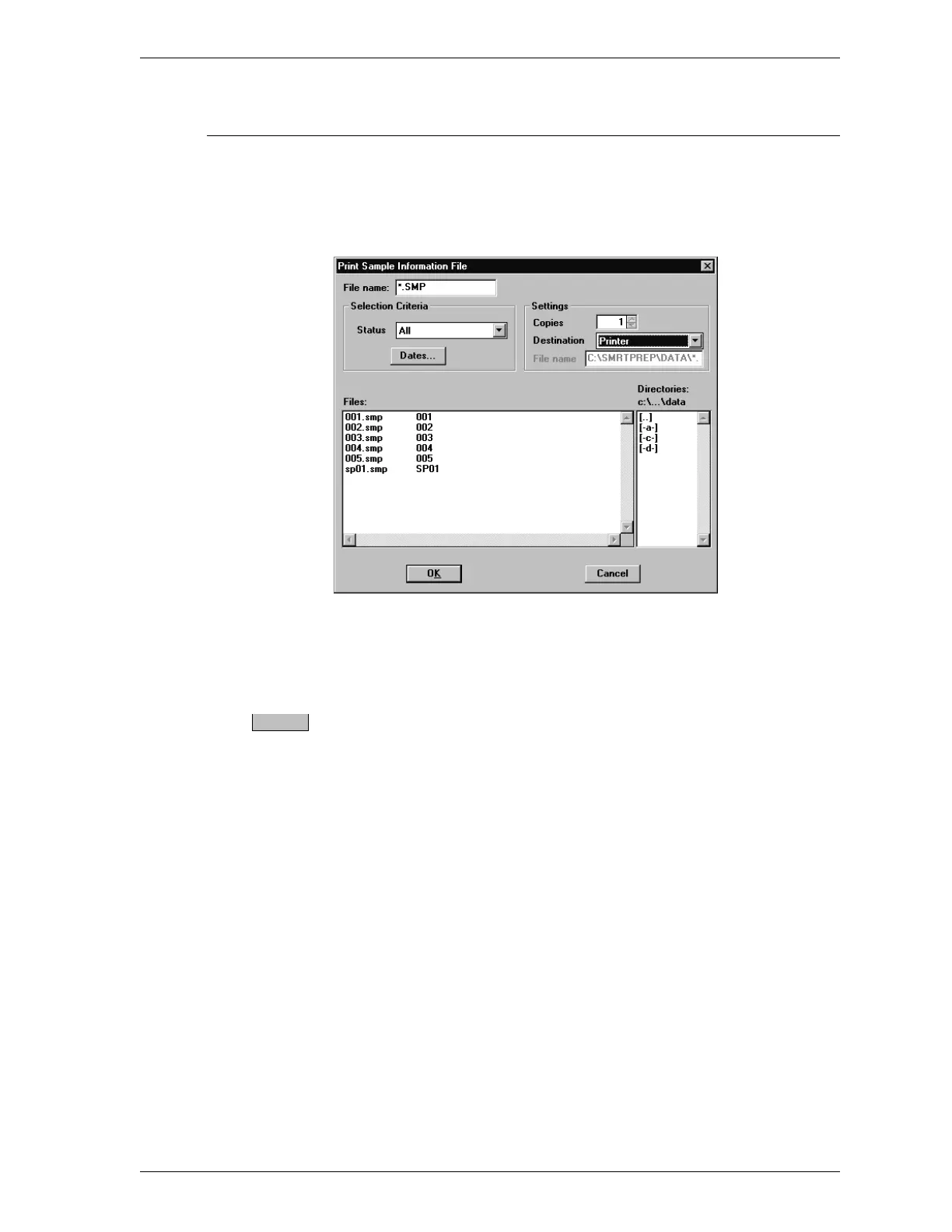
Print enables you to print the entire contents of a file. When you select File,
Print from the main menu, two choices are displayed: Sample information and
Degas conditions. Select the type of file you wish to print. A dialog box similar
to the following is displayed.
File name: Select a file from the Files: list or enter a file
name.
Status
Files:
Directories
Refer to Open in this chapter for a description of
these list boxes.
Settings
Copies Click on the up and down arrows to select the
number of copies you wish to print. You may
print up to four copies.
Destination Choose one of the following:
•
File to print to a file. When you choose File,
you must enter a name in the File name: field.
•
Printer to send the file to the printer.
•
Printer/Plotter is not enabled for SmartPrep.
•
Screen to view the file on the screen.
Dates
SmartPrep File Menu
Aug 98 3-13











 To Next Page