EasyManua.ls Logo

Micromeritics ASAP 2460 - User Manual

Default Icon
468 pages
Print Icon
To Next Page IconTo Next Page
Loading...
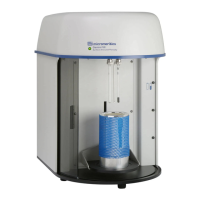
ASAP 2460
Accelerated Surface Area and Porosimetry System
Operators Manual
V2.01
246-42800-01
Jan 2014

Table of Contents

Questions and Answers

Micromeritics ASAP 2460 Specifications

General IconGeneral
ModelASAP 2460
TypeSurface Area and Porosity Analyzer
Number of Analysis Ports2
Number of Degas Ports2
Power Requirements100-240 VAC, 50/60 Hz
Measurement PrincipleGas adsorption
Measurement Range0.01 m²/g and up
Analysis TypesBET, Langmuir
Gases AdsorbedNitrogen, Argon, Krypton, Carbon Dioxide
Pressure Range0 to 1000 mmHg
CoolantLiquid Nitrogen
Temperature Range-196 to 400 °C
DetectorsPressure Transducers
Dimensions24 in
WeightApproximately 150 lbs (68 kg)
Analysis MethodStatic volumetric method

Summary

1. USING THE ANALYZER

Introduction

Details on program menu options and operating instructions for the ASAP 2460 system hardware and software components.

Organization of the Operator’s Manual

Overview of the manual's chapter structure and the information provided in each.

Conventions

Explains icons used for notes, warnings, and cautions to convey important information.

Equipment Description

Details the components of the ASAP 2460 system, including Master Module and Auxiliary Modules.

Gas Requirements

Lists the types of compressed gases required for analysis and their connection requirements.

Controls, Indicators, and Connectors

Describes controls, indicators, and connectors on the front, side, and back panels of the ASAP 2460 system.

Turning On the System

Provides step-by-step instructions for powering on the ASAP 2460 system and its peripherals.

Turning Off the System

Outlines the procedure for safely shutting down the ASAP 2460 system and associated equipment.

Using the Software

Explains how to use the software, including shortcut menus, keyboard shortcuts, and file management.

Files

Details file status descriptions and conventions used in the program for managing data.

File Name Conventions

Lists default file extensions assigned to different file types within the program.

2. OPERATIONAL PROCEDURES

Introduction

Provides an overview of the topics covered in the Operational Procedures chapter.

Working with Interactive Reports

Explains how to open sample files and use the interactive reporting feature to view and manipulate analysis data.

Editing the Default Method

Guides on how to edit default method parameters to customize the analysis software for laboratory needs.

Defining Sample Information Files

Explains how to create sample information files to identify samples and guide analysis, in various formats.

Advanced Format

Details the Advanced format for sample information files, allowing navigation through parameter windows.

Defining Parameter Files

Guides on defining parameter files like Sample Tube, Degas Conditions, Analysis Conditions, and Report Options.

Analysis Conditions Files

Explains how to specify data parameters to guide an analysis using .ANC files.

Report Options Files

Explains how to create and load customized report options files for quick report generation.

Preparing for Analysis

Outlines tasks for sample preparation, including cleaning tubes, determining mass, and degassing.

Cleaning and Labeling Sample Tubes

Provides procedures for cleaning and labeling sample tubes and filler rods, including materials supplied.

Determining the Sample Mass

Explains the importance of knowing true sample mass and describes the calculation method.

Installing Sample Tubes

Provides step-by-step instructions for installing sample tubes into the analysis port.

Filling Dewars

Provides instructions on filling the analysis dewar with bath fluid to the correct level, including precautions.

3. FILE MENU

Introduction

Provides information on File menu options for creating and opening sample and parameter files.

Common Fields and Buttons - File Menu Options

Describes common fields and buttons used in File menu windows, referencing other sections for details.

New Sample

Provides the option to create a new sample file or parameter file.

Open

Grants access to the application Library for managing sample and parameter files.

Save As

Saves a file in the active window under a different file name or as a standalone parameter file.

Close

Closes the active window, prompting to save changes if modifications were made.

List

Provides the option to create a list of sample or report options file information.

Export

Exports isotherm data in various file formats for import into other applications.

Sample Information Files

Explains how to create or open sample information files, which can be in Advanced, Basic, or Restricted format.

4. UNIT MENU

Introduction

Provides information on Unit menu options used to run analyses on units attached to a controlling computer.

Common Fields and Buttons - Unit Menu Options

Describes common fields and buttons used in Unit menu options, referencing other sections for details.

Start Analysis

Allows starting an analysis using nitrogen or a similar gas, with guidelines for standard analyses.

Enable Manual Control

Enables manual control of system valves and elevator components via the analyzer schematic.

Show Instrument Schematic

Displays a graphical schematic of the ASAP 2460 analysis system, allowing control of valves and elevators.

Show Dashboard

Displays key operational metrics like analyses completed, pump maintenance, and outgas rate.

Show Status

Shows the current status for each port, including pressure and relative pressure readings.

Show Instrument Log

Displays a log of recent analyses, calibrations, errors, or messages for troubleshooting.

Calibration

Covers procedures for system calibration, including saving and loading calibration files.

Service Test

For use by trained service personnel to perform troubleshooting and obtain readouts.

5. REPORTS MENU

Introduction

Provides information on Reports menu options for customizing and running analysis reports.

Common Fields and Buttons - Reports Menu Options

Describes common fields and buttons used in Reports menu options, referencing other sections for details.

Start Report

Generates a report on a sample analysis, initiated via menu or F8 keyboard shortcut.

Open Report

Opens a previously saved report for viewing.

SPC Report Options

Allows generation of reports with various Statistical Process Control (SPC) options.

Regression Report

Generates an SPC Regression report to determine interdependency between variables.

Control Chart

Generates an SPC control chart report plotting changes in a statistic.

Heat of Adsorption Report

Generates a Heat of Adsorption report to characterize surface heterogeneity and adsorption capacity.

Report Header

Explains that all reports contain a header with file statistics, optionally including graphics and titles.

6. OPTIONS MENU

Introduction

Covers options menu selections for configuring the system by setting defaults for sample and parameter files.

Option Presentation

Guides on changing the default editing format of sample files: Restricted, Basic, or Advanced.

Restricted Format

Describes the Restricted format, which is password protected and prevents switching to Advanced format.

Default Method

Explains how to specify default parameters for sample information files.

Manage Libraries

Details how the application Library accesses and stores sample and parameter files.

Units

Specifies how data appears on application windows and reports, with options for restricted format.

Service Test Mode

Describes the password-protected option for performing service tests with a Micromeritics representative.

7. TROUBLESHOOTING AND MAINTENANCE

Troubleshooting

Identifies common operational problems caused by leaks, weighing errors, or incorrect volume entry.

Preventive Maintenance

Lists preventive maintenance procedures to ensure analyzer peak performance, recommending monthly and annual checks.

Checking and Cleaning the Analysis Port Dewars

Provides instructions for checking and cleaning analysis port dewars weekly to prevent ice accumulation.

Replacing Analysis Port Filters

Details the procedure for replacing porous metal filters in analysis ports to maintain vacuum and prevent contamination.

Replacing a Sample Tube O-ring

Explains the importance of maintaining a vacuum-tight seal and how to replace worn or cracked O-rings.

Inspecting and Changing Vacuum Pump Fluid

Provides instructions for inspecting and changing the oil in oil-sealed vacuum pumps every three months.

Replacing the Alumina in the Oil Vapor Traps

Details the procedure for replacing activated alumina in oil vapor traps when it becomes saturated.

Cleaning the Analyzer

Recommends cleaning the analyzer's outside casing every six months or as needed using mild detergents or alcohol.

Checking the Analysis Manifold Outgassing Rate

Provides steps to check the analysis manifold outgassing rate by testing gas inlet lines for leaks.

Replacing the Vacuum Pump Exhaust Filter

Details how to replace the vacuum pump exhaust filter to minimize oil vapor release.

Routine Maintenance

Covers procedures performed as needed, including changing gases and verifying gas lines.

Changing Gases

Provides guidelines for connecting regulators and gas lines, ensuring proper gas pressure and quality.

Cleaning and Verifying the Gas Line

Explains how to clean gas lines and test for leaks after bottle connection, providing a report on pass/fail status.

8. ORDERING INFORMATION

Analysis System Components and Accessories

Lists part numbers and descriptions for ASAP 2460 system components and accessories.

A. FORMS

Sample Data Worksheet

Provides a worksheet to record values for calculating sample mass and degas information.

B. ERROR MESSAGES

2200 and 2400 Series

Lists numerical error messages for the 2200 and 2400 series, with causes and actions.

4000 Series

Details error messages specific to the 4000 series, including causes and suggested actions.

6100 Series

Lists error messages related to the 6100 series, focusing on communication and calibration issues.

6200 Series

Covers error messages for the 6200 series, related to sample status, dosing, and calibration.

C. CALCULATIONS

Saturation Pressure

Explains methods for obtaining saturation pressure (Po), including entering or measuring the value.

Quantity Adsorbed Calculations

Details calculations for quantity dosed, gas in free space, and specific quantity adsorbed.

BET Surface Area

Details the BET transformation calculation for surface area and the process of least-squares fitting.

Freundlich Isotherm

Presents the Freundlich isotherm equation and its logarithmic form for data analysis.

t-Plot

Explains the t-Plot analysis for quantitative evaluation of area and volume ascribed to micropores.

BJH Pore Volume and Area Distribution

Explains calculations for mesopore volume/area distribution using the BJH method.

D. FREE SPACE CORRECTION

Measure

Describes the preferred, simple, and automatic method for determining free space.

Calculate

Explains the rapid method for compensating for free space by performing a blank analysis.

E. MAINTAINING HIGH PURITY GASES

Removing Trapped Air

Details methods (Purge and Evacuation) for removing trapped air from regulator lines before connecting gas.

F. DFT MODELS

Models Based on Statistical Thermodynamics

Includes methods that model adsorption systems in terms of forces acting between individual molecules.

Theoretical Background

Explains traditional adsorption theories and introduces molecular-based statistical thermodynamic theory.

Density Functional Formulation

Presents DFT as an accurate alternative to simulations, providing accurate descriptions of inhomogeneous systems.

Pore Size

Explains characterizing mesopore size distribution using the Kelvin equation and correlating functions.

Kelvin Equation with Halsey Thickness Curve

Details the kernel function calculation using the Halsey equation for slit geometry.

Kelvin Equation with Harkins and Jura Thickness Curve

Explains the kernel function calculation using the Harkins and Jura equation for slit and cylinder geometries.

Kelvin Equation with Broekhoff-de Boer Thickness Curve

Describes the kernel function calculation using the Broekhoff-de Boer equation for slit and cylinder geometries.

G. mic MODULE FOR PYTHON SCRIPTED USER-DEFINED REPORTS

TABLE 1: Example Python Script for User-defined Reports

Provides an example Python script demonstrating how to use the mic module for creating custom reports.

TABLE 2: Function Reference for mic Python Module (User-defined Reports)

Lists and describes functions available in the mic Python module for accessing and manipulating isotherm data.

Related product manuals