INSTALLATION
Milli-Q Synthesis/Synthesis A10 42
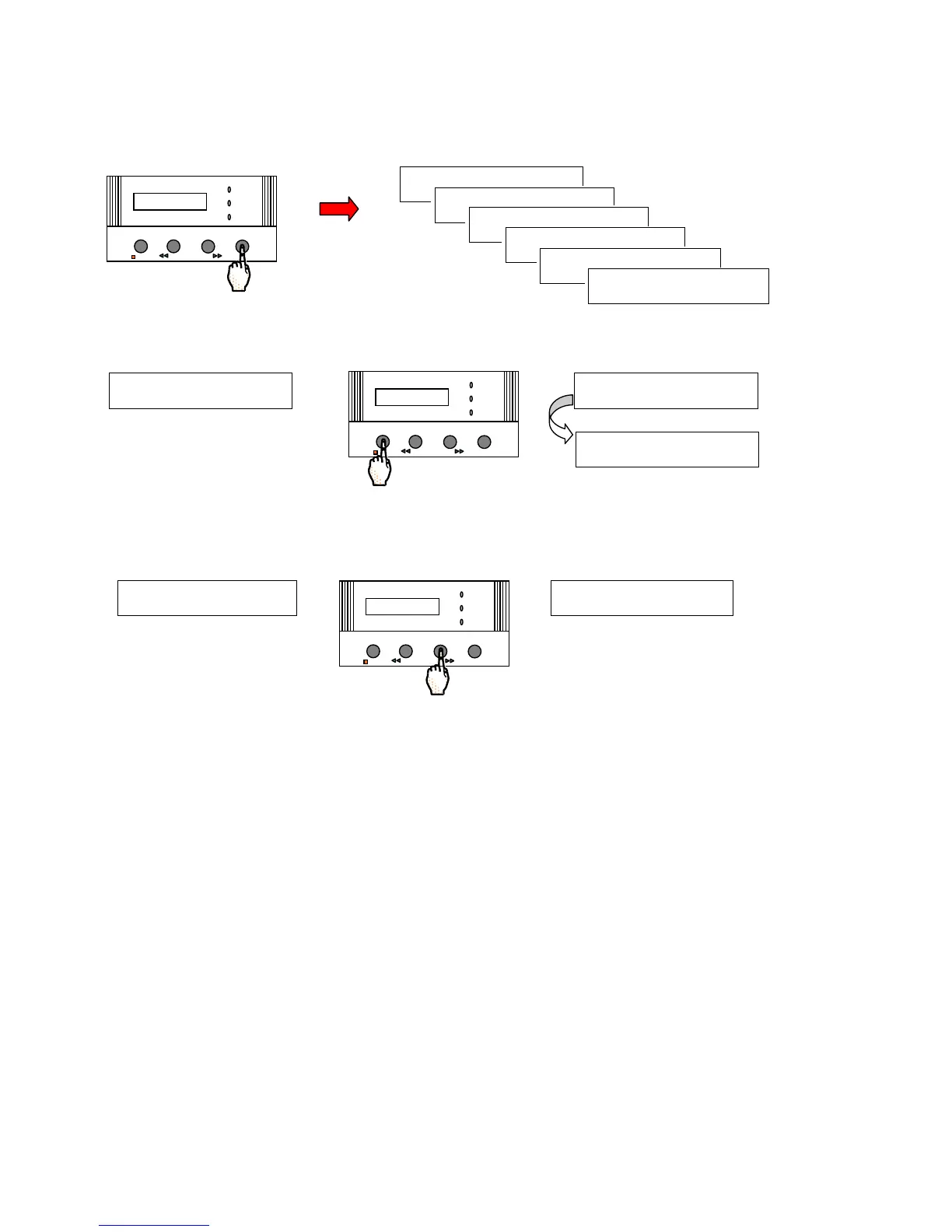
Press the MENU Keypad Button 5 times (6 times for a Milli-Q Synthesis A10). Stop when you see the
LANGUAGE (under SERVICE OPTIONS) display.
Press the OPERATE/STANDBY Keypad twice (2 times). The RES. COMP choice will be shown.
Press the CLEANING Keypad Button twice to change from MODE 1 to OFF. The Resistivity Temperature
Compensation will now be off.
OPERATE / STANDBY
MEASURE
CLEANING
MEN U
POWER
SERVICE
EASUR E
SERVICE : OP T I ONS
L A N G U A G E : E N G L I S H
S E R V I C E : O P T I ON S
L A N G U A G E : E N G L I S H
OPERATE / STANDBY
MEASURE
CLEANING MENU
POWER
SERVICE








 To Next Page