MAINTENANCE
Milli-Q Synthesis/Synthesis A10 74
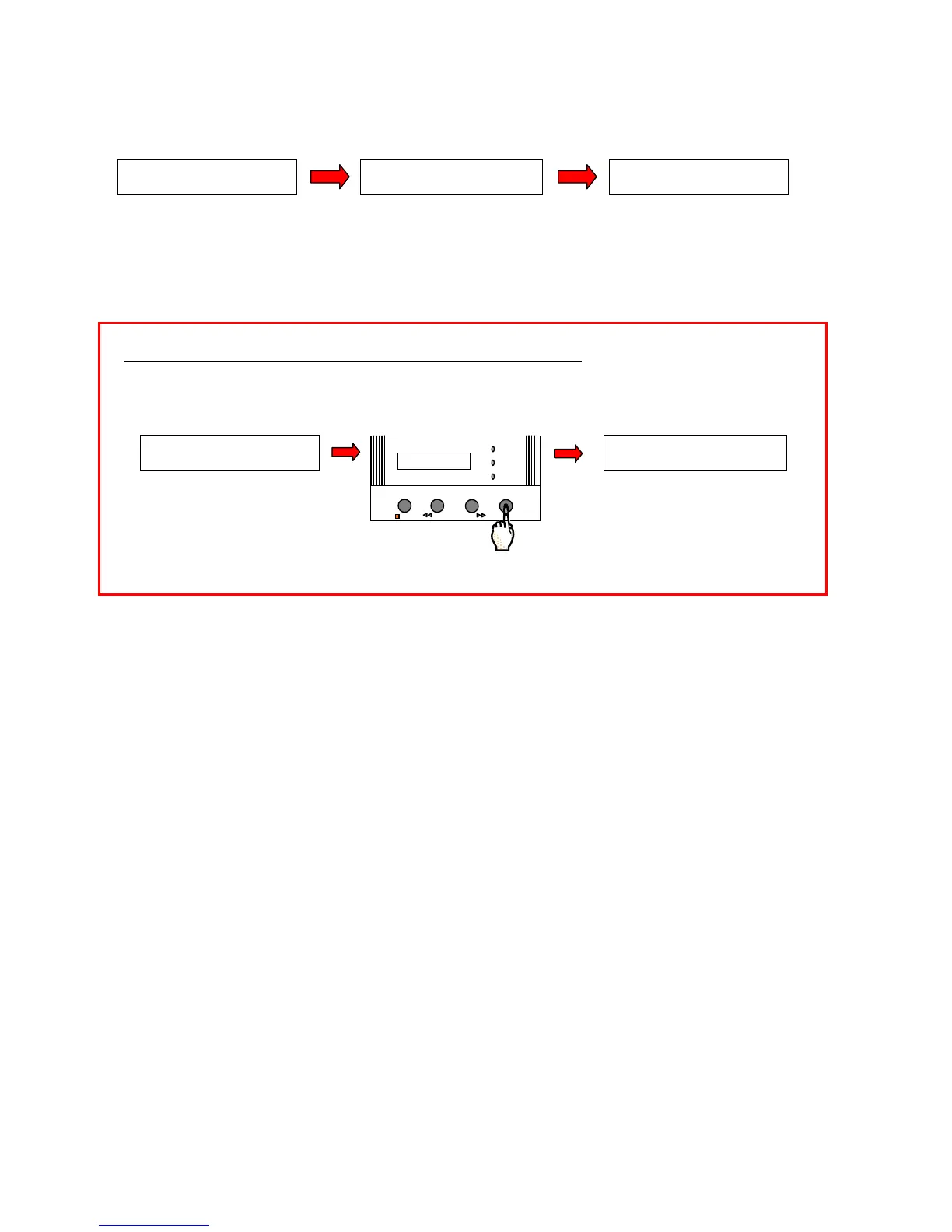
WAIT. Do not press the Keypad. The A10 CLEANING Mode will start automatically after 5 seconds. The
60 minute timer will be shown.
Wait for the A10 CLEANING Mode to finish.
The Milli-Q will automatically go to PRE OPERATE Mode at the end of the A10 CLEANING Mode.
You have finished performing an A10 CLEANING.
HOW DO I CANCEL THE A10 CLEANING ONCE IT IS STARTED?
Press the MENU Keypad Button for about 2 seconds during the A10 CLEANING Mode to cancel it.
The Milli-Q will return to PRE OPERATE Mode.
S E R V I C E : A 1 0
A 1 0 C L E A N I N G : 6 0
S E R V I C E : A 1 0
A 1 0 C L E A N I N G
S E R V I C E : A 1 0
A10 C L E A NI NG : 59
P R E O P E R A T E
S E R V I C E : A 1 0
A 1 0 C L E A N I NG : 4 3
OPERATE / STANDBY
MEASURE
CLEANING MENU
POWER
SERVICE








 To Next Page