MAINTENANCE
Milli-Q Synthesis/Synthesis A10 73
HOW DO I DO AN A10 CLEANING?
Follow these steps below to perform an A10 CLEANING.
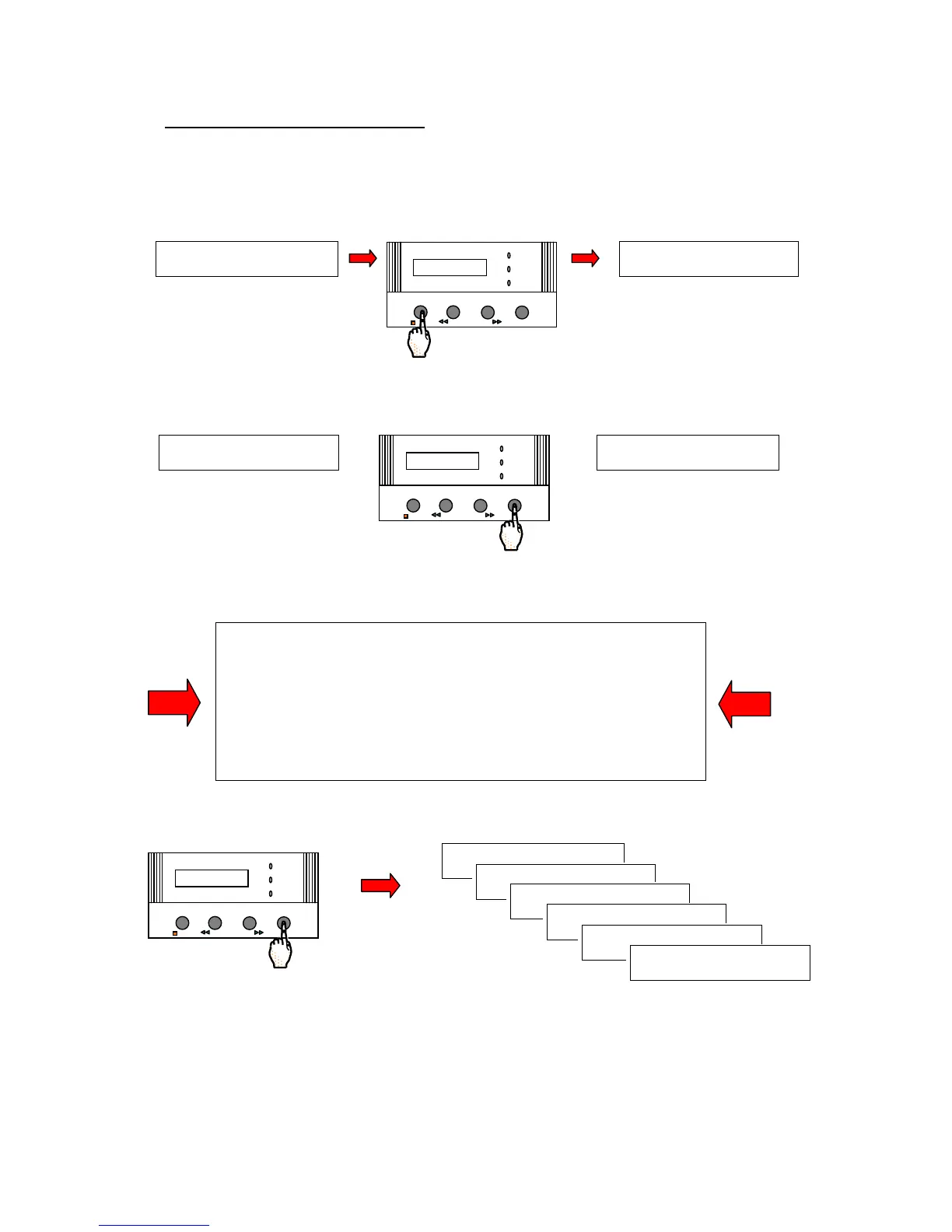
If the Milli-Q is in STANDBY Mode, then press the OPERATE/STANDBY Keypad Button for about 2 seconds.
This will change the Milli-Q from STANDBY Mode to PRE OPERATE Mode. See the drawing below for more
information.
Press the MENU Keypad button for about 2 seconds. The LCD will change as shown here:
You have entered the ‘Customer Service Software’ of the Milli-Q.
If you do not see this display
, then turn off, then on the system power.
When the LCD shows PRE OPERATE and RECIRCULATION, press the
STANDBY/OPERATE Keypad Button for about 2 seconds. This will place
the Milli-Q into STANDBY Mode. Then press the STANDBY/OPERATE
Keypad Button again. The Milli-Q will now be in PRE OPERATE Mode.
Press the MENU Keypad Button again for 2 seconds to enter the Customer
Service Software.
Press the MENU Keypad Button 5 times. Stop when you see the SERVICE: A10 A10 CLEANING display.
S T A ND B Y
P R E O P E R A T E
OPERATE / STANDBY
MEASURE
CLEANING MENU
POWER
SERVICE








 To Next Page