APPENDIXES
Milli-Q Synthesis/Synthesis A10 89
APPENDIX 3 HOW TO TRANSFER INFORMATION TO A COMPUTER
It is possible to transfer (‘download’) information to a computer from the Milli-Q.
REQUIREMENTS NEEDED
A cable is needed to connect between the Milli-Q and a computer. The Millipore Catalogue number
for this cable is C0MPCBL01. This Computer Cable is an accessory for the Milli-Q and needs to be ordered
separately.
The computer end of this cable has a 9 pin connection. It installs into either the COM1 or COM2 Port of your
computer.
HOW TO DO IT
Connect the Computer Cable (COMPCBL01) between the Water System and the Computer. The installation
instructions are not in this manual. The installation instructions come with the Computer Cable.
Using Windows
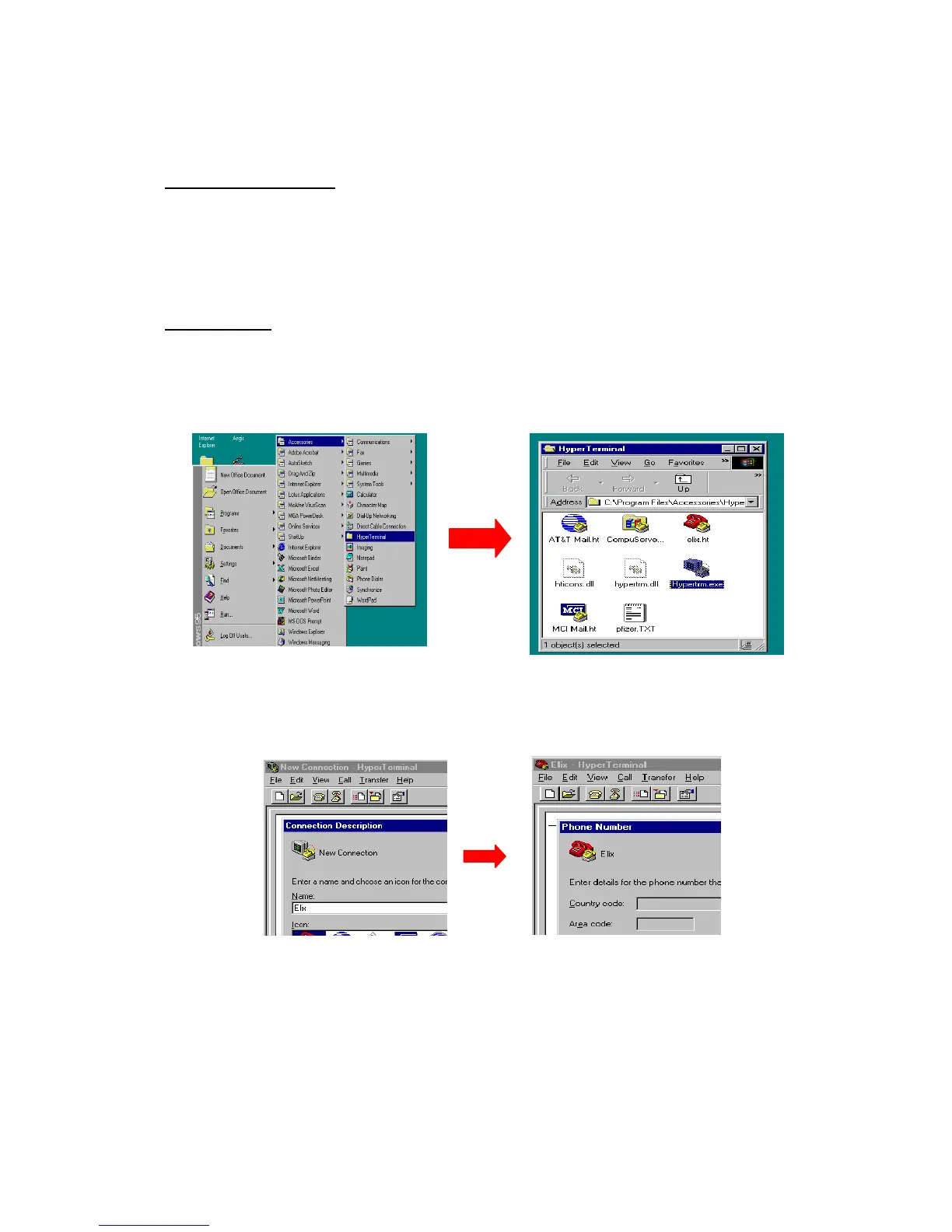
95 or 98, click on START, then PROGRAMS, then ACCESSORIES, then HYPERTERMINAL.
Double Click on the HYPERTRM.EXE icon.
Enter a name (example: MQ) and then choose an icon. You can use this later for future downloads.
Choose ‘Direct to COM 1 (or COM 2)’ , then click on OK.
For the COM properties, change the settings to be:








 To Next Page