EasyManua.ls Logo

MIMAKI APC-130 - User Manual

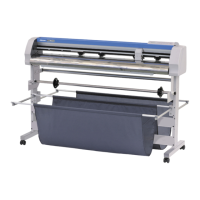
MIMAKI APC-130
114 pages
Print Icon
To Next Page IconTo Next Page
Loading...
MIMAKI ENGINEERING CO., LTD.
URL: http: // www.mimaki. co. jp/
D202229-11
Original instructions

Table of Contents

Other manuals for MIMAKI APC-130

Questions and Answers

  • K
    kevinhendersonSep 4, 2025
    What to do if my MIMAKI Plotter shows 'E R R 1 2 D E V I C E'?
    • M
      Madison ConleySep 4, 2025
      If your MIMAKI Plotter displays the error 'E R R 1 2 D E V I C E', it means an invalid device control command was received. You should check the device control command.
  • S
    srodriguezSep 18, 2025
    What to do if my MIMAKI APC-130 Plotter shows 'E R R 0 2 MA I N R AM'?
    • S
      Scott WashingtonSep 18, 2025
      If your MIMAKI Plotter displays the error 'E R R 0 2 MA I N R AM', it indicates an error occurred in the control RAM. Buy one through the dealer in your region or at our service office.
  • J
    john78Sep 16, 2025
    What does it mean if my MIMAKI APC-130 displays 'E R R 2 0 I / O'?
    • J
      Juan FisherSep 16, 2025
      If your MIMAKI Plotter displays the error 'E R R 2 0 I / O', it indicates that the communication condition differs. Match the plotter conditions to the conditions in the PC.
  • R
    Richard SimmonsSep 14, 2025
    What to do if my MIMAKI Plotter data length differs from the cut length?
    • L
      Laura MoralesSep 14, 2025
      If the data length differs from the cut length on your MIMAKI Plotter, it's because the sheet feeding length varies depending on the sheet thickness. Correct the difference by performing distance correction.
  • A
    Alexander HowellSep 12, 2025
    What to do if my MIMAKI Plotter shows 'E R R 1 6 A U T O I / F'?
    • M
      Michael NelsonSep 13, 2025
      If your MIMAKI Plotter displays the error 'E R R 1 6 A U T O I / F', it means the command automatic recognition could not be performed. Set the command name.
  • M
    Maria ThomasSep 12, 2025
    What to do if an error occurs in my MIMAKI APC-130 Plotter when the host computer sends data?
    • A
      Amanda GarrettSep 12, 2025
      If an error occurs in the machine when the host computer sends data to your MIMAKI Plotter, it could be due to incorrect communication conditions or wrong operation. Check the communications conditions and ensure you are operating the machine correctly.
  • M
    Michael YoungSep 9, 2025
    What does it mean if my MIMAKI Plotter displays 'E R R 3 0 O P E R A T I ON'?
    • S
      Samantha CollinsSep 9, 2025
      If your MIMAKI Plotter displays the error 'E R R 3 0 O P E R A T I ON', it means an improper operation was conducted on the operation panel. Operate this machine correctly.
  • S
    Stephen RichardsonSep 7, 2025
    What to do if my MIMAKI Plotter shows 'E R R 2 7 B U F F E R o v e r'?
    • M
      Mariah RangelSep 7, 2025
      If your MIMAKI Plotter displays the error 'E R R 2 7 B U F F E R o v e r', it indicates an interface error. To resolve this, ensure the communication condition is the same as the one in the host computer, or check the interface cable.
  • T
    tericksonSep 5, 2025
    What to do if my MIMAKI Plotter shows 'E R R 1 5 A U T O F E E D'?
    • A
      Ashley RobinsonSep 5, 2025
      If your MIMAKI Plotter displays the error 'E R R 1 5 A U T O F E E D', it could be due to a failure in feeding the sheet by the length specified by the ZX command or during split cutting. If the host computer has completed sending, reset the long sheet and perform copy. Alternatively, set the long sheet and make it remote mode.
  • M
    mjenkinsAug 20, 2025
    What to do if my MIMAKI APC-130 Plotter cutting (plotting) cannot be performed?
    • O
      Olivia BowenAug 21, 2025
      If cutting cannot be performed on your MIMAKI Plotter, here are a few potential causes and solutions: * The host computer setting (plotter name, etc.) might be wrong. Check the host computer setting. * The interface cable might not be securely connected. Securely connect the interface cable in position. * The USB driver or Port monitor might not be installed. Install the USB driver and the port monitor from the attached manual CD.

Summary

Chapter 1 Before Use

Machine Installation and Setup

Procedures for installing the plotter and selecting its location.

Machine Configuration and Components

Details of the plotter's front and rear parts, operation panel, and key components.

Connecting Cables and Modes

Instructions for connecting cables and understanding the plotter's operational modes.

Chapter 2 Basic Operations

Operation Flow and Tool Installation

Overview of operations and steps for installing cutters and pens.

Power and Tool Conditions

Procedures for powering the device and setting tool conditions.

Roll Sheet and Sheet Handling

Steps for loading roll sheets, attaching the basket, and setting pinch rollers.

Cutting and Plotting Operations

Performing test cuts, actual cutting/plotting, starting, and stopping operations.

Chapter 3 Extended Functions

Jog Mode Operations

Using jog keys for origin setting, paper cutting, axial correction, and digitizing.

Cutting Abnormalities and Corrections

Advanced cutting techniques, troubleshooting abnormal cuts, and sheet handling.

Function Settings and Customization

Configuration options for commands, interface, device settings, and operational parameters.

Chapter 4 Troubleshooting

General Troubleshooting Guide

Guidance on identifying and resolving machine failures and common issues.

Error and Warning Messages

Explanations of error codes and warning messages with their causes and solutions.

Chapter 5 Appendix

Specifications and Maintenance

Technical details of the plotter and procedures for cleaning.

Function Flowcharts

Visual diagrams illustrating the plotter's functions and operational flow.

MIMAKI APC-130 Specifications

General IconGeneral
BrandMIMAKI
ModelAPC-130
CategoryPlotter
LanguageEnglish

Related product manuals