– 3.33 –
* If the sheet is curling up, straighten the sheet.
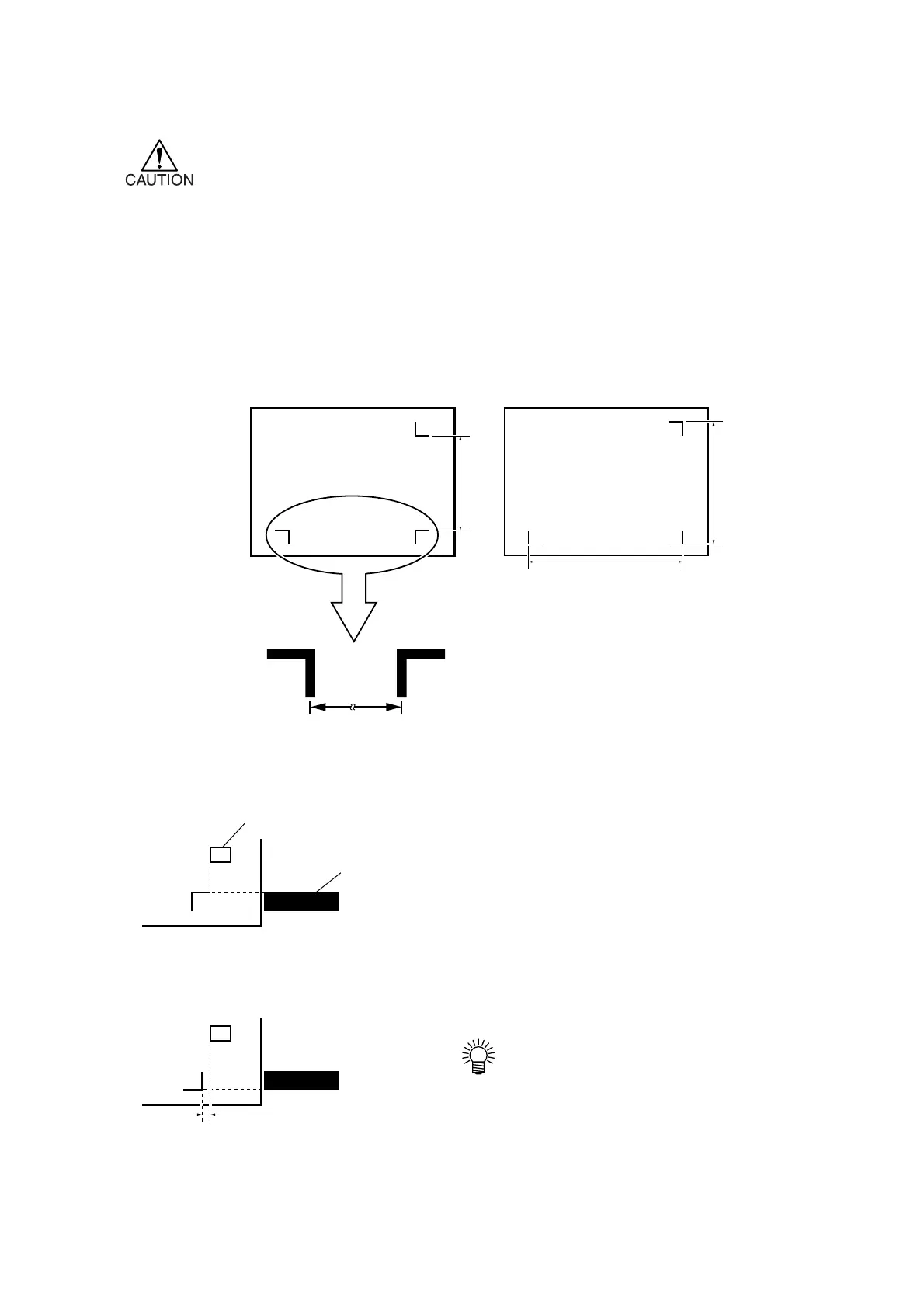
* Use a sheet which has neither stains nor images in the area (A) located between
TP1 and TP2 and in the area (B) located between TP1 and TP3.
Full-automatic detection of marks
It enables to compensate the difference in length of the registration marks between printed length
and detected length (A and B). For this purpose, measure the length A and B beforehand. When you
measure the length of in-between the following registration marks, the center of the registration
marks is standard.
1) Measure lengths A and B contained in
the data to be output.
2) Place TP1 at a location as illustrated on
the left.
Align the cutting line as follows:
• In the case where the “PEN” or “CUT” is specified
in the tool conditions: To the pen line rubber side
• In the case where the “PIN” or “HALF” is specified
in the tool conditions: To the pen line sponge side
•If it is impossible to place the
registration TP1 at the location
given in the sketch, proceed to the
section describing “Semi-automatic
registra-tion mark detection.”
B
A
TP2
Pinch roller
TP1
Rightmost end of seal
Cutting line
MARK FORM: TYPE1
TP1TP3
B
A
TP2
TP1
TP3
Approx. 5mm
MARK FORM: TYPE2











 To Next Page