– 3.32 –
Function Setting Description
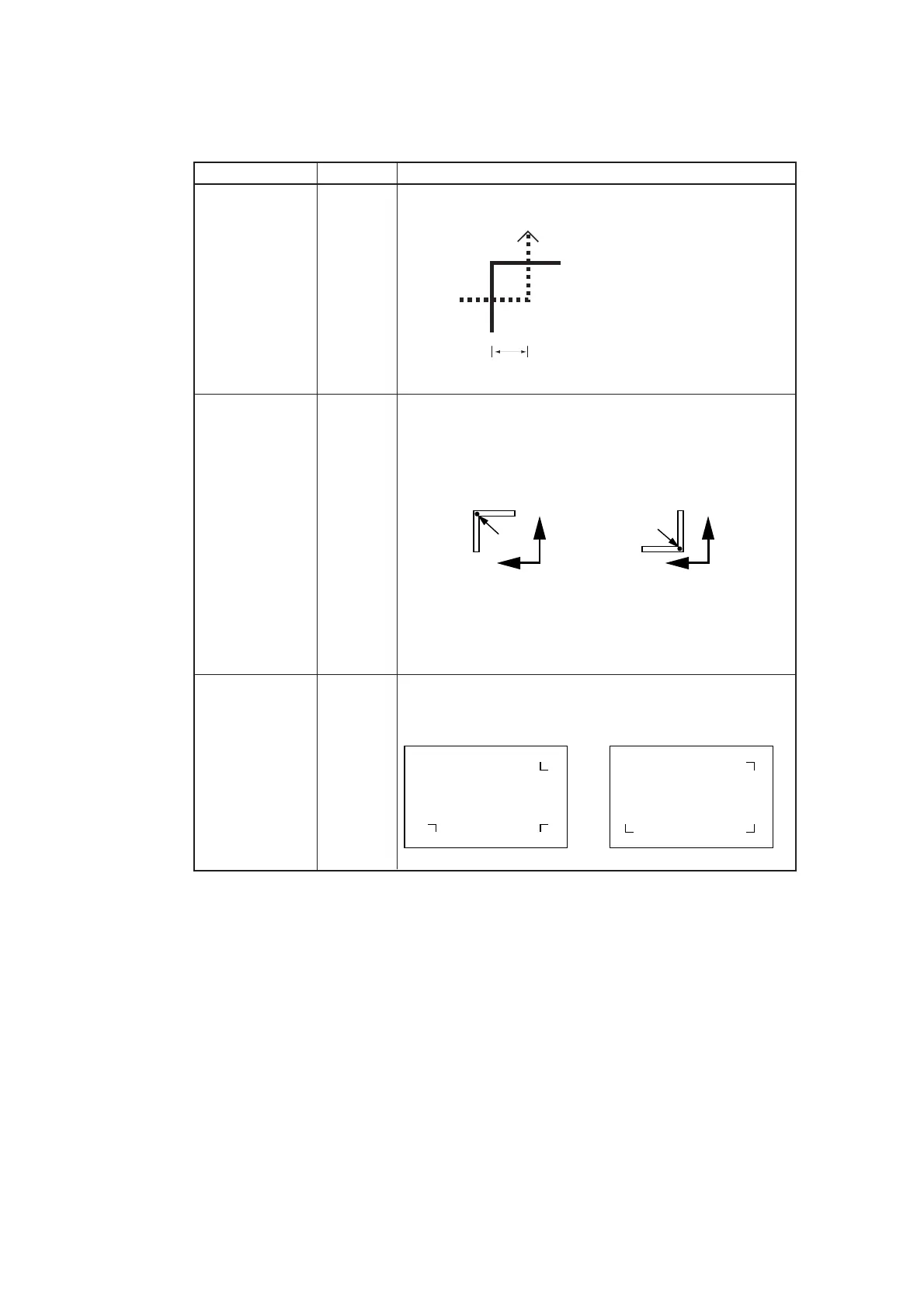
Size 4-20mm Setting the detection offset of the registration marks.
It is set the offset of the
detection.
After detecting line 1, set
value/2 will be traveled to
detect line 2.
offsetA -20.00 - Generally the origin will set the following position.
offsetB +20.00mm However, the position of the origin may differ depending on
the application software. In this case, it can be corrected.
When the origin becomes out of the effective cutting area,
"ERR36 MARKdetect" will be appeared on the display. In
the cause, please write the position of registration marks on
the seat on a center side of the seat.
MARK FORM TYPE1 Select either one of the following types of the registration
TYPE2 mark.
sensoring
registration mark (TP1)
1
2
Set value/2
Origin
TP1
TP2
Plus B direction
Plus A direction
Plus B direction
Plus A direction
Origin
TYPE1 TYPE2
Method to detect registration marks
Registration marks are detected in two different ways; full-automatic detection and semi-
automatic detection.
The semi-automatic mode is employed in the case where the registration marks 1 is not
located at the lower right corner of the sheet.











 To Next Page