EasyManua.ls Logo

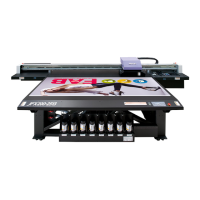
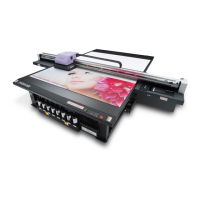
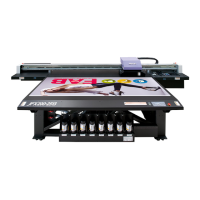
MIMAKI JFX500-2131 - User Manual

MIMAKI JFX500-2131
156 pages
Print Icon
To Next Page IconTo Next Page
Loading...
MIMAKI ENGINEERING CO., LTD.
URL: http://eng.mimaki.co.jp/
D202420-14
Original instructions

Table of Contents

Other manuals for MIMAKI JFX500-2131

Questions and Answers

  • A
    Amy WalkerJul 25, 2025
    What to do if ink drops are falling on media during printing with my MIMAKI JFX500-2131?
    • D
      David SanchezJul 26, 2025
      If you observe ink drops falling on the media during printing, try the following: * Execute the wiper cleaning. * Execute the ink cap cleaning. * Clean around the head. * Execute the head cleaning [NORMAL]. * Set a shorter interval of INTERVAL WIPING operation.
  • A
    Amy HallJul 31, 2025
    How to fix white lines / blur / dark stripes on MIMAKI Printer?
    • M
      Martin BradleyJul 31, 2025
      To address white lines, blur, or dark stripes appearing in the direction of the print heads on your MIMAKI Printer, try the following: * Execute the head cleaning. * Perform maintenance of the inside of the station. * Execute the [MEDIA COMP.] function.
  • J
    Jason FernandezAug 6, 2025
    What to do if ink bottle warning appears on MIMAKI Printer?
    • L
      lindahillAug 6, 2025
      If an ink bottle warning appears on your MIMAKI Printer, check that the IC chip in the ink cover is correctly set. Replace the ink bottle in question immediately. If nozzles are clogged, the machine must be repaired by MIMAKI's service engineer.
  • S
    scottdonnaAug 12, 2025
    How to resolve character misalignment on MIMAKI JFX500-2131?
    • J
      Joshua SimpsonAug 12, 2025
      If characters are misaligned doubly or triply to the Y bar moving direction on your MIMAKI Printer, execute the [MEDIA COMP.] function.
  • F
    francoashleeAug 18, 2025
    How to fix disagreement in print positions between outward trip and homeward trip on MIMAKI JFX500-2131?
    • J
      Jennifer LaneAug 18, 2025
      To correct disagreement in print positions between outward trip and homeward trip on your MIMAKI Printer, execute the [DROP POSITION] function.

Summary

Safety Precautions

Chapter 1 Before Use

Names of Parts and Functions

Identifies and explains the key components of the printer.

Connecting Cables

Provides instructions for connecting various cables to the machine.

Setting Ink Bottles

Details the procedure for installing ink bottles into the external ink supply unit.

Chapter 2 Basic Operations

Turning the Power ON;OFF

Guides on powering the machine on and off.

Setting a Media

Details the process of loading and securing media onto the machine's table.

Test Printing

Describes how to print test patterns to check nozzle condition.

Head Cleaning

Explains how to perform head cleaning based on test print results.

Printing Data

Covers starting, stopping, and managing printing data.

Chapter 3 Extended Functions

Changing Origin

Details methods for changing the machine's origin point.

Registering the Thickness of the Media

Guides on registering media thickness for accurate printing.

Registering Head Gap Value

Explains how to set the head gap height relative to the media surface.

Set the Feeding Amount of the Y Bar

Covers correcting the Y bar feeding amount for print quality.

Correct the Ink Drop Position for Bidirectional Printing

Details correcting ink drop position for improved bidirectional print quality.

Setting Logical Seek

Explains how logical seek settings affect head motion during printing.

Setting UV Mode

Covers adjusting UV lamp intensity and control settings.

Setting Work Change

Configures machine behavior after online drawing.

Setting Ionizer

Explains how to set the operation for an optional ionizer.

Perform Setting to Reduce Stripes Between Passes

Introduces the MAPS function for reducing printing stripes.

Setting Auto Cleaning

Configures automatic cleaning after print jobs.

Setting Nozzle Face Cleaning

Explains automatic cleaning of the head nozzle face.

Setting Ink Heater

Sets the time until head and ink heaters switch to standby.

Machine Settings

Covers settings for auto power-off, time, units, buzzer, and language.

Chapter 4 Maintenance

Chapter 5 Troubleshooting

Chapter 6 Appendix

MIMAKI JFX500-2131 Specifications

General IconGeneral
BrandMIMAKI
ModelJFX500-2131
CategoryPrinter
LanguageEnglish

Related product manuals