11. Commissioning
MiR1000 User Guide (en) 12/2020 - v.1.4 ©Copyright 2019-2020: Mobile Industrial Robots A/S. 131
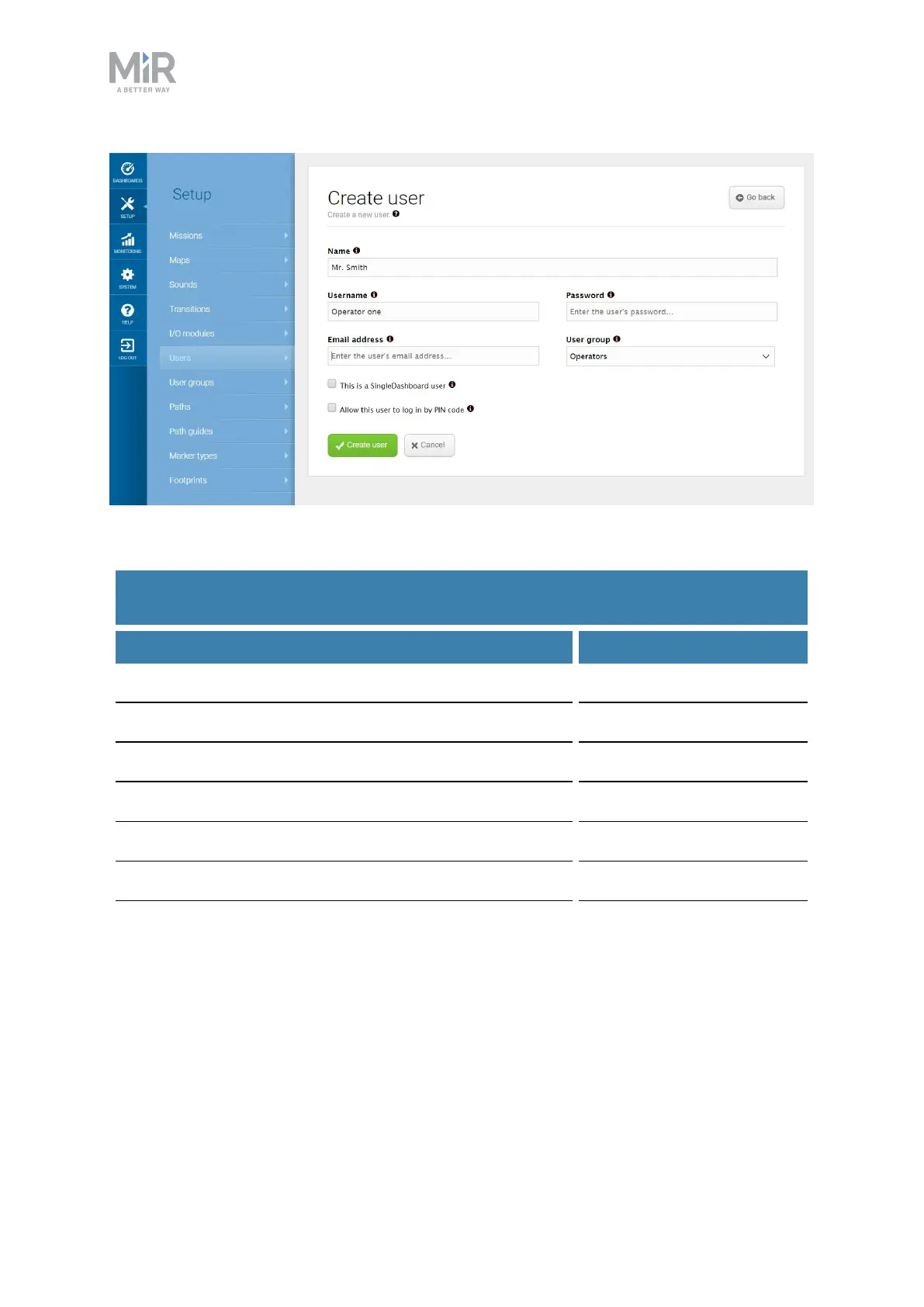
Figure 11.20. When you create a user, you must fill out the fields shown in this image.
Feature User group
Controlling the robot manually Operator
Creating maps and positions Commissioner
Creating and editing missions Operator
Adjusting warning sounds Commissioner
Creating new user groups Commissioner
Assigning missions Direct user
Changing system settings Commissioner
Table 11.1.
Examples of which users MiR recommends should be able to edit which features
11.11 Creating dashboards
To make the user experience as easy and simple as possible, you can build a unique
dashboard for each user. Dashboards are an easy way for different user groups to control
the robot, giving direct access to the individual groups' key functions.



 To Next Page