10. Safety system
MiR1000 User Guide (en) 12/2020 - v.1.4 ©Copyright 2019-2020: Mobile Industrial Robots A/S. 94
In the Auxiliary safety function interface, pins 7 and 8 are used for the output and pins 9 and
10 are used for the input of the Shared emergency stop function.
10.10 Reduced speed
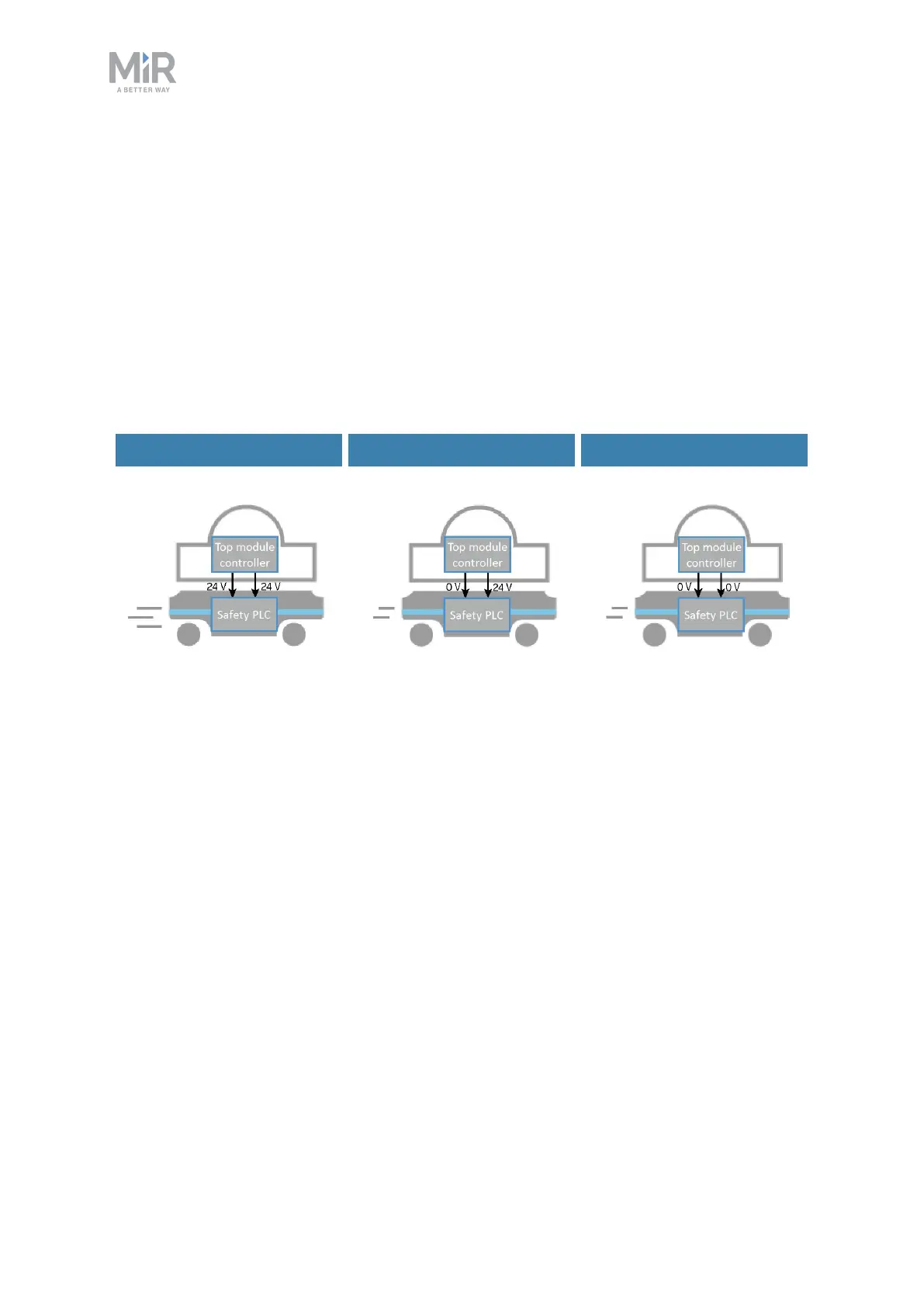
The Reduced speed interface is used to signal to the robot that it must drive at a reduced
speed of 0.3 m/s.This is the same speed used when the robot mutes its Protective fields. The
interface uses two input pins where the robot drives at a reduced speed if either input is 0 V.
This can for example be used in cases where the top module can register whether the load it
is carrying is not securely placed or the module is currently under operation.
Default speed Reduced speed Reduced speed
Figure 10.12. The robot drives at its default speed only when both inputs are 24 V. If either or both pins are 0V,
the robot drives at 0.3 m/s.
Pins 11 and 12 in the Auxiliary safety function interface are used for the Reduced speed
function.
10.11 Safety stop
There are two pairs of contactors used to stop MiR1000: the STO (Safe Torque Off)
contactors and the dynamic brake contactors. These are controlled by the safety PLC and are
used when the robot goes into Protective or Emergency stop. The following processes occur
to stop the robot safely:



 To Next Page