10. Safety system
MiR1000 User Guide (en) 12/2020 - v.1.4 ©Copyright 2019-2020: Mobile Industrial Robots A/S. 90
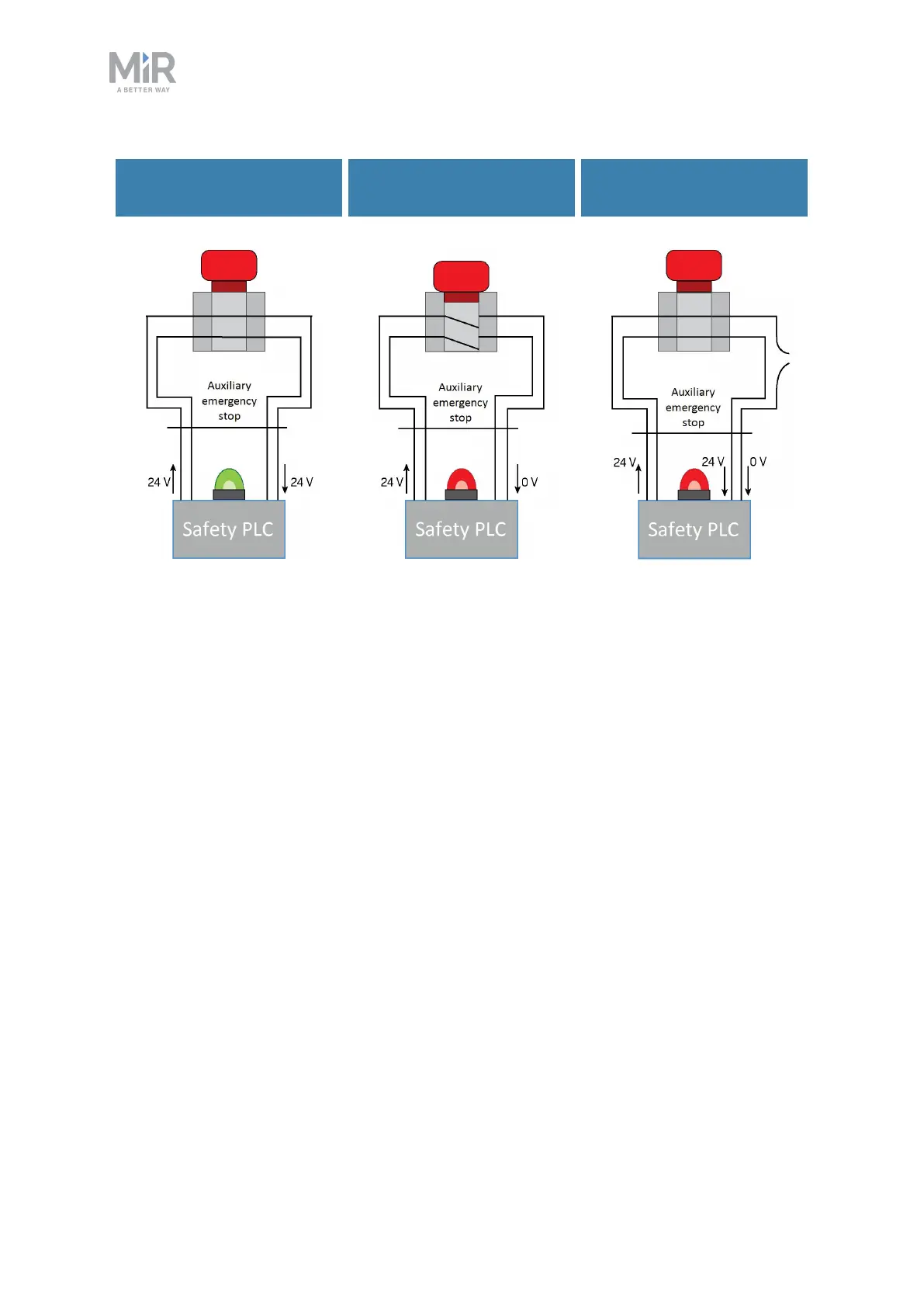
Emergency stop button
released
Emergency stop button
pushed
Emergency stop circuit
faulty
Figure 10.8. If the input pins deliver 24 V to the robot, it can operate. When you push a connected Emergency
stop button, both pins deliver 0 V, and the robot enters Emergency stop. If the pins do not deliver the same
input, the robot enters Protective stop until the circuits are fixed.
In the Auxiliary emergency stop interface, pins 1 and 2 deliver 24 V from the safety PLC, and
pins 3 and 4 connect to the Emergency stop circuit inputs of the safety PLC. 24 V must be
delivered to pins 3 and 4 for the robot to operate.
10.7 Safeguarded stop
The safeguarded stop interface provides an input to the robot that can bring the robot into
Protective stop. This interface uses two input pins where both pins must receive 24 Vfor the
robot to be able to operate. If either or both pins receive 0 V, the robot is brought into
Protective stop. The robot can be brought out of Protective stop again if both pins receive 24
Vagain.
If the pins are unequally set for more than three seconds, the safety PLCregisters this as an
error in the system and needs to be reset before the robot can operate again. To do this, you
must restart the robot.



 To Next Page