12. Usage
MiR1000 User Guide (en) 12/2020 - v.1.4 ©Copyright 2019-2020: Mobile Industrial Robots A/S. 149
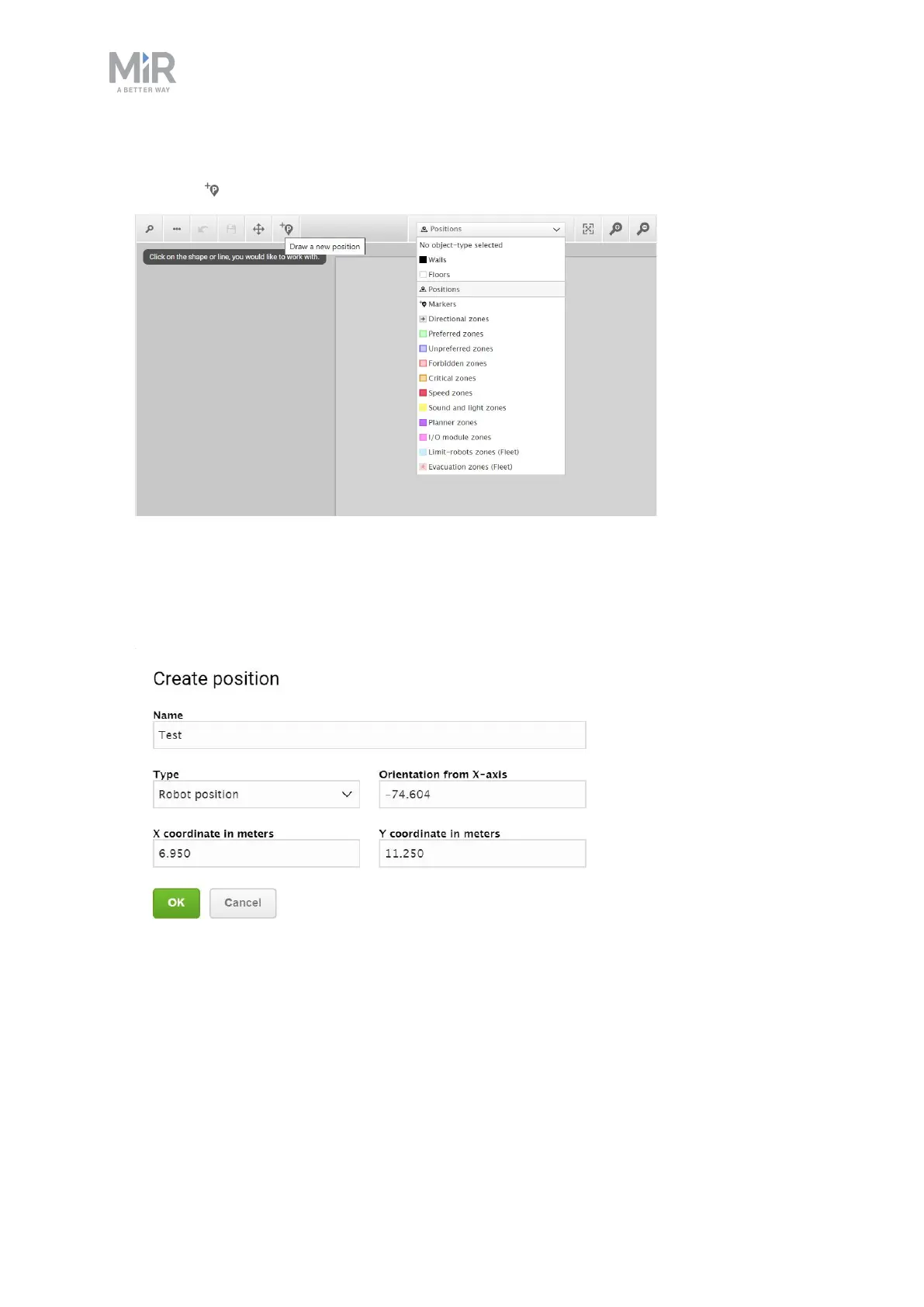
2. In the Object-type drop-down menu, select Positions, and then select Draw a new
position .
3. Select where on the map you want the position to be, and choose in which direction you
want it to face.
4. Name the position. Under Type, select which type of position you want to make. In this
example we are making a Robot position.



 To Next Page