12. Usage
MiR1000 User Guide (en) 12/2020 - v.1.4 ©Copyright 2019-2020: Mobile Industrial Robots A/S. 152
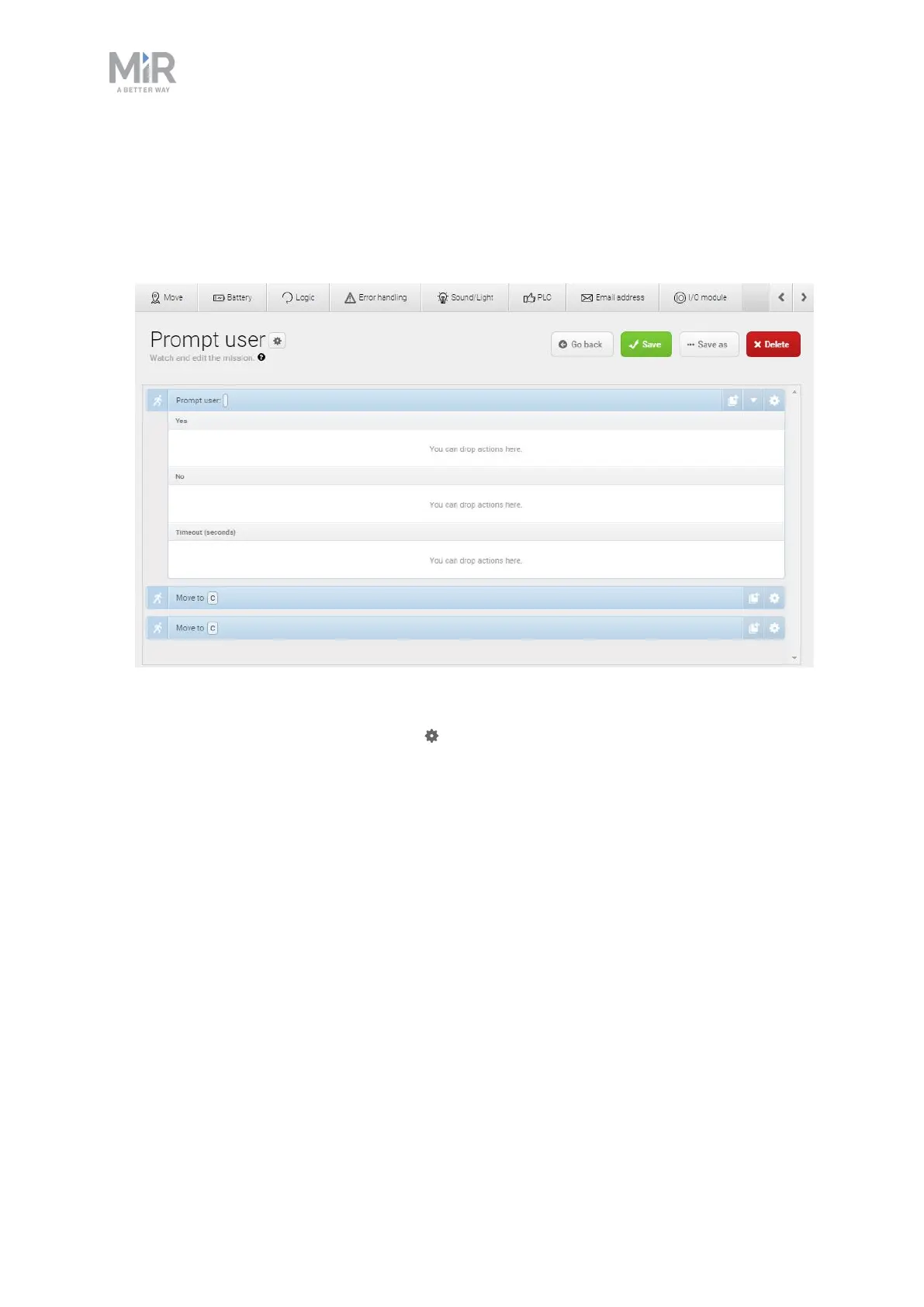
3. Select the following actions:
• In the Logic menu, select Prompt user.
• In the Move menu, select Move.
• In the Move menu, select Move.
The following steps describe which parameters each action should be set to. To modify
the parameters, select the gearwheel at the right end of the action line to open the
action dialog box. When you have set the parameters, select Validate and close.
4. In the Prompt user action, set the parameters as follows:
• Question: Enter the question Go to position one?.
• User group: Select Users.
• Timeout: Set the timeout to 10 minutes.



 To Next Page