Installation
157
Mitel 470 as of R4.1
syd-0585/1.2 – R4.1 – 08.2016
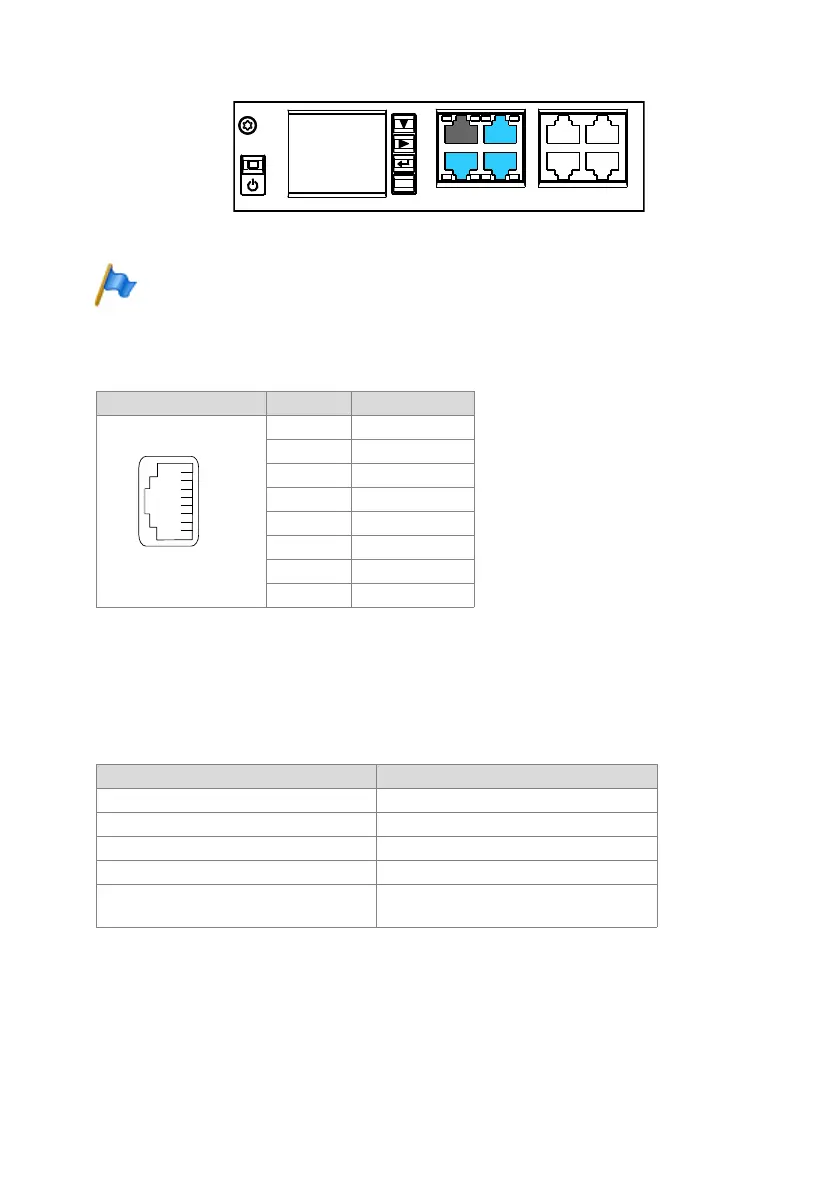
Fig. 70 Connection possibilities for Ethernet interfaces
Note
Circuit type as per EN/IEC 60950: SELV
Socket
Tab. 75 Connection of Ethernet interfaces
Settings
The IP address can either be taken from a DHCP server in the IP network or config-
ured statically. If a DNS server is used, the communication server can also be ad-
dressed via its host name.
Tab. 76 Default values, IP address
First-start response
The IP addressing after a first start depends on whether a static IP addressing is al-
ready stored on the EIM card from a previous configuration. A static IP addressing (IP
address, subnet mask, gateway) entered manually is stored on the EIM card and re-
RJ45 socket Pin Signal
1TX D1+
2TX D1–
3RX D2+
4BI D3+
5BI D3–
6RX D2–
7BI D4+
8BI D4–
Parameter Parameter value
IP address 192.168.104.13
Subnet mask 255.255.255.0
Gateway 0.0.0.0
DHCP yes
Host name <Model name>-<MAC-Address>
1)
Example: Mitel430-00085d803100
1) This entry is hidden and does not appear in the parameter’s input field
8"/
-"/
-"/
'94
'94
'94
'94
-"/
FTD



 To Next Page